EasyManua.ls Logo

Weidmüller PrintJet ADVANCED - Setting the Printer Correction

Weidmüller PrintJet ADVANCED
166 pages
Print Icon
To Next Page IconTo Next Page
To Previous Page IconTo Previous Page
Loading...
Operation
1449820000/1.4/04.17 87
5.2.3 Setting the printer correction
The printer correction must only be set once. It does not depend on the MultiCard type.
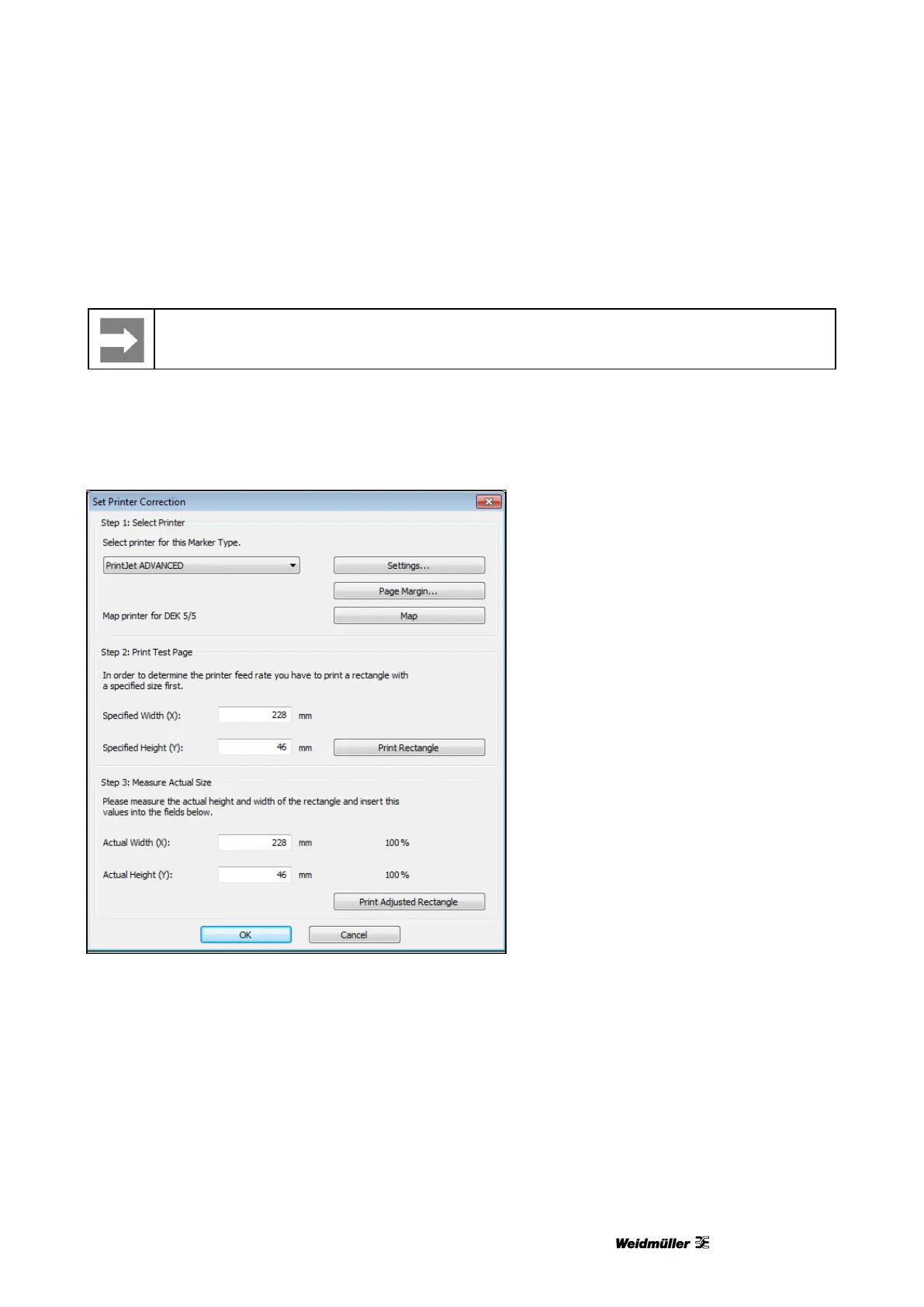
1 From the menu bar choose Tools → Printer Settings → Set Printer Correction...
2 Insert, for example, a DEK 5/5 MC-10 NEUTRAL WS MultiCard in the printer (also see section “5.1.2
Inserting MultiCards/MetalliCards”).
Figure 101 Setting the printer correction
3 Print a rectangle of the specified size (228 x 46 mm) by pressing the [Print Rectangle] button.
4 Remove the printed MultiCard from the printer.
5 Measure the size of the printed rectangle.

Table of Contents