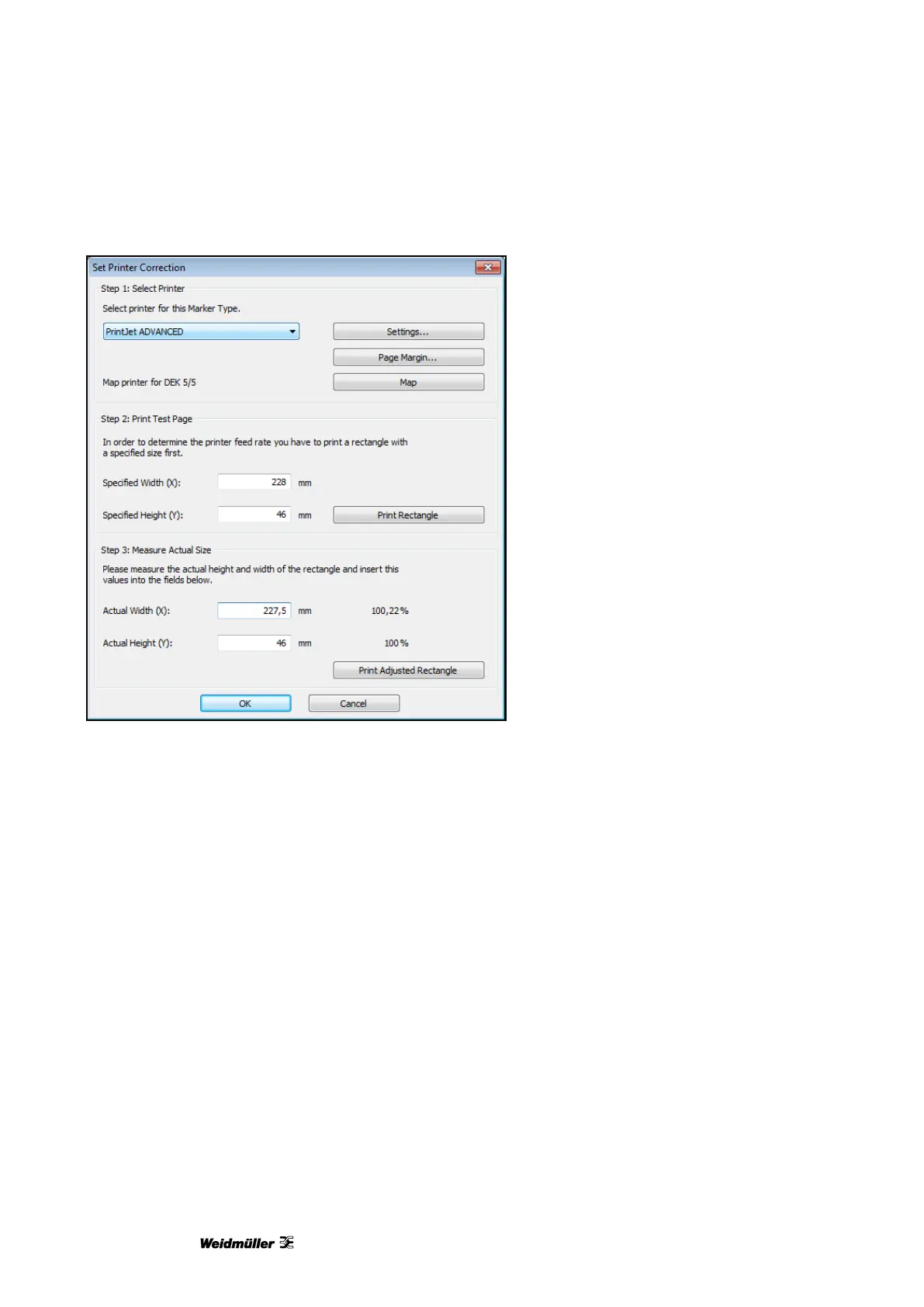
Figure 102 Setting the printer correction
6 Enter the measured values in the ‛Actual Width (X)’ and ‛Actual height (Y)’ fields.
In the example above the measured values are 227.5 x 46. The printer must output the rectangle 0.22%
larger in order to reach the required output size.
7 To check the dimensions, insert a DEK 5/5 MC-10 NEUTRAL WS MultiCard in the printer again.
8 Press the [Print Adjusted Rectangle] button.
9 When the dimensions are correct, confirm your inputs with the [OK] button.
The printer has now been adjusted for all MultiCards.
10 Next set the material-dependent slip (see the following section).


 To Next Page