______________
5. File
This menu deals with data file management and system interfacing.
5.1 Load File
This option loads a disk file into the memory buffer.
Files loaded into the programmer are divided into two types.
For programming memory and Micro controller chips, date file types is generally HEX or Binary.
For programming PLD chips, the data file type is .JED(JEDEC).
This command can be selected from the menu, or by pressing the hot-key <F2>.
Type in the filename and press<ENTER>, or press <TAB> to switch to the list of files.
Select a file with the arrow keys, and press<Enter> to select the file.
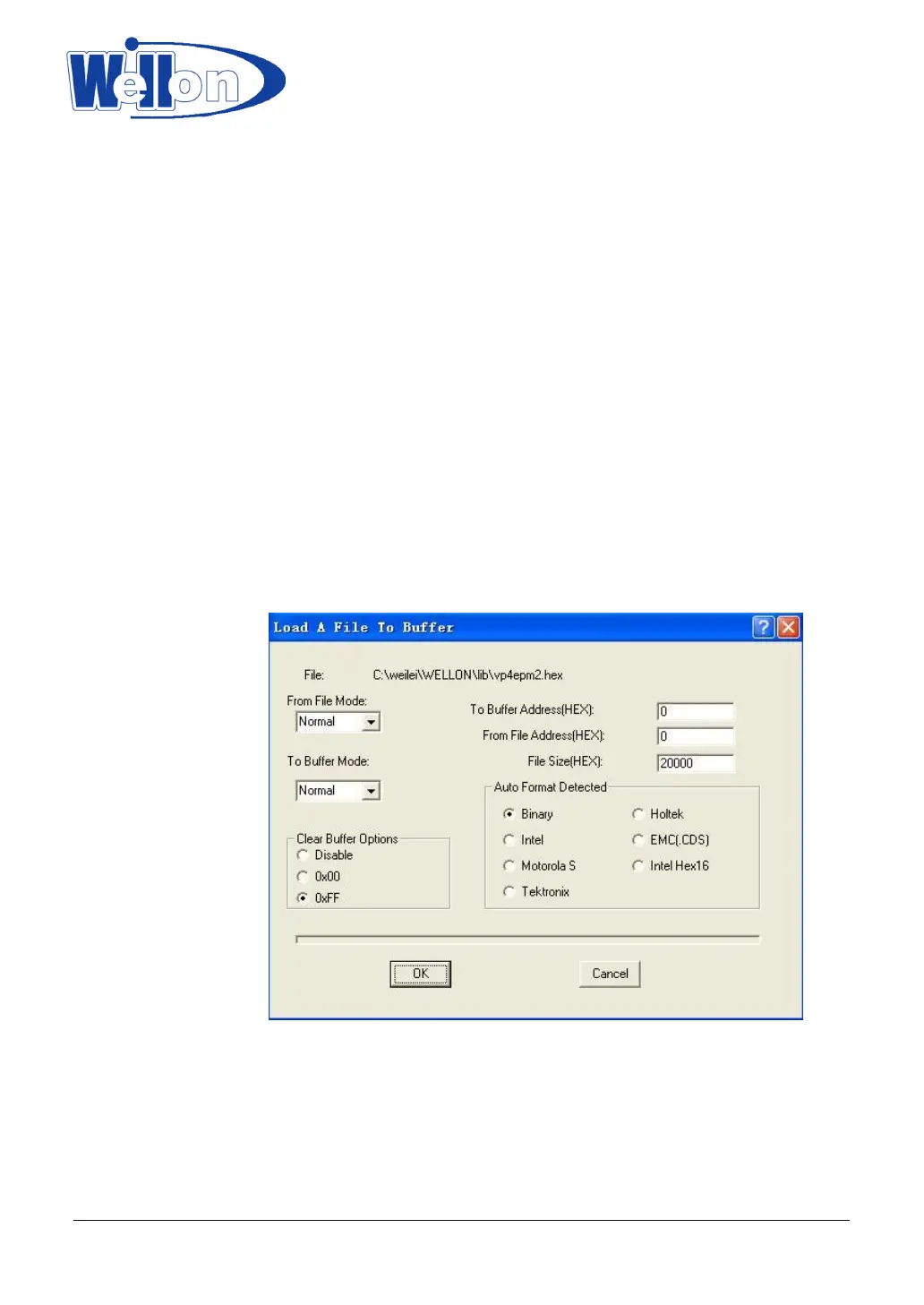
If current device is a memory type device (EPROM/EEPROM/SPROM/MPU/PROM/IC Card), you will see a
Load File Dialog Box after you select a file.
5.1.1 From File Mode
This option indicates which bytes must be read in the input files. Select the required format.
5.1.2 To Buffer Mode
This option indicates where the byte previously read is to be written. This enables you to ‘build’ the memory
buffer from several files.
5.1.3 To Buffer Address
If the data read is to be copied into a different area of the buffer, fill in the starting address here.
Tianjin Weilei Techonlogy Ltd.
www.weilei.com TEL:022-83945122
FAX:022-83945121 2018-03-08



 To Next Page