______________
5.1.4 From File Address
If only a selected range is to be read from the input file, fill in the address that will contain the first byte into
this box, and the size of the buffer to be read.
5.1.5 File size
This box contains the buffer size. By default it is the same size as the device size. If you want to download a
file into memory that is different from the active device size, insert the size here.
5.1.6 Clear Buffer Option
There is an option Clear Buffer here. If the option is set to 0x00 or 0xFF, the whole buffer will be filled with
0x00 states or with 0xFF states before load a file. If you want to load two or more files, you must set to
disable. If not, when the second file is loaded, the first file is cleared.
5.1.7 Auto Format Detected
The software automatically detects the format of the file (except HOLTEK type and EMC(.CDS) type) that
is to be loaded. If the format of the file differs from the format detected, select the correct file format.
Data types supported are Binary, Intel HEX, Motorola S, Tektronix HEX types, HOLTEK type,
EMC(.CDS) type and INTEL HEX16 type. Select the appropriate type for your data file.
5.1.8 Load JEDEC (.JED) File
If the selected device type is PLD, the Load JED File dialogue box will pop up. Type in the file name and
press enter.
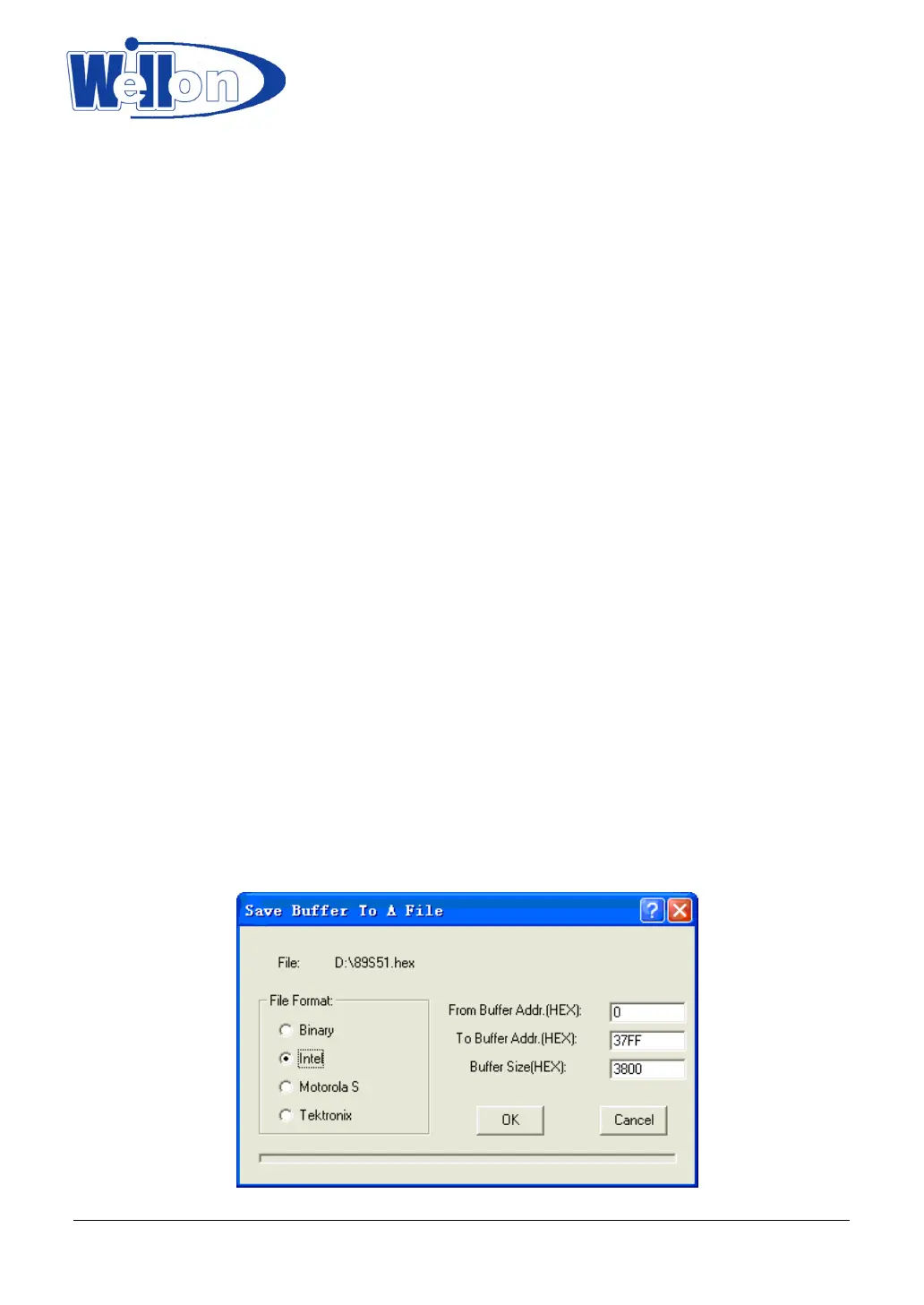
5.2 Save Buffer
This option lets you save the contents of the memory buffer to a file.
If you wish to save the file in the default directory, type in a filename and press<ENTER>.
You can also change to another directory.
When the directory that you want to save the file to is displayed, type in the filename and press<ENTER>.
If the file already exists, the system will ask for confirmation to overwrite the existing file.
This command can be selected from the menu, or by pressing the hot-key <F3>.
Tianjin Weilei Techonlogy Ltd.
www.weilei.com TEL:022-83945122
FAX:022-83945121 2018-03-08



 To Next Page