22 Using the ventilator
5. Using the ventilator
5.1 Switching on/self test
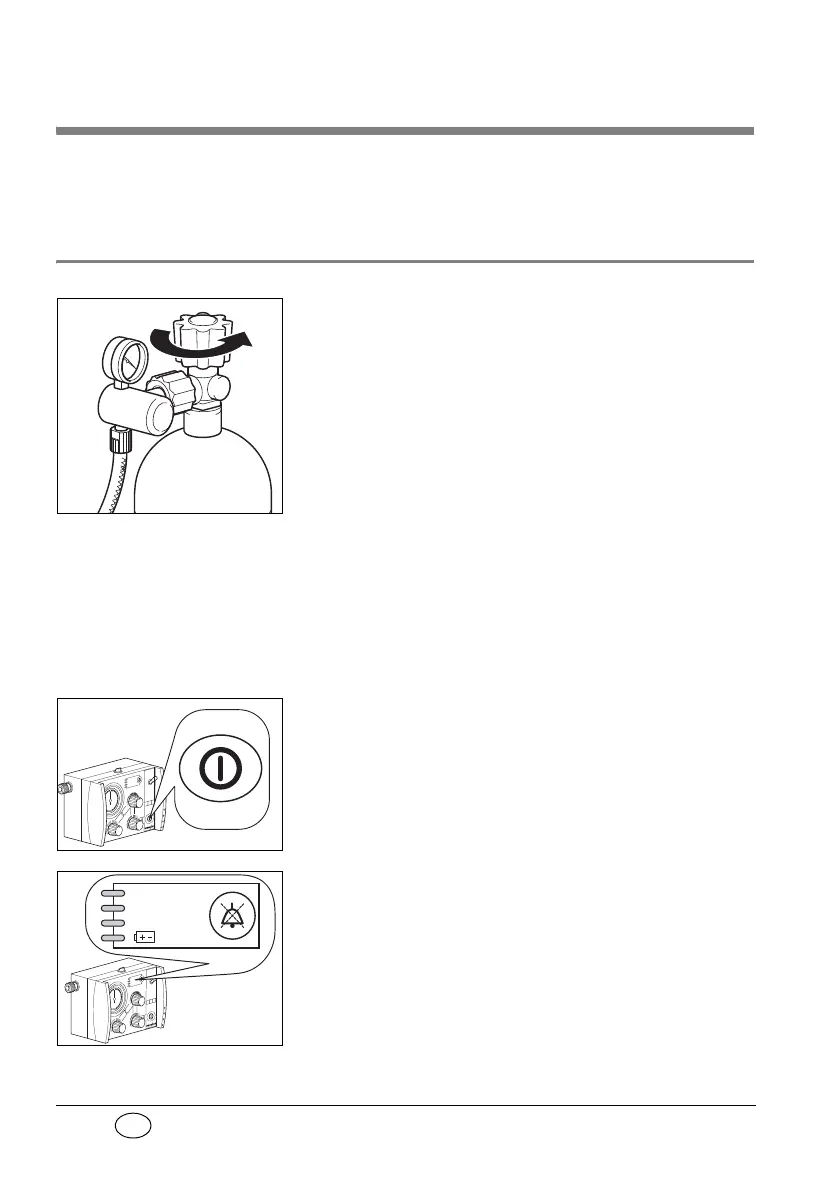
1. Open the valve of the oxygen cylinder slowly.
The pressure gauge will now show the pressure
in the cylinder.
2. Where appropriate, calculate how long the re-
maining oxygen will last (note “5.10 Calculation
of oxygen content/remaining operating time“
on page 31). Always change the cylinder in good
time, e.g. when the pressure is lower than
50 bar, to ensure that oxygen is available for an
adequate period.
3. Select the desired settings for the ventilation
(note “5.2 Selecting the ventilation settings“ on
page 23).
4. Switch on the MEDUMAT Standard with ON/
OFF switch. The ventilator will then run a self test
lasting approx. 2 seconds.
If no errors are found, the four LED’s in alarm
panel will light up and a short alarm tone will
sound. The MEDUMAT Standard will then start to
function at the selected ventilation settings.
If an error is found, the LED’s in alarm panel will
start to flash. If this happens, MEDUMAT Standard
must not be used for ventilation.
Stenosis
Disconnection
< 2,7 bar O
2



 To Next Page