9
WAS.handling Windows – Program
4.2 Program menu
4.2.1 Teach positions
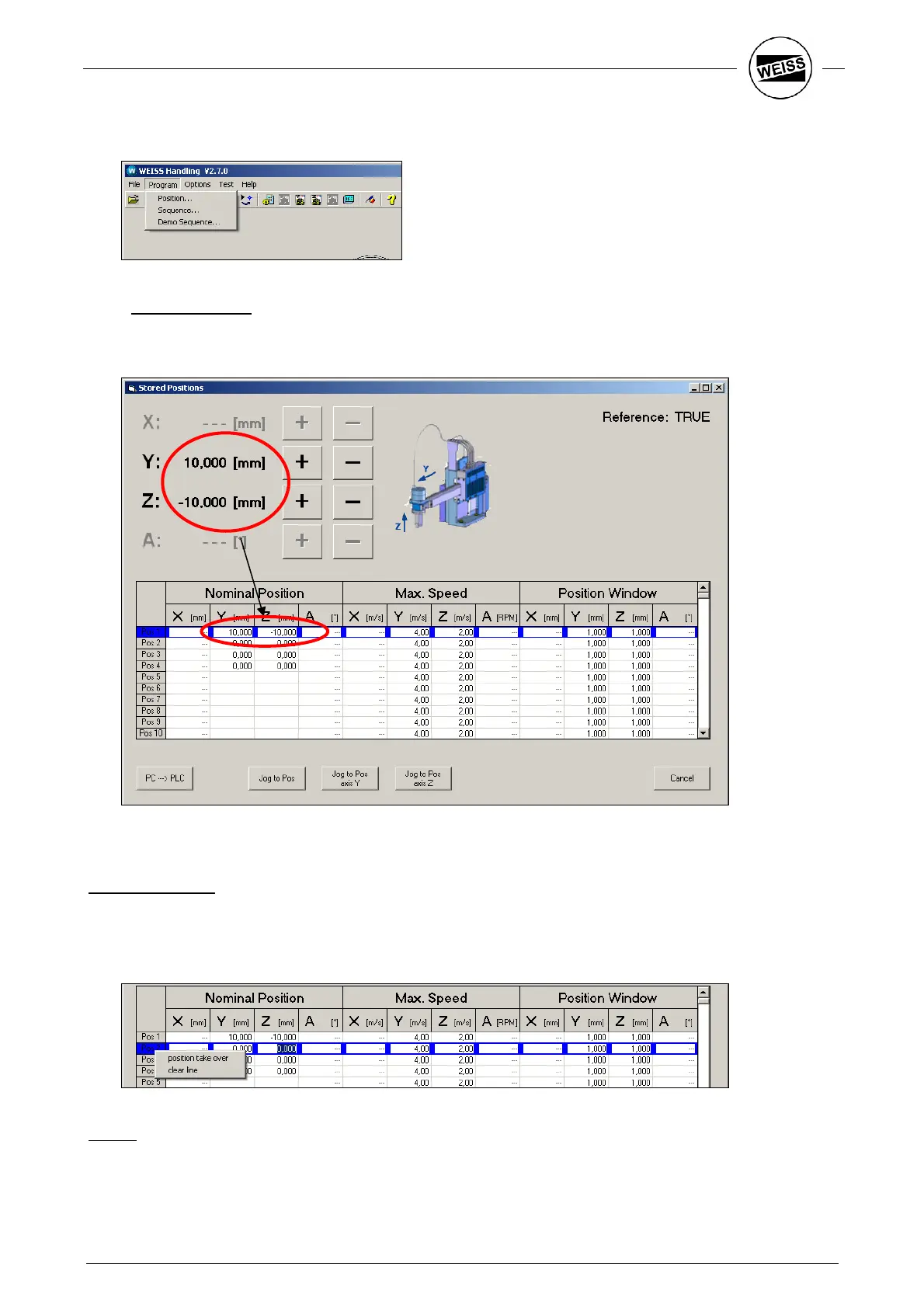
The dialog for teaching a position also includes functions for manual operation. Use this to go to and save the
desired positions.
The positions table has room for 127 positions.
Setting the values:
Highlight the position number you want to teach with the blue bar. Then move the axis to the target position
by pressing “+” and “-“ (step mode). Double click the blue cursor in the "Pos" column to transfer the current
position to the input box. Optionally you can set the values by using the right mouse button – Set position.
You can also enter the values manually and confirm by pressing ENTER.
Speed:
Enter the maximum speed to be used on the way to the position in the central area of the input table.


 To Next Page