WAS.handling Windows Program
42
5.4 Drive to reference points and set machine zero point
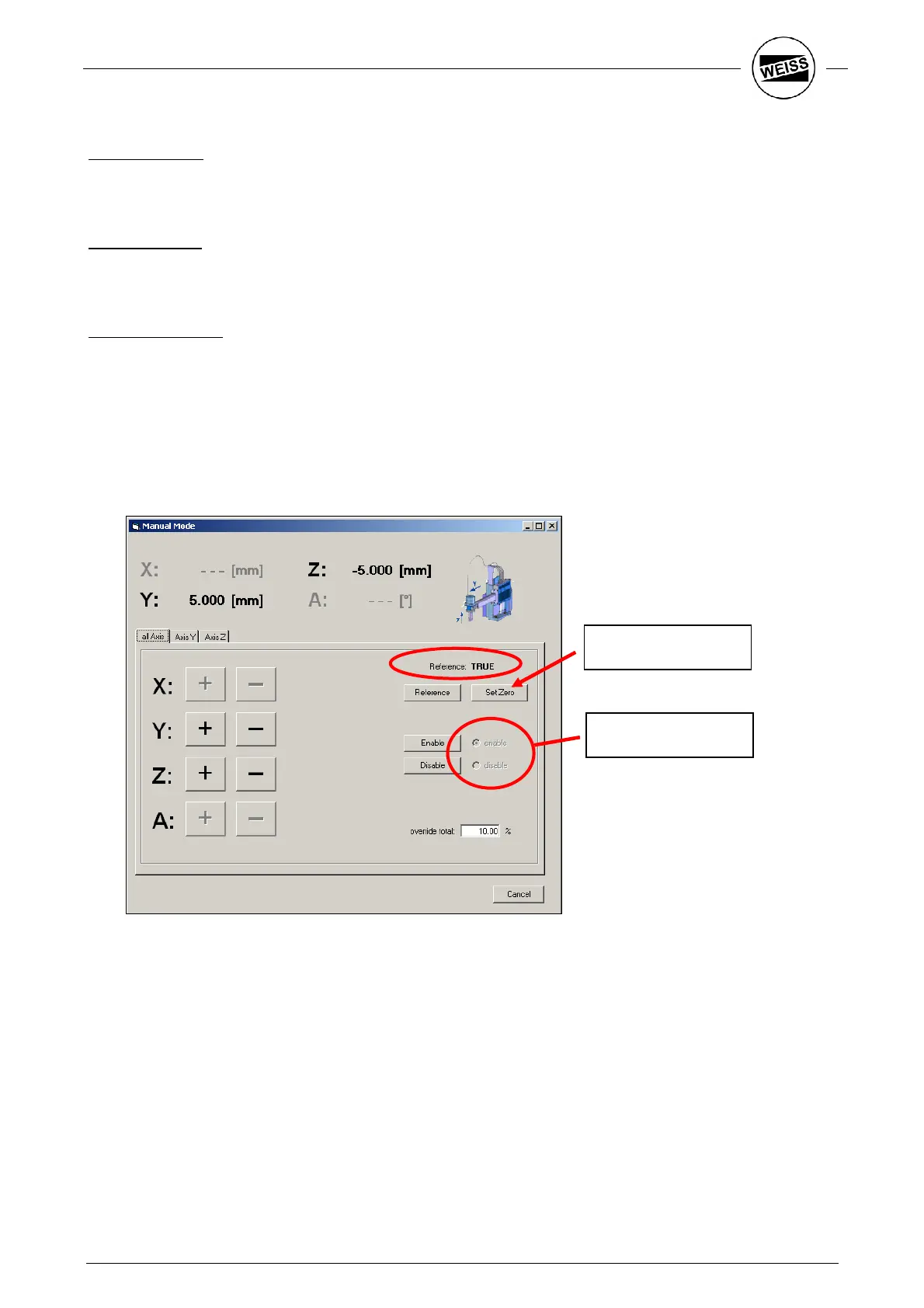
Release of axes:
Before the axes can be moved, make sure hardware and software enable are set. You'll find the display in
the Test – Manual mode menu. To check which of the signals is missing, check the I/O monitor using the
Tools - Debug - I/O Monitor menu item.
Reference drive:
You’ll find the dialog to move the axes manually in the Test – Manual mode menu. Use the Reference button
to start the axes’ reference drive. Later on, this procedure has to be repeated once each time the system is
started. Subsequently, an input is defined for this.
Machine zero point:
The effort of configuring a machine zero point is only worth the while when a large number of different
positions have to be taught (e.g. a large type range). Else the machine zero point can remain at the reference
point. The machine zero point is set by pressing the Set Zero button in the Manual mode dialog. Furthermore,
it can be set using the respective input.
One of the work piece seats should be designed in such a way that an accurate reference part can be
inserted instead of the work piece. With this, the position of the gripper is set. To avoid mechanical stress,
the axes can be released when the gripper is closed (disable). This way the optimum position is set
automatically.
Display
Set machine zero


 To Next Page