WAS.handling Windows Program
40
5.3 Parameterizing the interface to the customer PLC
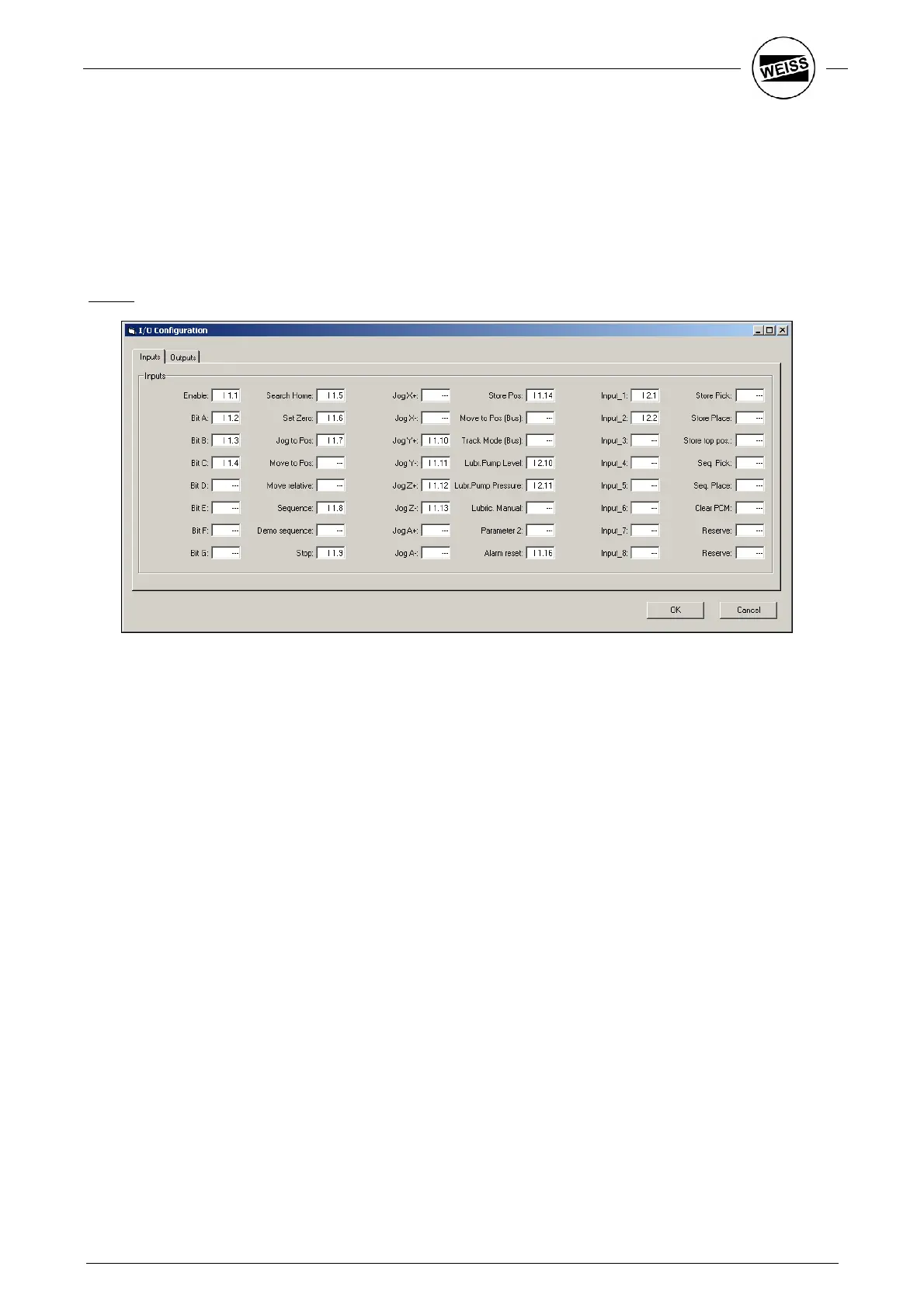
The dialog for configuring the inputs and outputs is accessed using the "I/O config" button in the Tools ->
Hardware_Config menu.
Let us suppose that 4 positions and 3 sequences have to be served via this interface. The machine zero point
shall be set. For the set-up mode, a second set of parameters will be used. The gripper will be controlled via
the control system of the HP140.
For this, the following signals are required:
Inputs:
Enable: Release of axis (software enable)
Bit A,
Bit B,
Bit C:
Binary coded entry of a position or sequence number
Search Home: Start of reference drive
Set Zero: Set machine zero point
Jog to Pos: Step mode to the position selected with Bit A..C.
Sequence: Start of the sequence selected with Bit A..C.
Stop: Stop and prevent all movements.
Jog Y+, Jog Y-,
Jog Z+, Jog Z-:
Step mode in respective direction
Store Pos: Saves the position selected with Bit A..C.
Lubr.Pump Level: Level switch for automatic lubrication
Lubr.PumpPressure:
Monitoring the lube function
Parameter 2: Switch to parameter set 2 for set-up mode.
Alarm reset: Acknowledge error message.
Input 1: Input sensor “Gripper open”
Input 2: Input sensor “Gripper closed”


 To Next Page