WAS.handling Windows Program
44
5.5.1 Teach positions
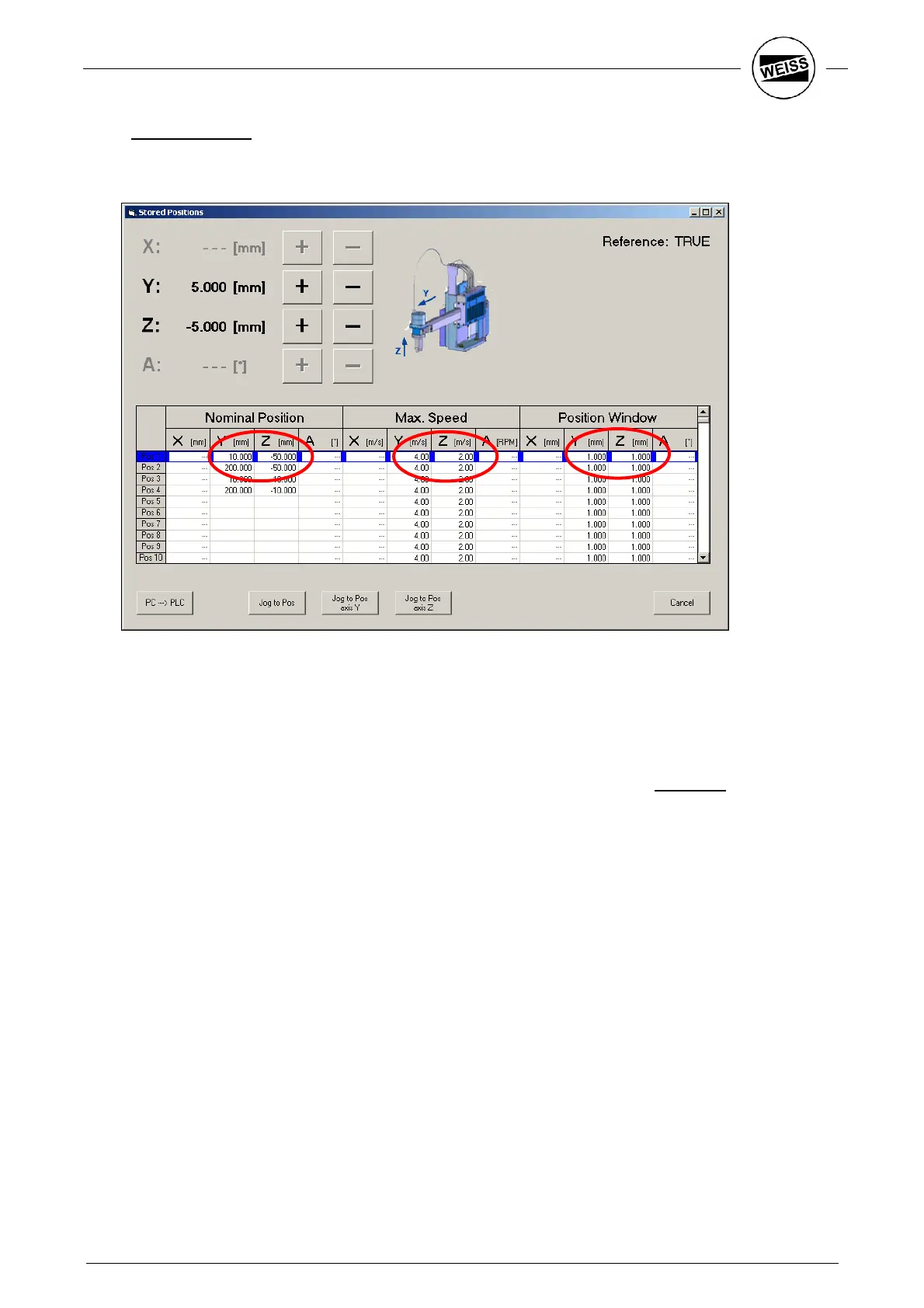
Open the Program – Positions dialog. Use the buttons in the upper area to move to the desired position.
Confirm by double clicking or right-click on the “Pos 1…127” column.
The position values can also be changed manually. Enter the maximum speed with which the position may
be reached into the field "Max. Speed“. “Position window“ gives the distance from the position where the
completion signal of the movement will be sent. This results in a smoothing of the movement. Furthermore,
for example, the signal for opening the gripper can be sent a little earlier.
This procedure can be applied to all 4 positions.
After entering the values, transfer these to the target system by pressing the PC
PLC button.


 To Next Page