3-7
Section 3 Operation
• To select the default product for the group (product to
be displayed when the day part is selected), press and
hold that product button for three seconds.
• While the unit is in the Press & Go mode the names can
be scrolled from left to right in the same order as they
are listed in the group top to bottom. Delete products
and add them back in to create the desired order.
When the edits are compete return to the group screen by
selecting the X in the top left corner.
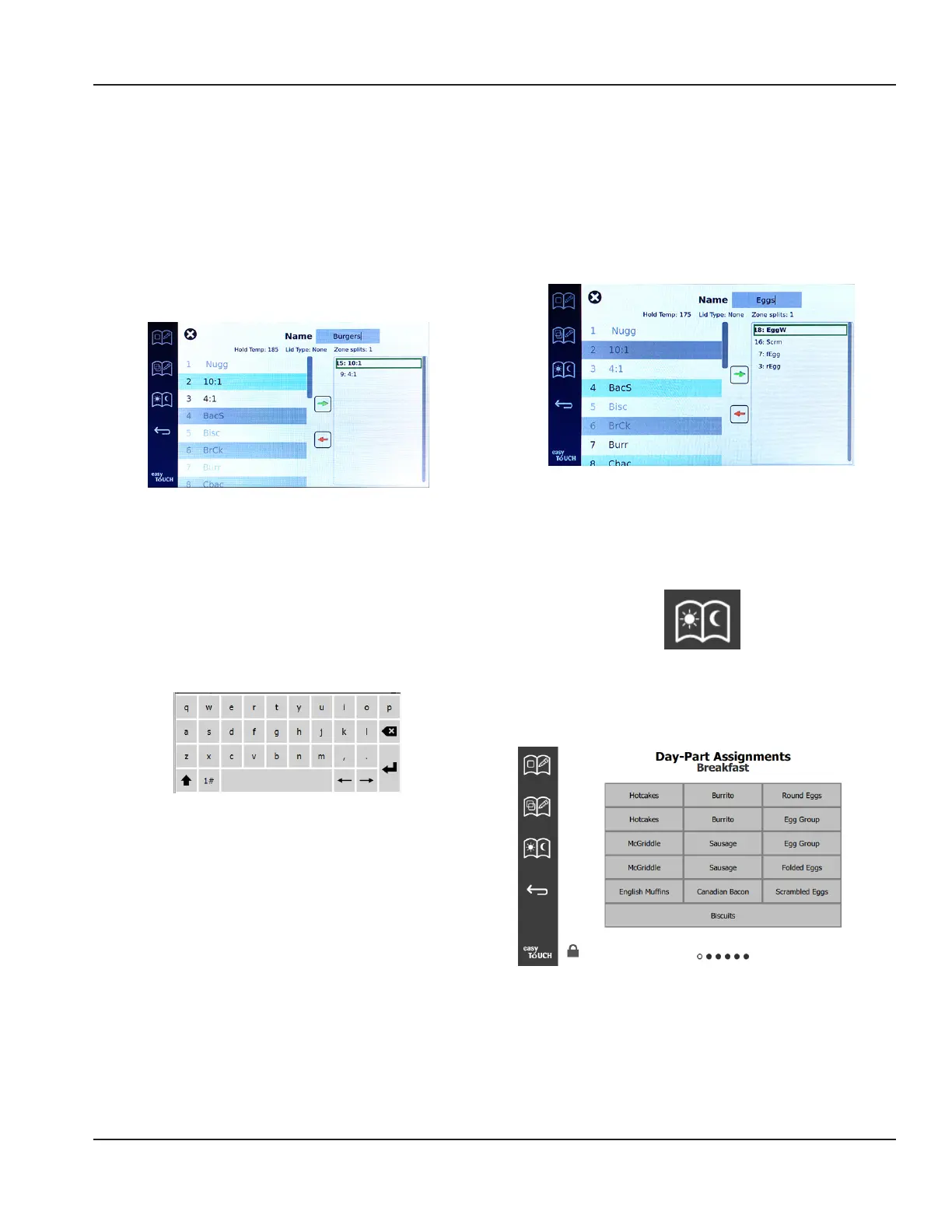
To add a group, select the group page add icon, +. A pop up
window will appear. Click inside the name box and use the
keyboard to enter the group name. Select the return key
(bottom right) and the keyboard will close.
NOTE: Name groups so they are recognizable as groups,
perhaps starting with G or Group. When editing the day
parts to add the group, the name is all that is displayed in
the scrolling list. If it does not stand out as a group it will
appear as just another product.
Pop Up Keyboard
Select a product for the group and the green arrow
to add it. That first product will determine the group
specifications, listed under the group name. Going forward
product with the wrong specifications, not available to be
added to the group, will be grayed out. Continue to add
products to the group. To remove a product, select it and
the red arrow.
When the group is complete save it and return to the group
screen by selecting the X in the top left corner.
Edit or Adding Dayparts
On the menu screen are navigation icons. Next to the back
arrow is the day part edit icon.
Day Part Edit Icon
Select the day part edit icon and the breakfast products
appears first. Swipe the screen to move between different
dayparts (example: breakfast to lunch/dinner).
Breakfast Products
To delete a product from a zone press and hold the
product button for three seconds. A pop-up window
confirms the request to delete. Products delete from right
to left.



 To Next Page