Appendix A-1
The menus and configurations can be exported and
imported to a USB thumb drive.
EXPORTING FILES
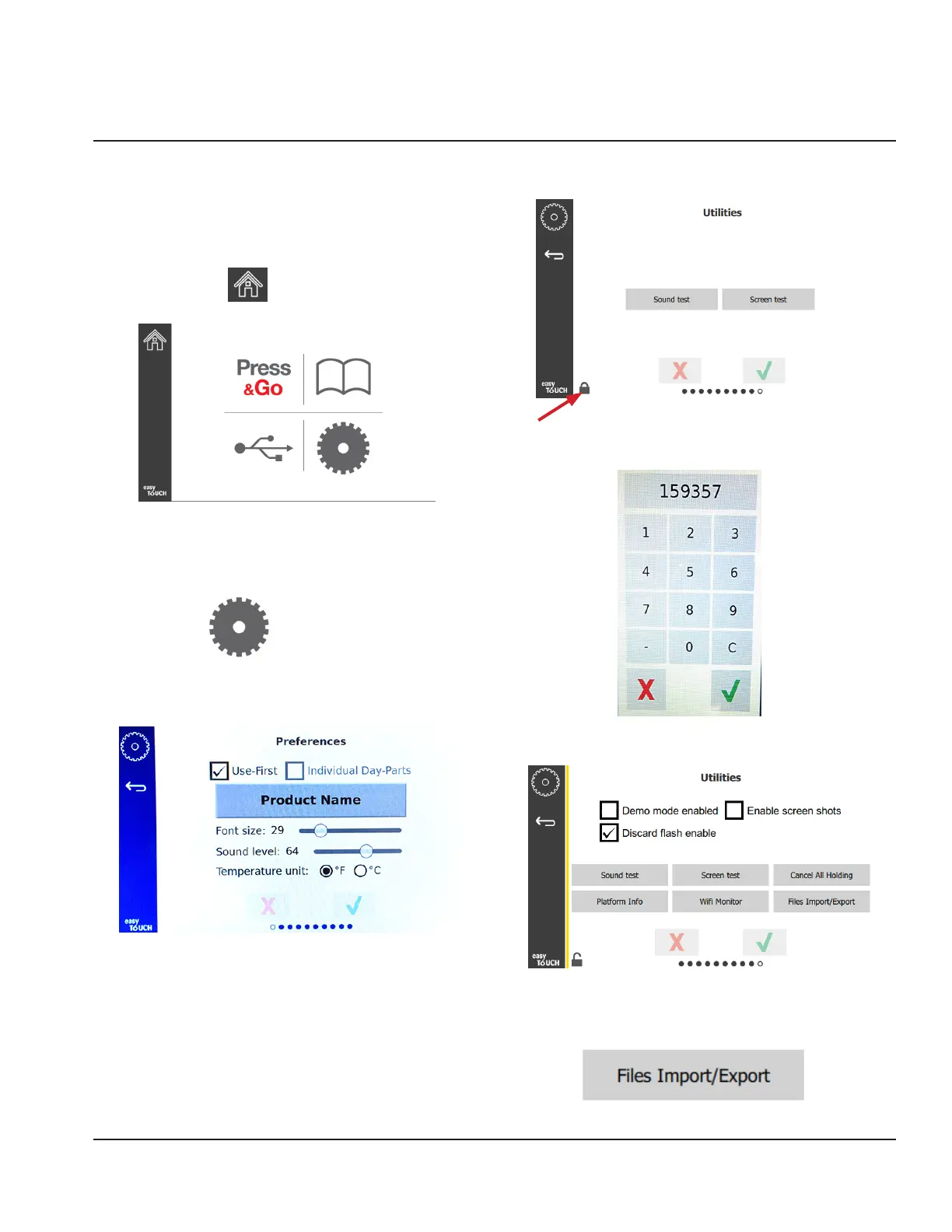
1. Select the home icon to bring up the home screen.
Home Icon
Home Screen
2. From the home menu select the settings icon.
Settings Icon
The preferences screen is displayed.
3. Swipe once to the right to the Utilities screen.
Settings Icon
4. Press the lock icon in the lower left corner.
5. Enter 159357 on the keypad and press the check
button.
Note the icon changed to unlocked.
6. Press the Files Import/Export button.
Appendix A
Importing/Exporting Menus and Configurations



 To Next Page