Appendix A-2
Operation Appendix A
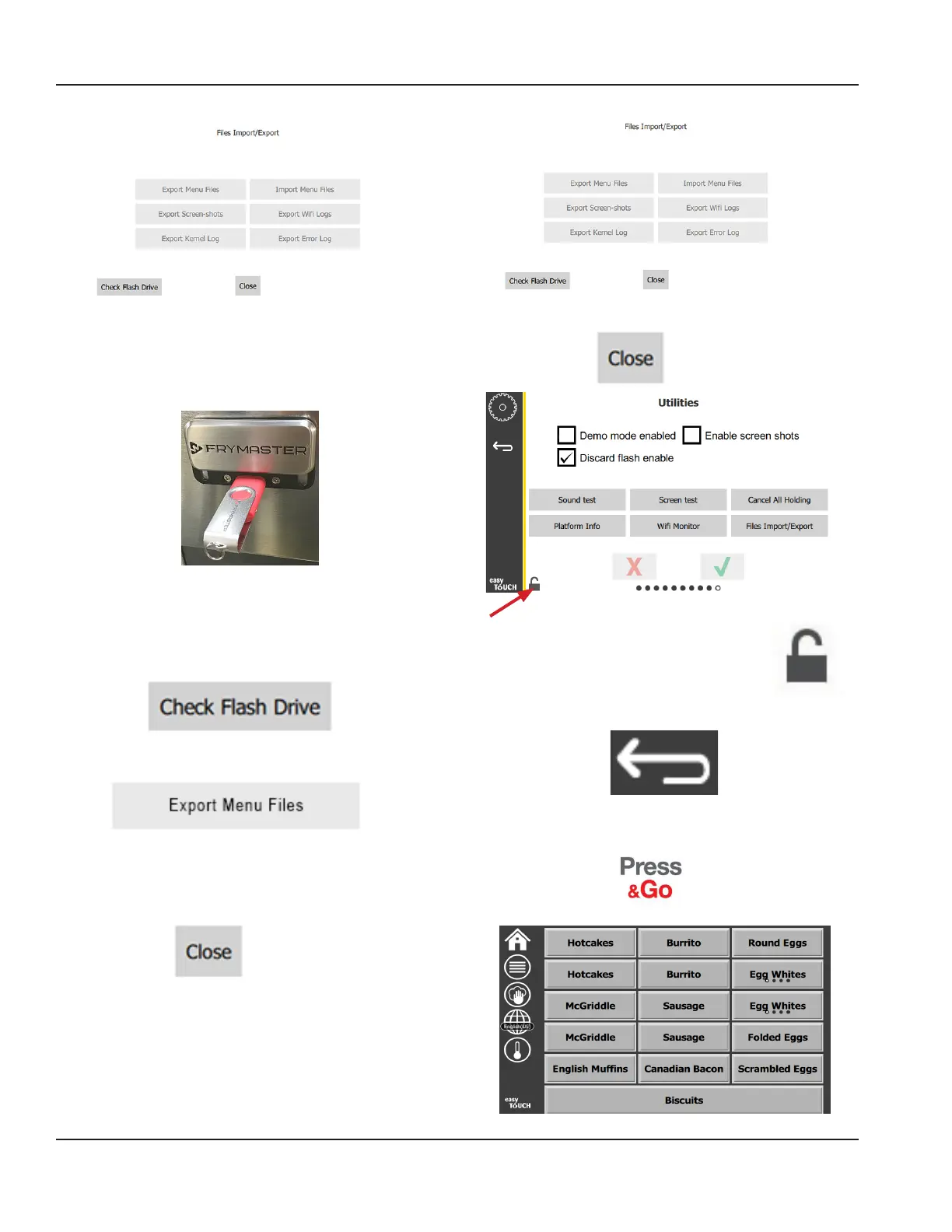
7. Slide open the USB port behind the Frymaster logo.
8. Insert a blank USB drive into the USB port.
9. Press the Check Flash Drive button.
10. Press the Export Menu Files button.
The screen displays Menu files exported!
11. Press the Close button.
12. Press the Close button again.
13. Press the unlock button in the lower left
corner to lock the screen.
14. Press the back button.
15. Press the Press & Go icon to return to the press and go
screen.



 To Next Page