Operation
28 Operating Manual MXPC 303 Z/603 T
6.3 End of process
Removing and emptying the separators
The cycle and the procedure for emptying must be determined by the operator. Safe emptying
must be guaranteed.
Empty the separator no later than when it is ¾ full.
When removing the separator, take care not to spill its contents.
Wear protective clothing if required when handling the condensed media (see
chapter 2.3 Safety precautions).
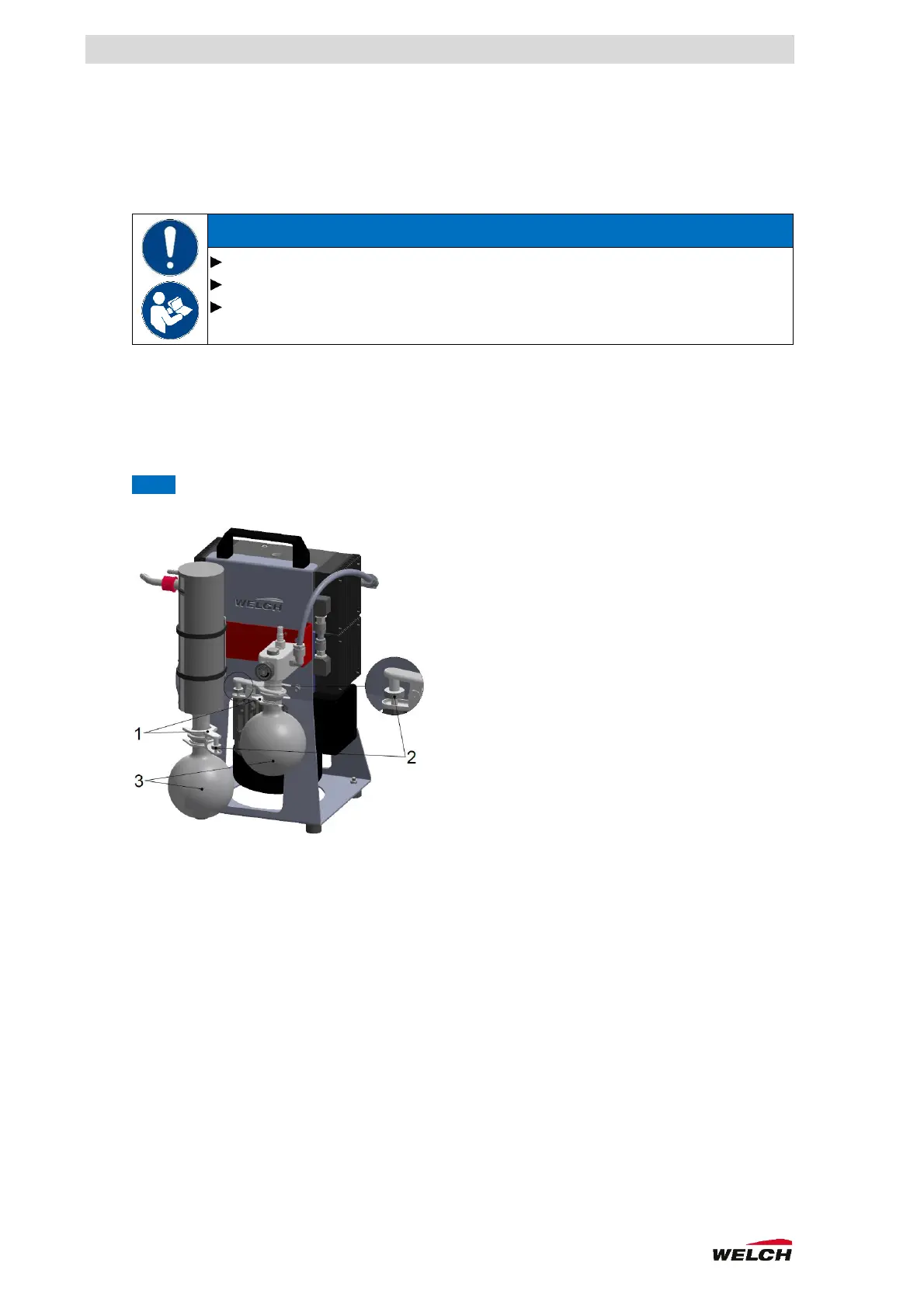
Procedure (Fig. 6-1)
1. Hold the separator (3)
2. Unscrew the knurled screws (2)
3. Loosen the clamp for the spherical ground joint (1)
4. Remove the separator
NOTE Fastening in reverse order
Fig. 6-1. Changing the separator



 To Next Page