CM2P201 User Guide
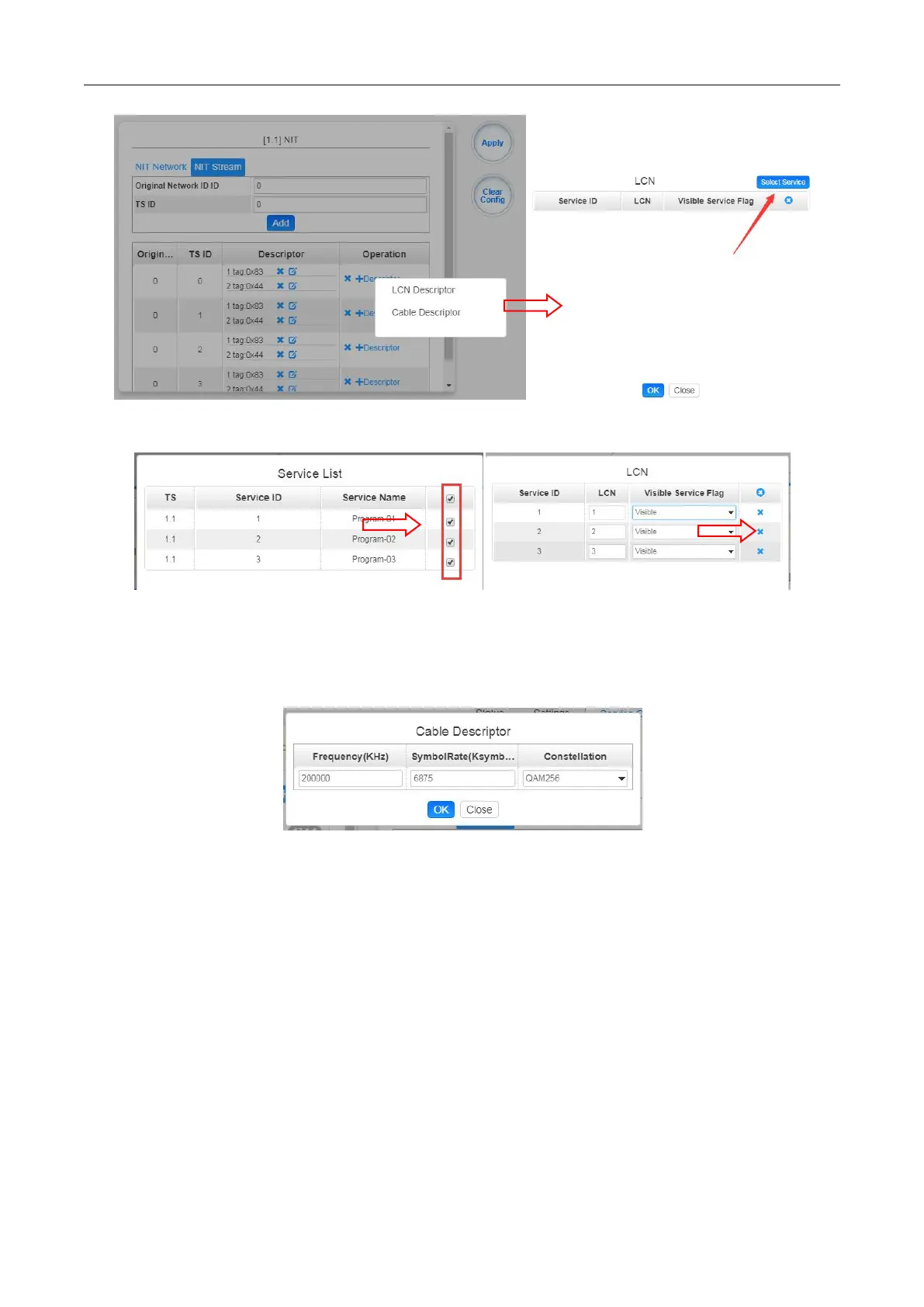
Click +Descriptor and the Cable Descriptor. Then fill in the correct frequency and symbol
rate and choose the correct constellation of the TS (frequency). Then click OK. (This
operation should be set on Modulator module only).
Repeat the operations to add next TS (frequency) until NIT streams of all the frequencies
have been included. Finally click Apply button to let all configuration take effect. Then
searching programs in your STB, you will get all programs in the order of LCN which you set.



 To Next Page