EasyManua.ls Logo

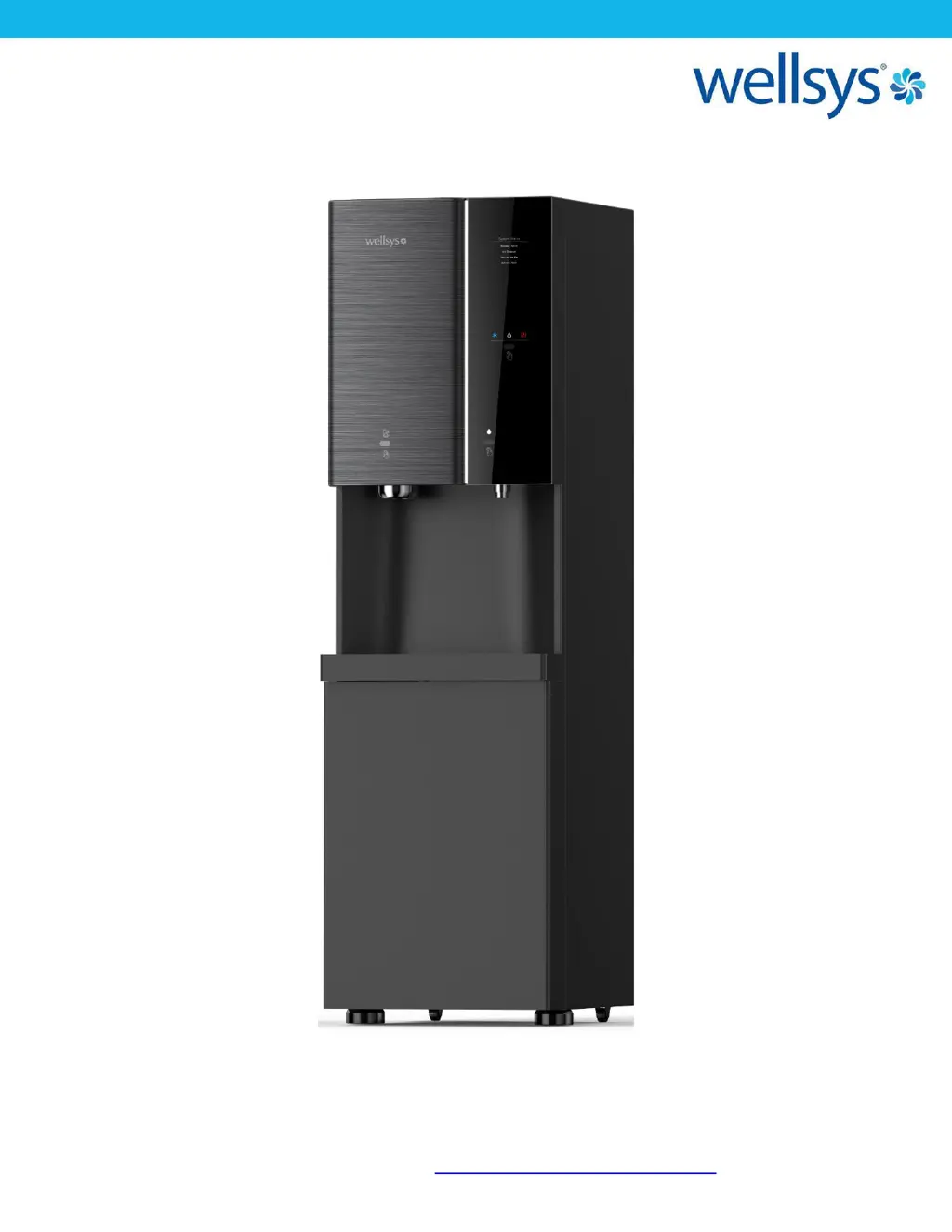
Wellsys i12 - User Manual

Wellsys i12
47 pages
Print Icon
To Next Page IconTo Next Page
Loading...
Quench USA Inc.
630 Allendale Road, Ste 200
King of Prussia, PA 19406
(855) 558-9796 www.wellsyswater.com
i12
MANUAL

Questions and Answers

  • C
    Chelsea RamosAug 21, 2025
    Why is the hot water from my Wellsys i12 not hot?
    • R
      Robert SmithAug 21, 2025
      If the hot water dispense on your Wellsys Dispenser isn't producing hot water, there are a couple of things you can investigate: * **Overload Thermostat:** Locate the Overload Thermostat on the front of the hot tank and press the red button to manually reset it. This will restore power to the hot tank circuit. * **Hot Tank Wiring:** Inspect the wiring of the hot tank for any damage or disconnections. Ensure that all connections are secure and show no signs of arcing.
  • B
    Brian FlemingNov 4, 2025
    What to do if my Wellsys i12 has no water?
    • S
      Samantha SilvaNov 4, 2025
      If your Wellsys Dispenser isn't dispensing water or the water production is slow, here's what you can check: * **Filtration Bank:** Make sure water is flowing through the filters. If the flow slows down or stops after the filters, one or more filters might be clogged and need replacement. Also, verify that the booster pump is working; a faulty pump can significantly reduce flow. * **Leak Stop:** If water accumulates at the bottom of the system, the leak stop will cut off the water supply. Drain any water from the leak stop using the plug located at the back of the unit. You might also need to disconnect and reconnect the water line after the leak stop to release any vacuum that may have formed in the line. * **Supply Water Pressure:** Check the water pressure entering the filter ban...

Summary

INTRODUCTION

Overview

Introduces the Wellsys i12 Ice and Water Dispenser and its purpose.

USER GUIDE

Safety Information

Covers safety alert symbols and essential safety precautions for operation and maintenance.

Features and Benefits

Details the capabilities and advantages of the i12 Ice and Water Dispenser.

Certifications

Lists the standards and certifications the i12 system meets for quality and safety.

Specifications and Designations

Provides model information, consumables, and technical specifications for the i12 unit.

Shipping and Receiving

Outlines shipping dimensions, weight, and procedures for receiving the equipment.

Display and Controls

Explains the unit's display LED indicators and IR sensors for operation.

Operating Instructions

Details how to select water, dispense water/ice, and explains the beep sounds.

Warranty Information

Outlines the limited warranty terms, provisions, exclusions, and export warranty.

SERVICE GUIDE

Service Requirements

Lists essential safety and preparatory steps before servicing the i12 dispenser.

Parts List

Catalog of replacement parts for the i12 model with part numbers and photos.

INSTALLATION GUIDE

Water Flow Diagram

Visual representation of the water path through the i12 system.

Electrical Diagram

Schematic showing the electrical components and connections of the i12 unit.

Pre-Installation Procedures

Details necessary materials and initial checks before installing the i12 dispenser.

Installation Notes

Important considerations for ideal installation locations and water quality requirements.

Filter Flushing Procedure

Step-by-step guide on how to properly flush filters before and after installation.

Installation Steps

Instructions for connecting water supply, drain, and ensuring proper system setup.

MAINTENANCE

Sanitizing and Service

Procedures for cleaning and sanitizing the unit's tanks and components.

Condensate Pump Setup

Guide for installing and connecting an external condensate pump for drainage.

Final Inspection

Checklist for verifying system integrity, water flow, and temperature post-installation.

Resetting Hot Tank Overload Thermostat

Instructions on how to manually reset the hot tank's overload thermostat.

Preventative Maintenance

Recommendations for regular upkeep to ensure optimal unit performance.

System Inspection and Warranty

Procedures for system checks and initiating warranty evaluation.

TROUBLESHOOTING

Diagnostic Error Codes

Explains LED error codes displayed by the i12 for system status and failures.

Self-Diagnostic Mode

How to activate and use the diagnostic mode for component checks.

Troubleshooting Index

Guide to common issues, possible causes, and solutions for the i12 dispenser.

Wellsys i12 Specifications

General IconGeneral
BrandWellsys
Modeli12
CategoryDispenser
LanguageEnglish

Related product manuals