i12 Manual Page 32 - Revision: 6-13-2023
SANITIZING AND SERVICE
Sanitize the reservoir using an approved cleaner. Follow all instructions on sanitizing and flush
with fresh water through the drain until odor and taste is acceptable.
WARNING! USE PROPER PERSONAL PROTECTIVE EQUIPMENT
Always ensure proper ventilation and use proper personal protective equipment such as
gloves and eye protection when using chemicals. Refer to Material Safety Data Sheet for
specific requirements of each chemical product. Take all necessary precautions to
prevent sanitizer from contacting eyes, clothing, and any other surfaces in could damage
(carpets).
DANGER! ELECTRICAL SHOCK HAZARD.
Do not plug in unit unless qualified. Only qualified personnel who have read and
understand this entire manual should attempt to install or service this unit.
Accessing the Ambient Tank
During the following steps you should check for any leaks or loose fittings.
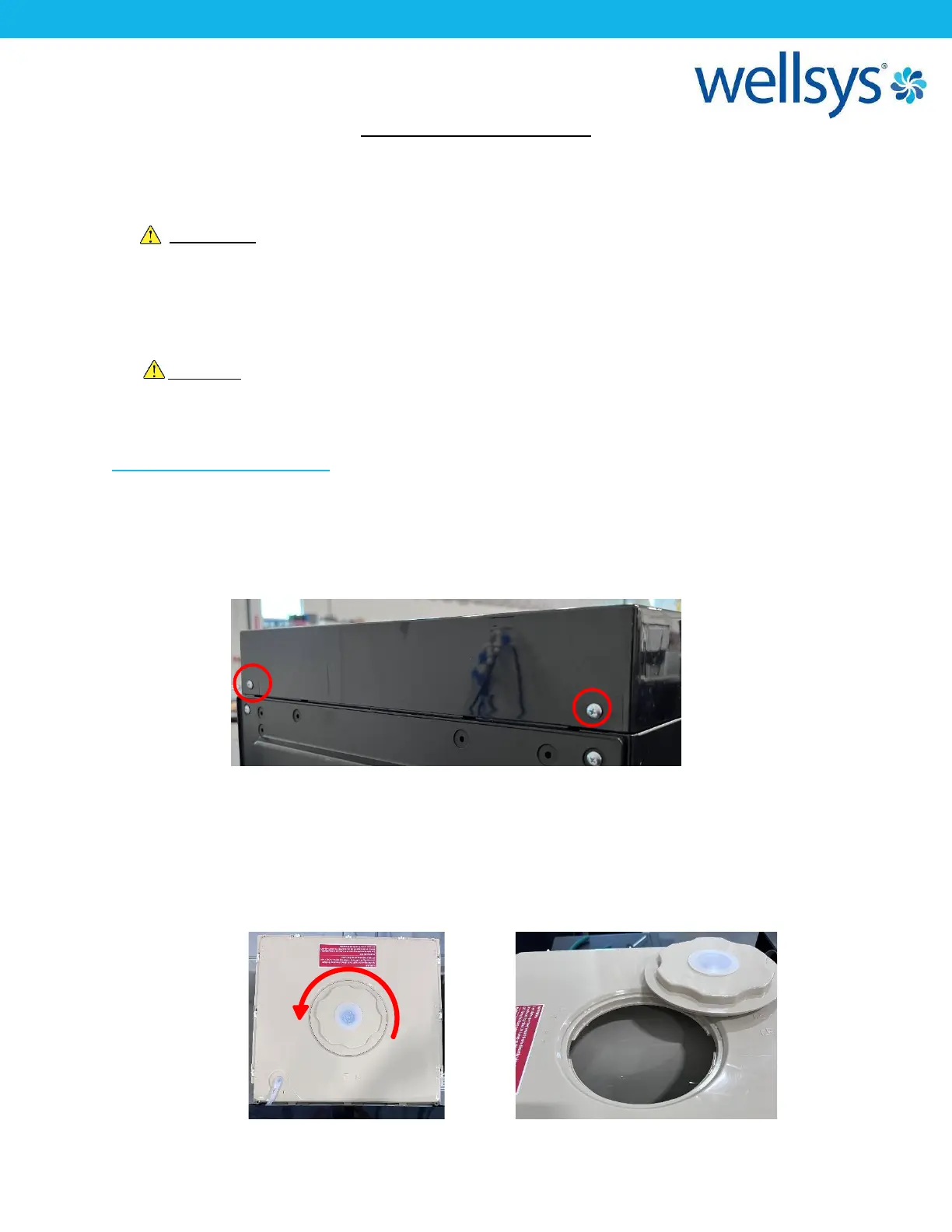
1. Pull the unit away from wall to access the back. Remove the two screws at the back of the
top cover. Slide backwards and lift away from the unit. Set this cover aside.
2. Rotate the center cap by twisting counter clock-wise. The Ambient tank should be full of
water. If not, add several gallons of water to the tank or allow to fill via supply water. Add
an appropriate amount of approved cleaning agent to the inside of the tank. If scrubbing is
required, completely remove lid by disengaging tabs around perimeter of lid to gain access
to the ambient tank. Allow the mixture of cleaning agent and water to sit in tank for several
minutes.


 To Next Page