i12 Manual Page 33 - Revision: 6-13-2023
Sanitizing the Ambient, Cold, and Hot Tanks
3. Place a pitcher under the dispense nozzle. Using the front panel interface, select Cold Water
and dispense about a quart of water from the Cold Tank. This will fill the cold tank with the
cleaning solution from the ambient tank. Now, dispense the same amount of Hot Water
using the front panel interface.
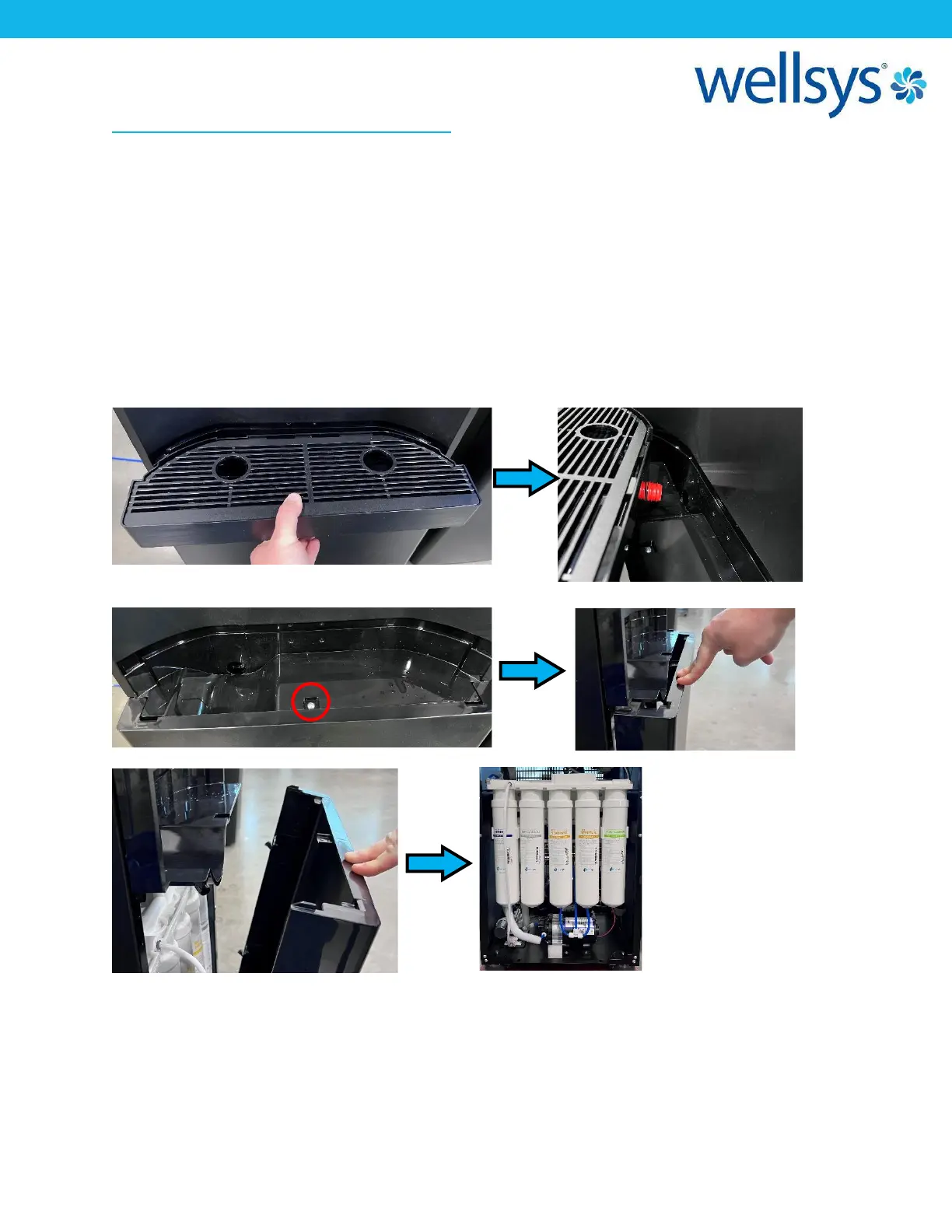
4. Remove the front lower panel of unit. To do this, remove the Drip Tray by pulling out and
away from unit. Ensure that the Red Seal stays with the Drip Tray. Remove the screw behind
where the drip tray sat. Press down on the top of the lower front panel and tilt the top edge
outward, then lift the panel up and away from unit.


 To Next Page