i12 Manual Page 26 - Revision: 6-13-2023
FILTER FLUSHING PROCEDURE
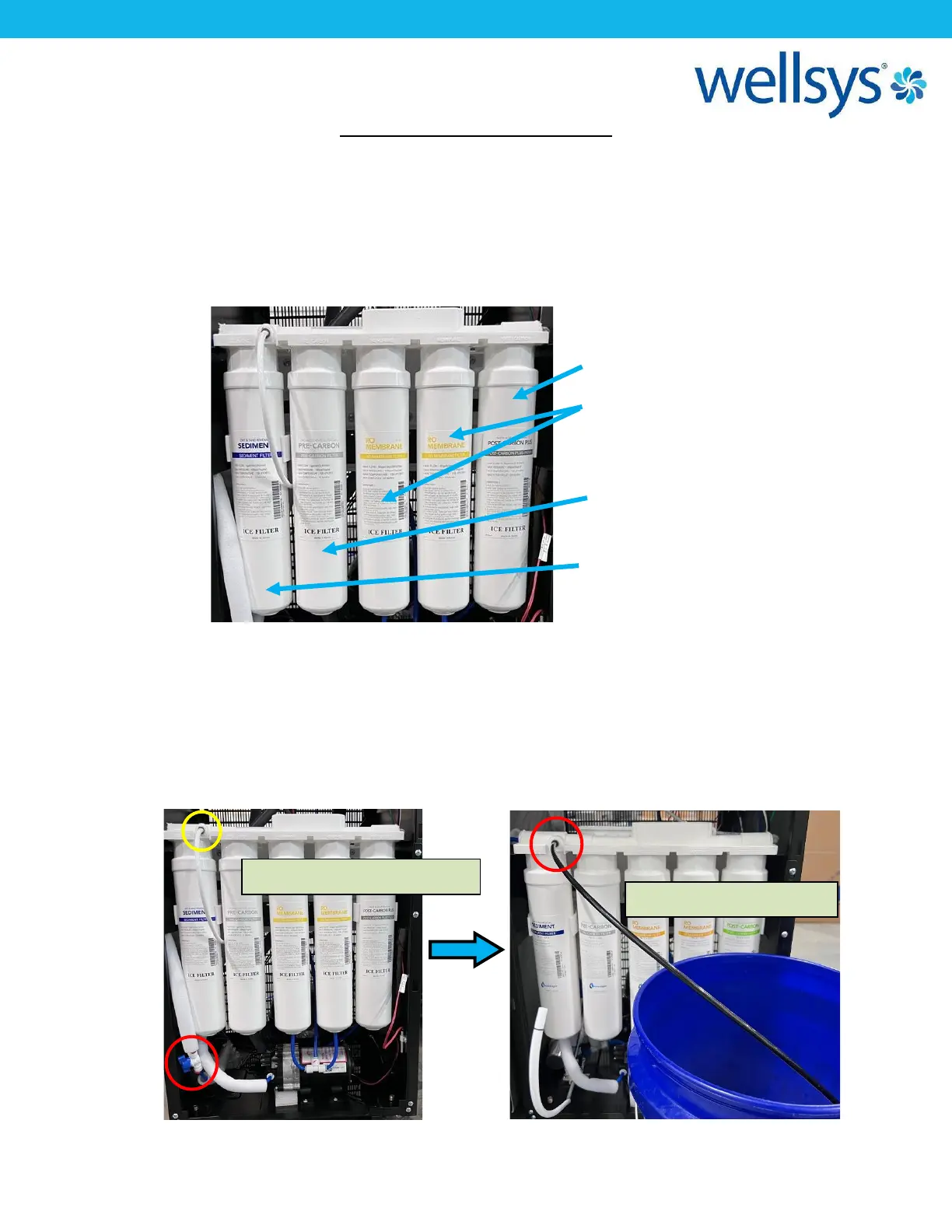
It is important to flush all filters inside the i12 unit prior to installation. This will flush any
carbon fines and preservative from the filters and extend the life of the filters as well reduce
the potential of blockages and improve the quality of the water.
Shown below are the filters installed as they come in the unit from the factory.
1. Shut off the 1/4-turn valve just before the water reaches the filter manifold circled in
red in the photo below. Connect the water supply to the machine using LLDPE ¼” tubing
and turn on the supply. Disconnect the white tube at the location circle in yellow.
2. Take a 2-3ft piece of ¼” LLDPE tubing, and place it into the same port, run the other end
to a drain or bucket, as shown below.


 To Next Page