i12 Manual Page 27 - Revision: 6-13-2023
3. Turn on the ¼-turn valve, that was shut off in the previous step. This will begin to flush
water through the sediment filter and into the bucket. Allow the water to flush through
the filter for 3min, which in most cases will be about 2-3 gallons. Shut off the ¼-turn
valve.
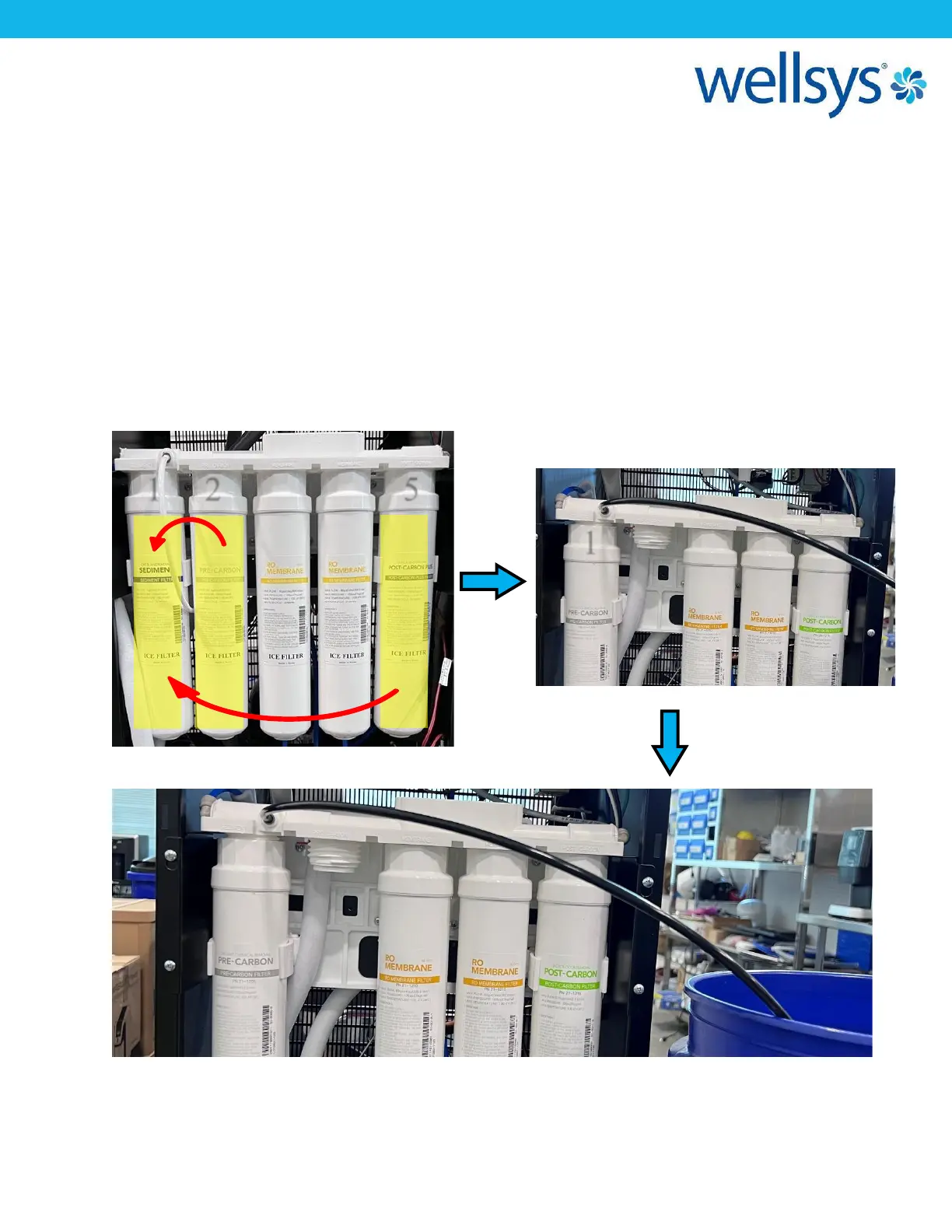
4. Remove the sediment filter by turning it counter-clockwise. *ONCE REMOVED, BE SURE
TO NOT LOSE THE TWO BLACK O-RINGS INSIDE THE TOP OF THE FILTER.
5. Remove the Pre-Carbon Filter and the Post-Carbon Filter the same way.
6. Install the Pre-Carbon Filter into Filter Head #1 (see below). With the flush tube still
running to drain, open the ¼-turn valve and allow water to flush the filter for 3 min.
Once complete, shut the ¼-turn valve off.


 To Next Page