i12 Manual Page 43 - Revision: 6-13-2023
i12 SELF-DIAGNOSTIC MODE
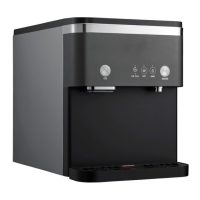
The Wellsys i12 Ice and Water Dispenser has a diagnostic mode that can be activated through a
specific sequence of sensor activation. This diagnostic mode allows the machine to perform
manual checks of several processes and components and give an error signal if it finds anything
wrong.
How to Enter Diagnostic Mode
1. Place a container (or two) to catch both dispensed water and ice on the drip tray.
2. Unplug the unit. Reconnect to power.
3. Within 5 minutes of reconnecting to power, SIMULTANEOUSLY activate the Water Dispense
function AND the Ice Dispense function for 5 seconds. Once 5 seconds has passed, the unit
will chime, all LEDs will light, and water and ice will cease dispensing. Diagnostic Mode is
now ready.
How to Begin the Diagnostic Function
4. Activate the following functions in order: Ice Dispense (all LEDs will turn off) > Temp Select >
Water Dispense > Water Dispense > Water Dispense > Ice Dispense. Step away from the
unit so as not to accidentally activate any other functions.
5. The unit will begin the Diagnostic Function for the next 30 seconds.
6. Once the unit completes the Diagnostic Function it will display any blinking error codes. If
no errors found, it will only display solid lit LEDs.
7. If any errors are found, address those issues. Refer to the Error Codes section on the
previous page. To exit the diagnostic mode, disconnect the unit from power, then reconnect
to power.


 To Next Page