ATA Web user guide
15 / 114 2015/1/8
Item Description
period at HTTP or TFTP server by itself.
Submit [Button] Save the Settings.
6.1.3 Operate Instruction
Example 1: Setup [Phone Book] data
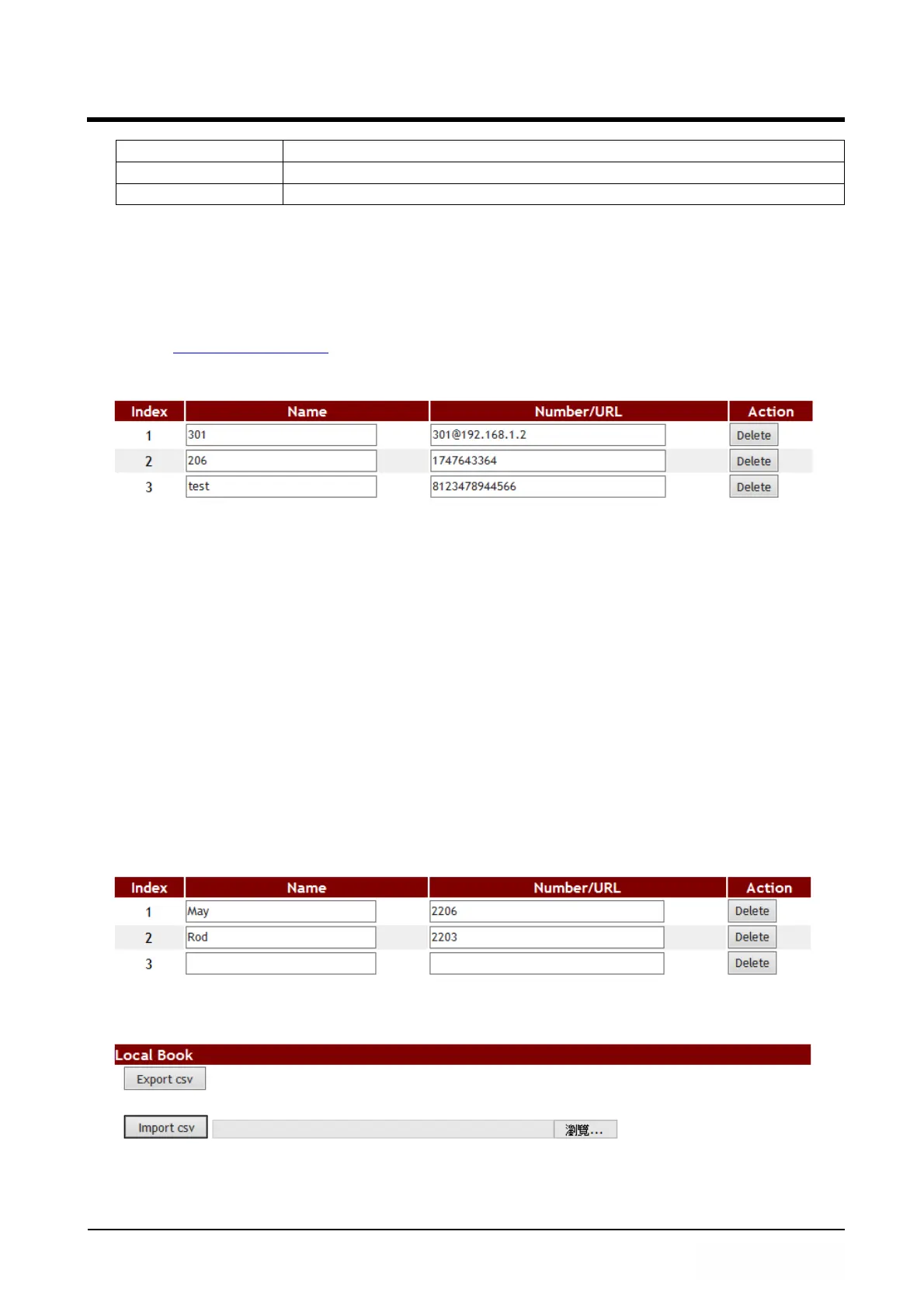
Step 1: On the [Phone Book Setting] page, Setup [Index: 1, Name: 301, Number:
301@192.168.1.2; Index: 2, Name: 206, Number: 1747643364; Index: 3,
Name: test, Number: 8123478944566] (See Figure 1).
(Figure 1)
Instruction 1: Dial [301], system find the [301] on Index 1, then system dial Name’s
Number of Index 1. System will dial [192.168.1.2]
Instruction 2: Dial [206], system find the [206] on Index 2, then system dial Name’s
Number of Index 2. System will dial [17476433364].
Instruction 3: Because Index 3’s Name is a string, so the speed dial function can not
be used, you can just check the Index 3’ Name and Number.
Example 2: Export / Import [Phone Book] data
Export Feature
Step 1: In [Phone Book Setting] web page, the page have two numbers data. (See
Figure 2).
(Figure 2)
Step 2: To perform the export function, please press [Export csv] button (See Figure 3).
(Figure 3)
Step 3: Monitor show [File Download] page, default file name is phbook.csv, select [Save]



 To Next Page