ATA Web user guide
26 / 114 2015/1/8
Drop prefix: Disable, Replace rule: 009, Rule: 12.
When the dialing number is like [12xxxx], it matched [Rule] -> [12], ATA
will add [Prefix] [009] in front of [12]. The actual dialing number will be
[009+12xxxx].
Instruction 4:
When the dialing number is [53789], it matched [Rule] -> [53], ATA will
add [Prefix] [007] in front of [53]. The actual dialing number will be
[007+53789].
When the dialing number is [3507], it matched [Rule] -> [35xx], ATA will
add [Prefix] [007] in front of [3507]. The actual dialing number will be
[007+3507].
When the dialing number is [2199], it matched [Rule] -> [21xx], ATA will
add [Prefix] [007] in front of [2199]. The actual dialing number will be
[007+2199]。
Instruction 5:
When the dialing number is [*00, *01, *02… *99], it matched [Dial Now
Rule] -> [*xx]. ATA will dial out immediately.
When the dialing number is [#00, #01, #02… #99], it matched [Dial Now
Rule] ->[#xx]. ATA will dial out immediately.
When the dialing number is [110, 111, 112 … 119], it matched [Dial Now
Rule] -> [11x]. ATA will dial out immediately.
When the dialing number is [123456], it matched [Dial Now Rule] ->
[xxxxxx]. ATA will dial out immediately.
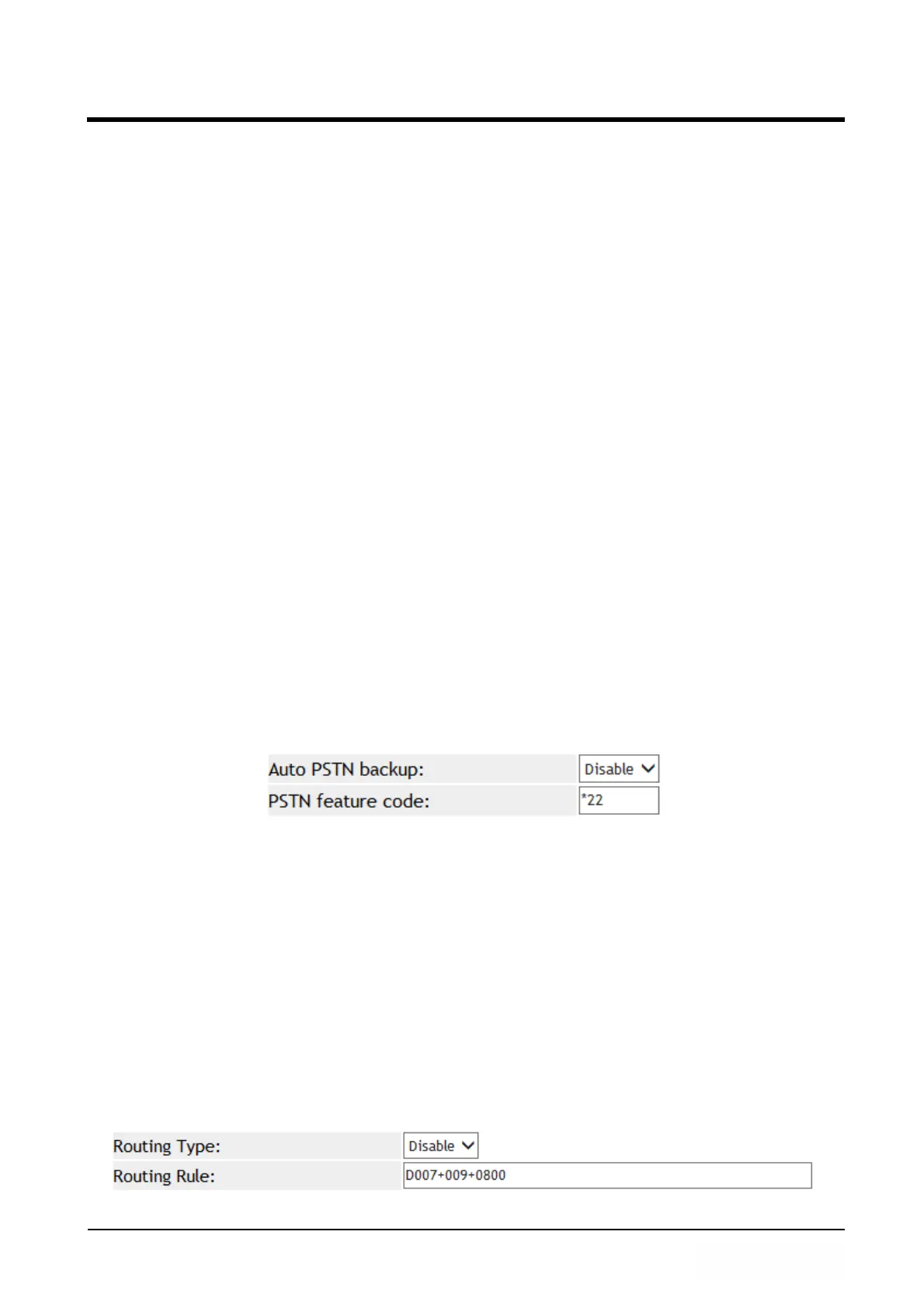
Example 2: PSTN feature code function.
Step 1: In [Dial Plan Setting] page, the configuration is [Auto PSTN Backup: Enable,
PSTN feaure Code: *22]. See Figure 2.
(Figure 2)
Description 1:
When ATA registered to SIP Server fail, its FXS phone line was forced to
connect with PSTN line when user is going to make a call. The Dial Tone was
provided from PSTN line instead.
Description 2:
When ATA registered to SIP Server successfully, press dial code *22 from
analog phone set to force ATA switch to PSTN line manually. The Dial Tone
was provided from PSTN line instead.
Example 3: Routing function.
Step 1: In [Dial Plan Setting] page, configure Routing Type: FXO, Routing Rule:
D007+009+0800]. See Figure 3.
(Figure 3)



 To Next Page