ATA Web user guide
83 / 114 2015/1/8
Item Decription
Broadcasting.
*This function must be supported by Server.
Scheduling Default: Disable; Execute the Configuration regularly.
When this function is on, system will check the Configuration
Server by [Next Config Time].
Provide options: Disable, Enable.
Note: The time parameter use [Auto Update Setting] web page’s
[Scheduling Time & Date].
TFTP Server This column can only enter IP with the format of
xxx.xxx.xxx.xxx; maximum length is 15 bytes.
TFTP File Path This column can enter numbers or strings; maximum length is
63 bytes with the “/” in the end, ex: 123/.
HTTP Server This column can enter IP or Domain Name; maximum length is
63 bytes.
HTTP File Path This column can enter numbers or strings; maximum length is
63 bytes with the “/” in the end, ex: 123/.
FTP Server This column can enter IP or Domain Name; maximum length is
63 bytes.
FTP User Name This column can enter IP or Domain Name; maximum length is
63 bytes.
FTP Password This column can enter IP or Domain Name; maximum length is
63 bytes.
File File Path This column can enter numbers or strings; maximum length is
63 bytes with the “/” in the end, ex: 123/.
Next
Configuration
Time
System will check the Configuration Server when the Next config
time is up.
The start counting date is the next day, so the Next configuration
time will add one day.
Count rule: the next day + days + time period + MACaddress +
random number = Next config time.
Submit [Button] Save the settings.
10.2.3 Operate Instruction
Example 1: Configuration by HTTP
Step 1: Please complete MACID.dat first, and place it at the path of the designated
Server.
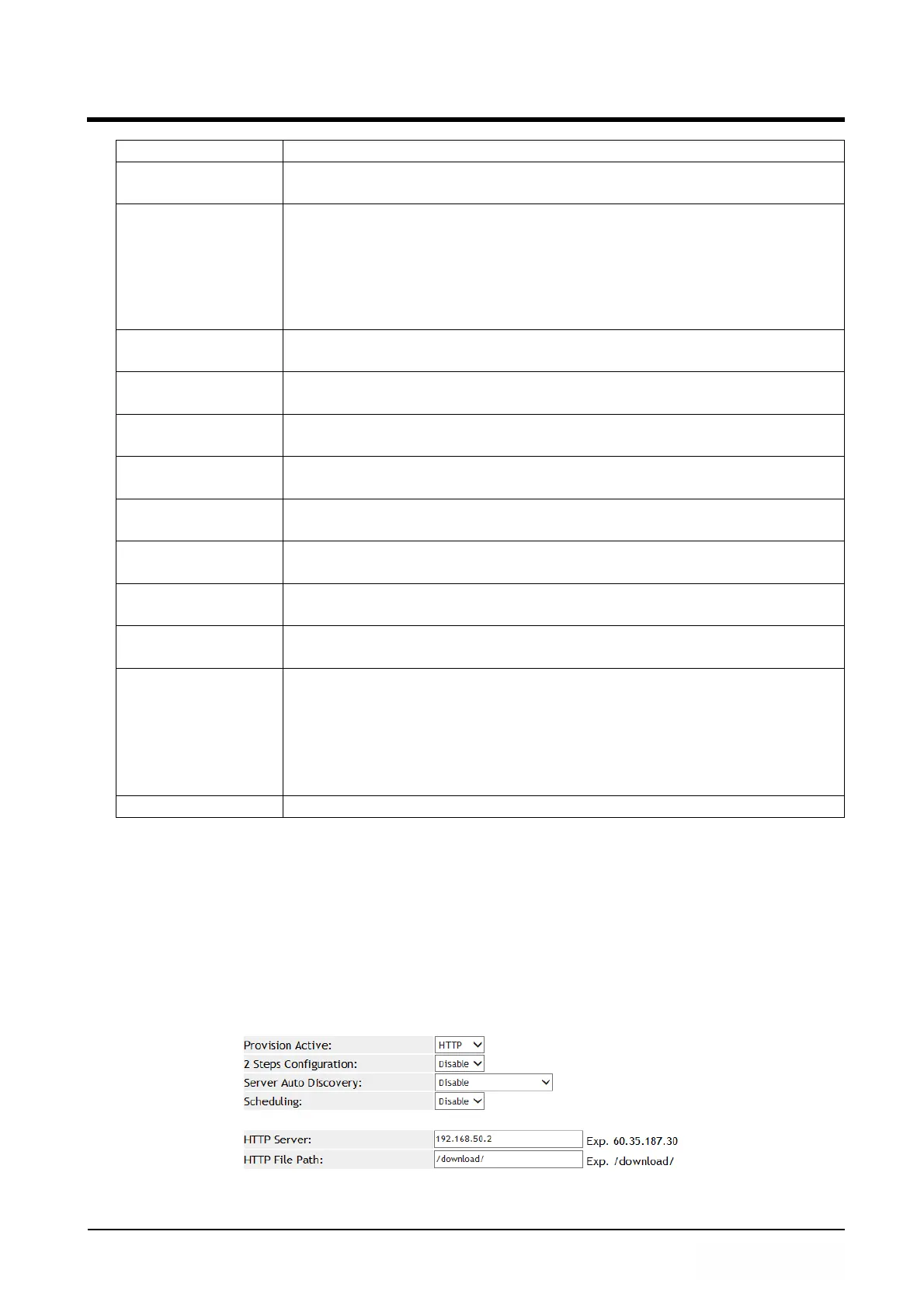
Step 2: In [Auto Provision Setting] web page, Set up [Provision Active: HTTP, HTTP
Server: 192.168.50.2, HTTP Path: /download/] (See Figure 1).
(Figure 1)



 To Next Page