User Guide
4. Part Replacement
4.6 Drive Assembly Replacement
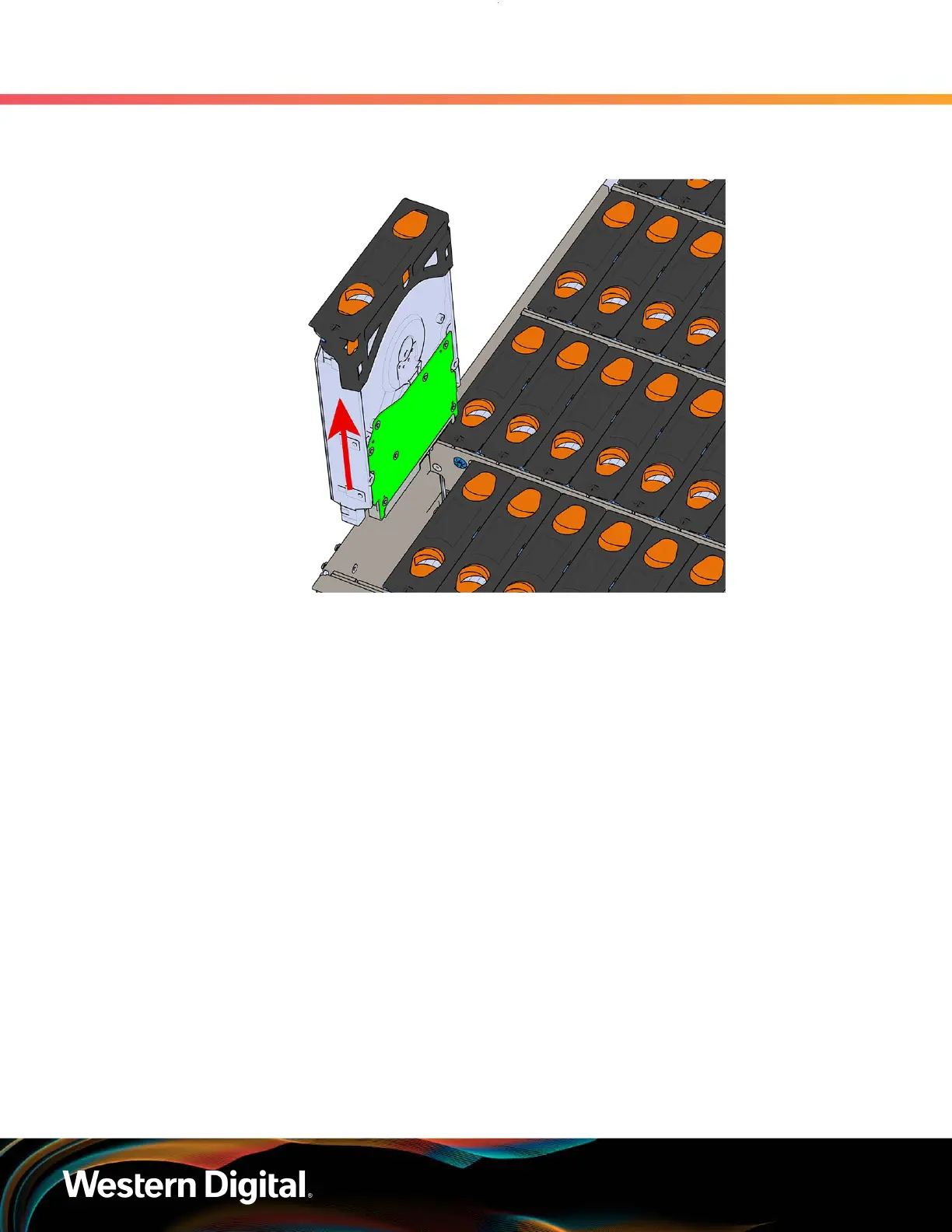
Figure 63: Removing Drive Assembly
Step 4 : Remove the new Drive Assembly from its packaging.
Step 5 : Install the Drive Assembly.
a. Ensure that the enclosure has been pulled out of the rack until the rail latches engage.
b. Find the LED pointer on the top of the drive carrier. This pointer should point toward the
front of the unit as shown in the following image.
78




 To Next Page