10
Williams Serenade Piano
REAR PANEL CONNECTIONS
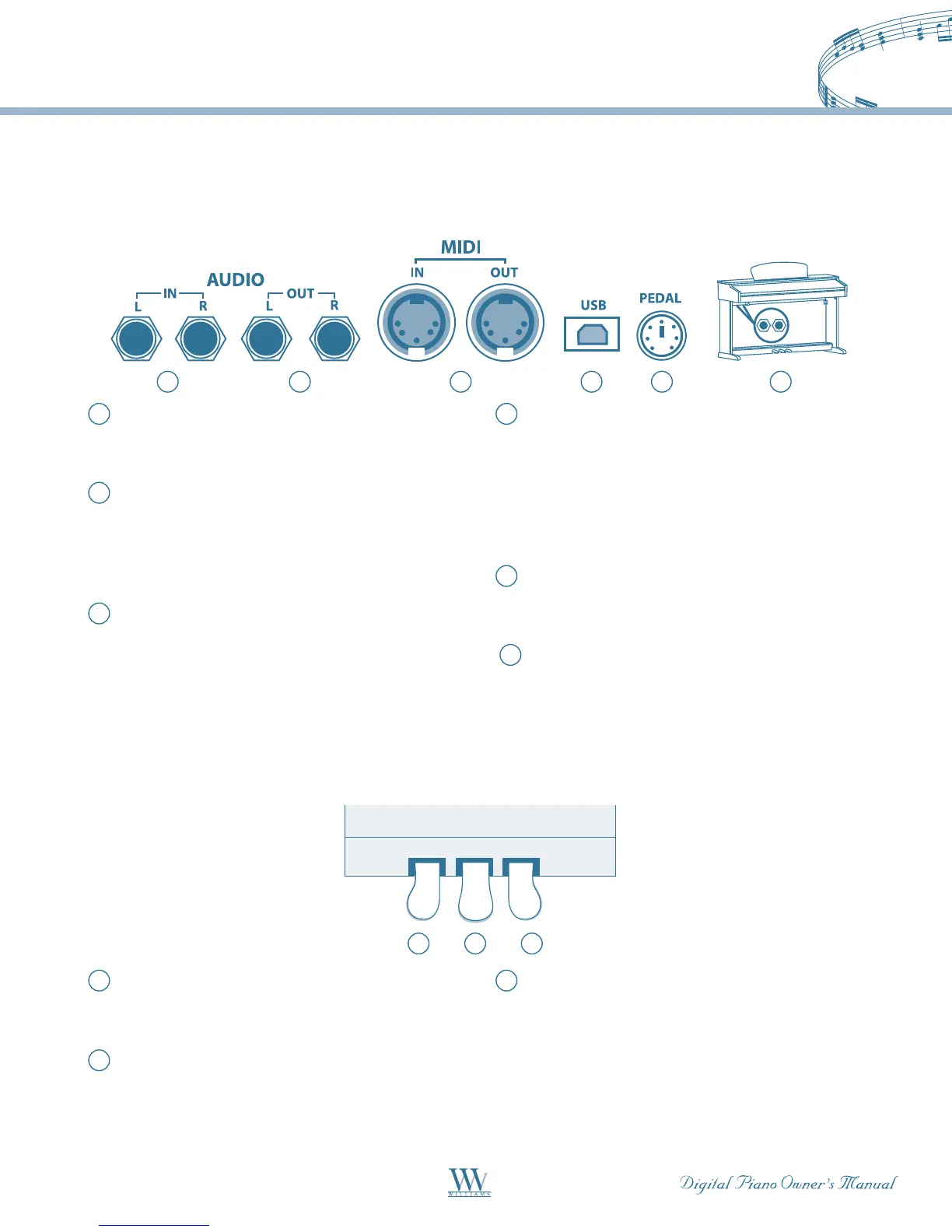
This connector panel, with its various jacks, is located on the bottom left of the piano, under the keybed.
1
1
4 5 62
2
3
3
PEDALS
1
Line In – 1/4" unbalanced stereo input jacks for
playing external audio sources such as CD or
MP3playersthroughthepianospeakers.
2
Line Out – 1/4" unbalanced stereo output jacks
for connecting the piano to external recording
devicesorPAsystems.Thevolumeofthisjack
is fixed, and sends a signal even when headphones
are plugged in.
3
MIDI In / MIDI Out – The Serenade contains
MIDIinandMIDIoutputports.MIDIjacks
allow communication with other products
equippedwithMIDIinterfaces.Pleaseseethe
MIDIsectionofthismanualforfurtherdetails.
4
USB – The USB connector allows you to connect
the piano directly to your computer. The piano
can be connected to a computer without driver
installation under the Windows XP environment.
ThepianowillberecognizedasaUSBAudio
devicethatreceivesandtransmitsMIDImessages.
The USB port does not transmit digital audio.
5
Pedal–ConnectionfortheMiniDINcablefrom
the pedal assembly. The pedals will not work if
the pedal cable is not connected.
6
Phone 1/Phone 2 – Phone jacks are located on
the bottom left of the piano. When headphones
are plugged into either of these jacks the main
speaker system is turned off. Two sets of
headphones may be used simultaneously.
1
Soft Pedal – When engaged, the piano volume is
reduced and the timbre slightly altered on the
notes that are played.
2
Sostenuto Pedal – When engaged, the keys that
were previously played will sustain. Keys played
after the pedal is pressed are not affected.
3
Sustain Pedal – When engaged, the piano keys
will continue to sustain as they are played. Thereby
the piano note will decay gradually as if you were
continuing to hold down the piano keys.















 To Next Page