26
Williams Serenade Piano
MIDI
MIDIstandsforMusicalInstrumentDigitalInterface.
This is a world wide standard communication
interface that enables electronic musical instruments
and computers (of all brands) to communicate
with each other so that instructions and other
data can pass between them. This exchange of
information makes it possible to create a system of
MIDIinstrumentsanddevicesthatofferfargreater
versatility and control than is available with isolated
instruments. Whether you interface with computers,
sequencers, expanders or other keyboards, your
musical horizons will be greatly enhanced.
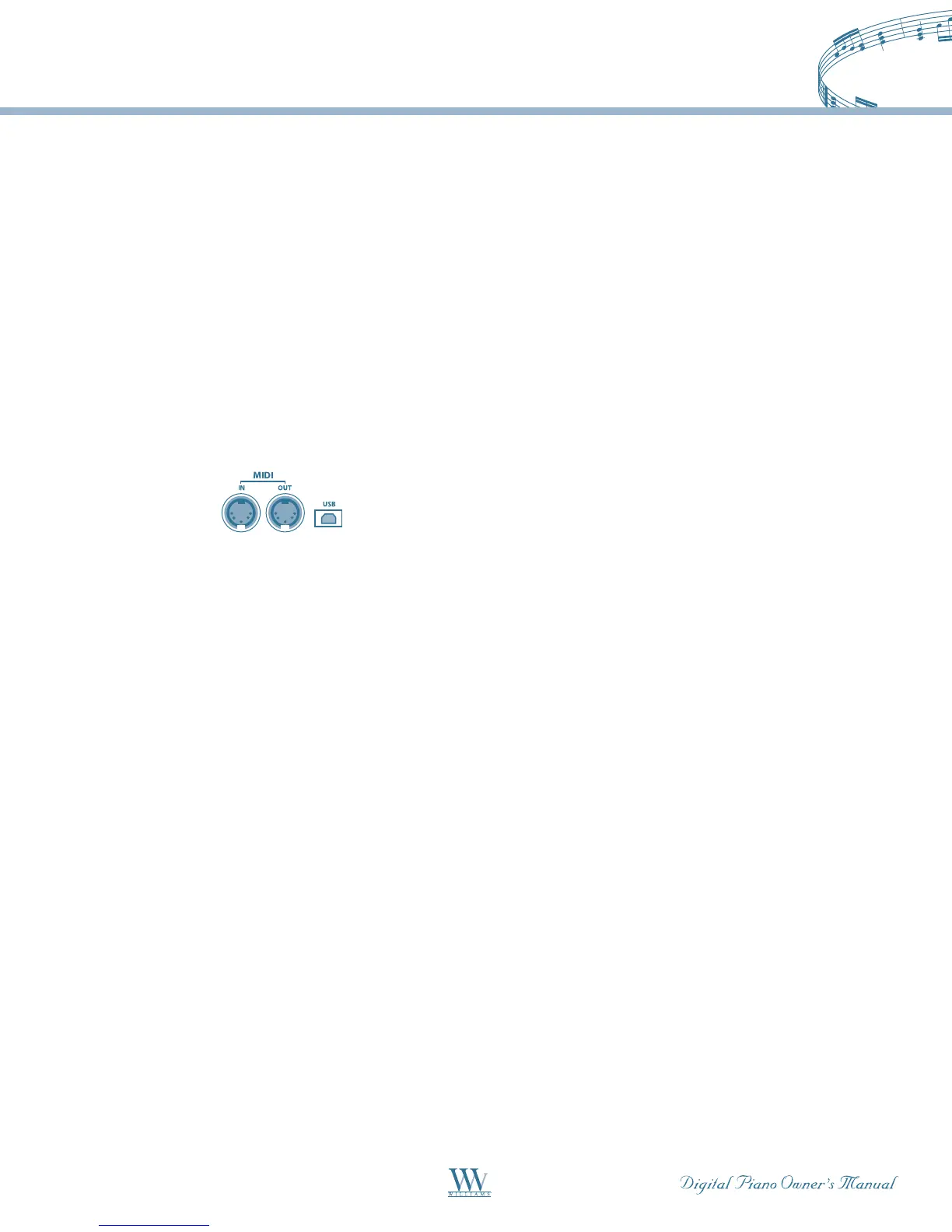
MIDI Connection–TheMIDIterminalsarelocated
on the left side panel of the piano.
MIDI In –ThisterminalreceivesMIDIdatafroman
externalMIDIdevice.
MIDI Out – This terminal transmits data from this
instrumenttootherMIDIdevices.Thetransmitted
data includes note and touch velocity produced while
playing on the keyboard, as well as voice changes,
wheel operation, and recorded playback for the
melody tracks. Demo songs and auto accompaniment
are not transmitted.
USB – The USB connector allows you to connect the
piano directly to your computer. It can be connected
without driver installation under the Windows XP,
WindowsVista&MACOSXenvironment.Thepiano
willberecognizedasaUSBAudiodevicetoreceiveand
transmitthesameMIDImessagesdescribedabove.
FormoreinformationregardingtransmittedMIDI
datapleaseseethenextpageandortheMIDI
implementation chart.
MIDI Channels –TheMIDIsysteminthisunit
has 16 channels numbered from 1-16. Each of
the channels is responsible for a voice. When the
instrumentreceivesMIDIdatafromanexternal
device, the active channel is determined by the
control message. The transmission channels on this
keyboard are fixed as follows:
Channel 1:Mastervoice
Channel 2: Layer voice
Channel 3: Split voice
PleaseseetheMIDIImplementationChartformore
detail.
Note: When a USB cable is connected from the Serenade
to a computer, all MIDI messages will receive/transmit
via USB.
General MIDI Playback Voices
Inadditiontothe32Voicesselectablefromthe
controlpanel,Serenadeincludes128General
MIDIvoicesthatsupporttheRhythmandAuto
Accompanimentfeatures.Theseadditionalsounds
canonlybeaccessedviatheMIDIINjack,orUSB
jack(asMIDIinputdata),correspondingtostandard
Program Change numbers.















 To Next Page