14
Williams Serenade Piano
KEYBOARD VOICES
Voice Selection
Thereare32instrumentvoices.Acompletelistofall
32 voices can be found in the back of this manual.
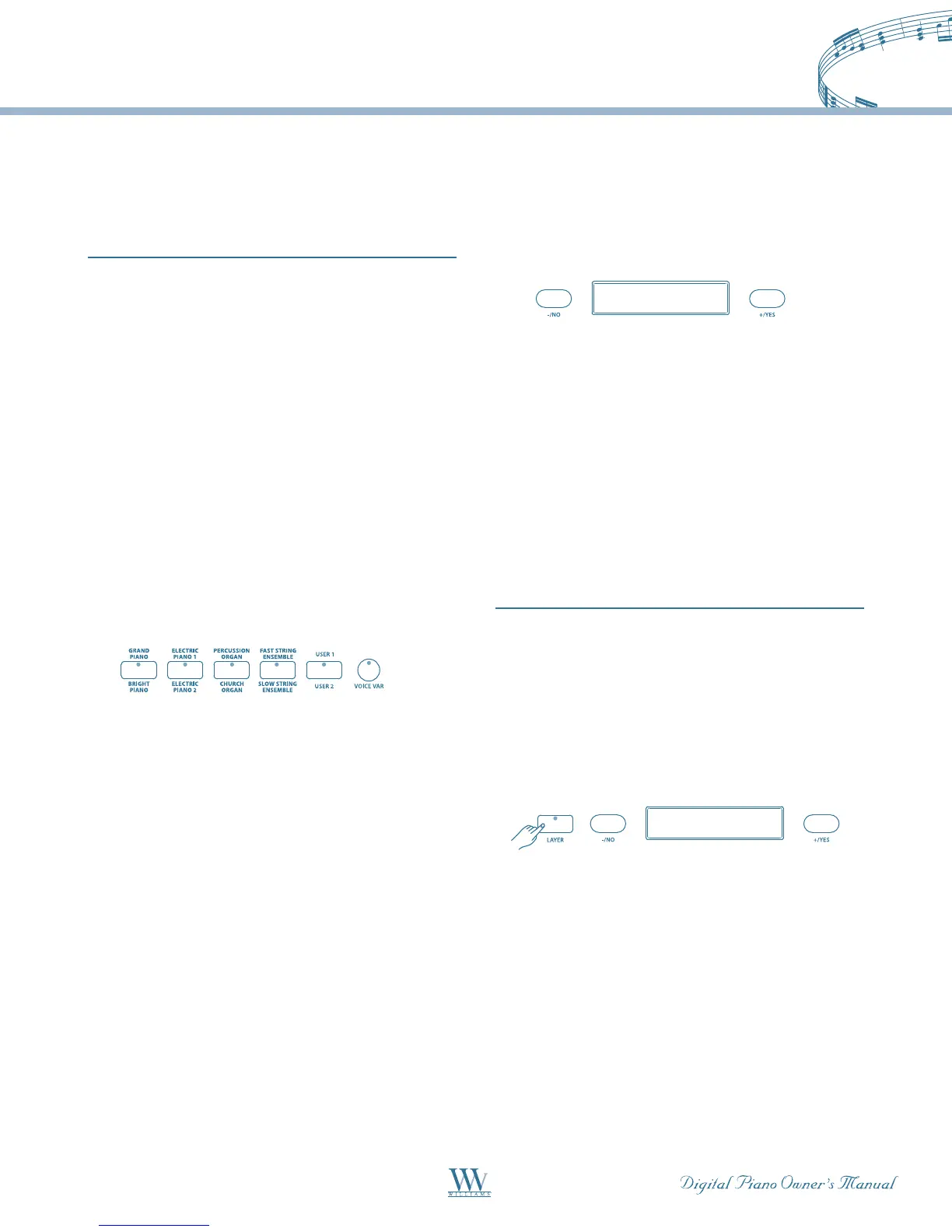
Quick Select – EachVoicebutton(pg.13)controls
twovoices,oneintheAbank(printedabovethe
voice button) and one in the B bank (printed below
the voice button) for a total of 10 Quick Select voices
(8Presetsand2User-dened).
To recall a Quick Select voice:
1.PresstheVOICEVARbuttontoselectabank.
SelectionalternatesbetweenAandBbanks(pg.13)
everytimetheVOICEVARbuttonispressed.The
VOICEVARbuttonislitwhentheBbankisselected.
2. Now press one of the five Quick Select voice
buttons to select the desired voice. The voice name
and number will be shown on the display.
User Defined Quick Select Button – Voice
You can assign your 2 favorite voices to the User 1/
User 2 Quick Select button in the folowing manner:
1. Press and hold the voice USER button (selects
USER1forbankA,orUSER2forbankB)untilits
indicator flashes.
2. Select the desired voice by using the
+/YES, -/NO buttons.
3. Press the USER button again; the selected voice
will be assigned to the USER button and available for
quick selection.
Note: The USER button will keep your new setting and
revert to the default setting when the power is turned
off. The default setting is: USER 1= 012: Vibraphone,
USER2 = 032: Halo Pad.
Selecting From The Voice Menu
1.IftheVoicebuttonindicatorisnotalreadylit,press
the any of the voice quick select buttons to engage the
voice selection mode. The indicator will light up.
ALL: Demo Song
A11: Demo Song
d-9: Samba Time
002: Bright Piano
018: Reed Organ
Layer Level 12
021: Slap Bass
Lower Level 14
004: BroadWay
023: Slow Swing
Tempo 120
Metronome 3/4
2. Use the +/YES, -/NO buttons to select a voice
number. The voice name and its number will be
shown on the display.
Note: A sound bank of 128 General MIDI voices and
a drum kit are built into the piano. The additional
General MIDI voices can only be accessed by external
control to the MIDI IN or USB connections. Please see
the MIDI Section and MIDI Implementation Chart of
this manual for more information.
Layer Voice
Layer refers to an additional voice that is mixed with
the selected keyboard voice. The assigned layer voice
will be heard with the original voice when the layer
feature is engaged.
1.PresstheLAYERbutton,thecurrentlyassigned
layer voice will show on the display, and the indicator
will light up.
ALL: Demo Song
A11: Demo Song
d-9: Samba Time
002: Bright Piano
018: Reed Organ
Layer Level 12
021: Slap Bass
Lower Level 14
004: BroadWay
023: Slow Swing
Tempo 120
Metronome 3/4
2. Use the +/YES, –/NO buttons to select the desired
layer voice. The display will show the layer voice
number and name.
3.PresstheLAYERbuttonasecondtimewithin3
seconds and the current layer volume level will show
onthedisplay.TheLAYERindicatorwillremain
lit. Use the +/YES, –/ NO buttons to adjust the layer
volume level ranged 0 -24. Otherwise, this procedure
will be skipped.















 To Next Page