13
20
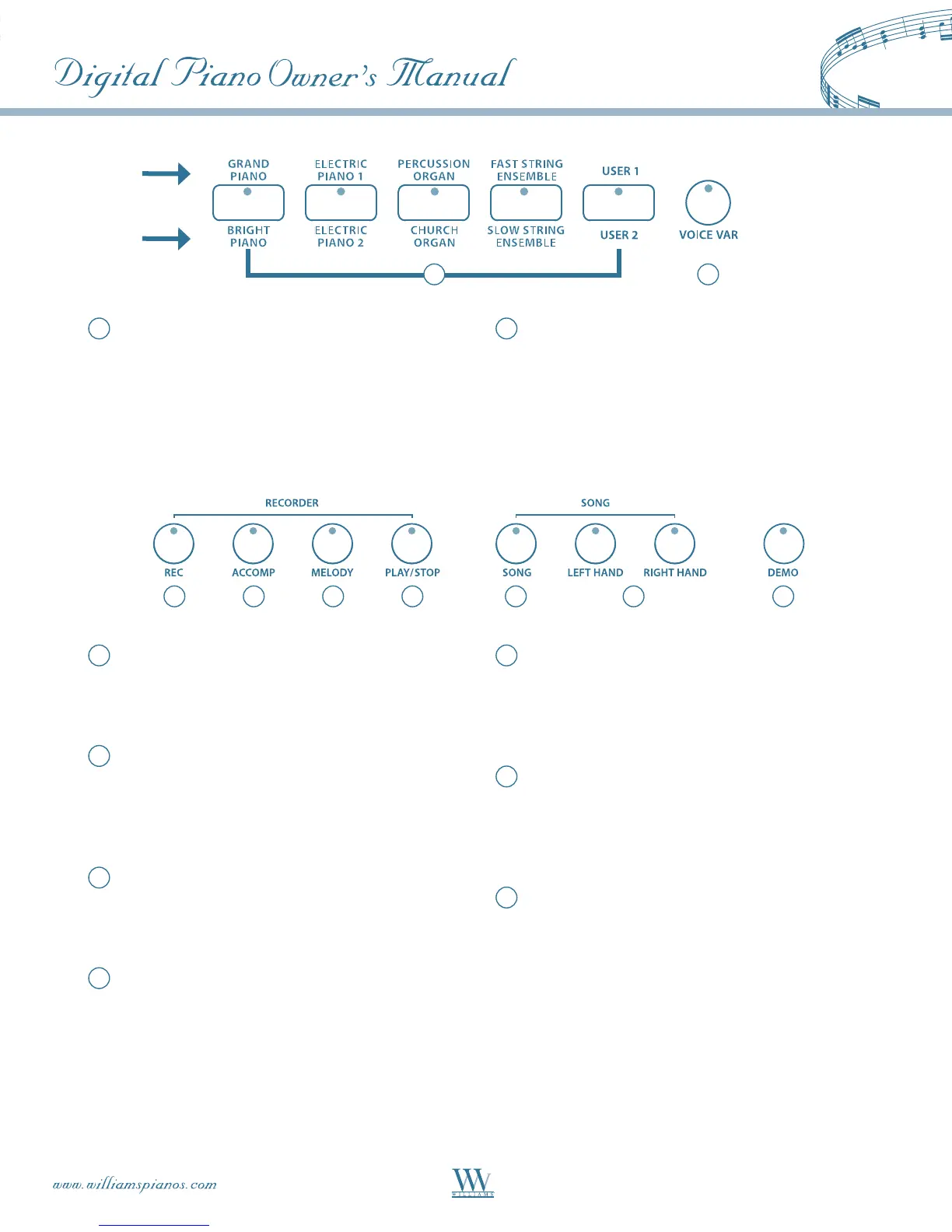
Quick Select Voice Buttons–EachVoicebutton
controlstwovoices,oneintheAbank(printed
above the voice button) and one in the B bank
(printed below the voice button) for a total of 10
QuickSelectvoices(8Presetsand2User-
dened).PleaseseetheVoiceSectionofthis
manual for more information.
20
22 23 24 25 26 27 28
21
Voice Var – The five quick select voice buttons are
eachassignedtotheAandBbank.Pressthe
VOICEVARbuttontoalternatebetweenAandB
banksforVoiceQuickSelect.Thebutton
indicator is lit when the B bank is selected.
21
22
Record – To prepare for recording, hold down
theRECbuttonandpresstheTRACKbutton(s)
you want to record in. Please see the Recorder
Section of the manual for more information.
23
Accompaniment Track–TheACCOMPbutton
is used to select the auto accompaniment
track of a song for recording or playback. Please
see the Recorder Section of this manual for
more information.
24
Melody Track–TheMELODYbuttonisused
to select the melody track of a song for recording
or playback. Please see the Recorder Section of
this manual for more information.
25
Play/Stop–PressthePLAY/STOPbuttonto
hear selected tracks that you have recorded. Press
thePLAY/STOPbuttonagaintostopthe
playback. Please see the Recorder Section of this
manual for more information.
26
Song – Serenade contains 55 play-along songs
thatcanbeusedasateachingaid.TheSONG
buttonturnsthe“musicteacher”functiononand
off.PleaseseethePlay-AlongSongSectionofthis
manual for more information.
27
Left Hand, Right Hand – These buttons allow the
player to turn on/off the Right and Left hand
partsofthePlay-AlongSongs.Pleaseseethe
Play-AlongSongsectionofthismanualfor
more information.
28
Demo–Accessesthe13differentdemonstration
songs using the +/YES and –/NO buttons.
B BANK
A BANK















 To Next Page