Return-to-Home
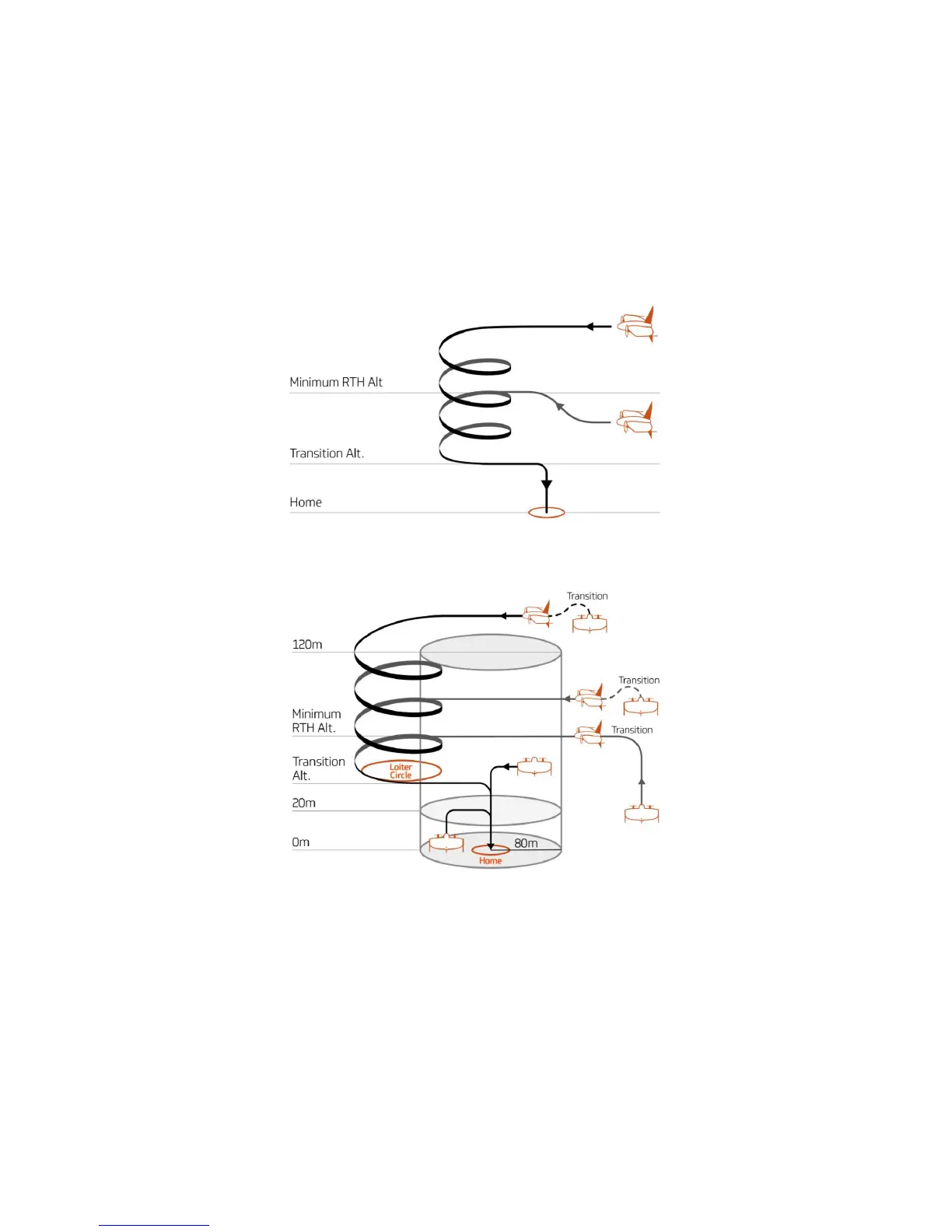
RTH is triggered automatically as a failsafe scenario or it can be triggered manually. Engage RTH if you realize something is wrong and you want WingtraOne to come
back autonomously. If RTH is engaged, WingtraOne flies back to the planned loiter circle on its current flight altitude. If the current altitude is lower than the "minimum
RTH altitude", WingtraOne will first rise to the "minimum RTH altitude" before flying back. It then loiters down to the planned "transition altitude", flies back to the Home
point, transitions above the Home point and lands. The detailed RTH procedure depending on the position and the flight regime of WingtraOne can be seen in the two
figures below.
You can take over manually during Return-to-Home by switching to Assisted Mode.
RTH Procedure in Cruise
RTH Procedure in Hover



 To Next Page