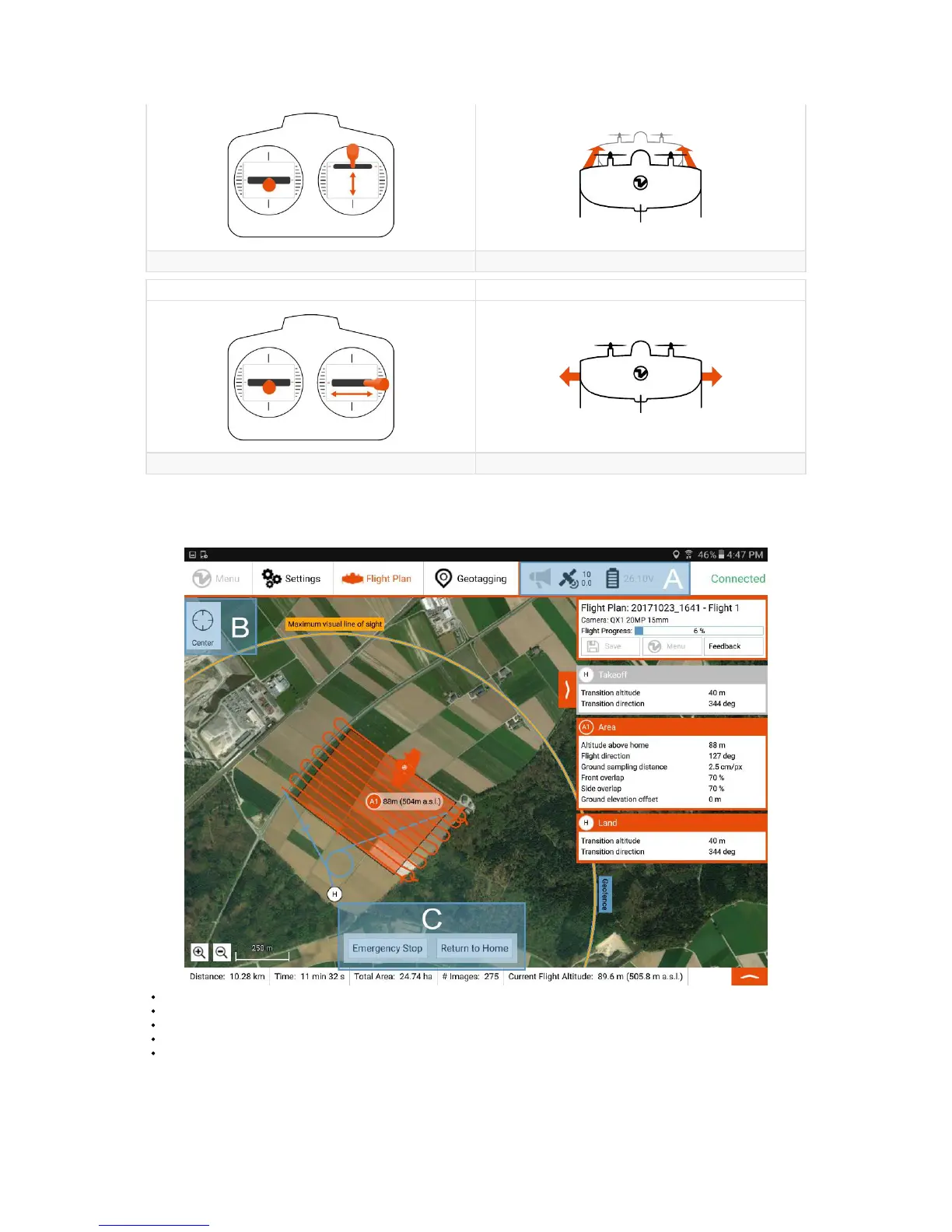
Right Stick: Up & Down back and forth (pitching)
Input Result
Right Stick: Left & Right move left and right (move aircraft along the wing)
Flight Feedback
WingtraPilot shows you some information which you can use to inspect your flight.
A: Information about warnings, GPS quality, and remaining battery.
B: Change the center of the map
C: Options to take over. For more details see the In-Flight Interactions Chapter.
On the bottom of the screen, you can see information about the planned flight and the current flight altitude.
If you miss an important information, please give feedback.



 To Next Page