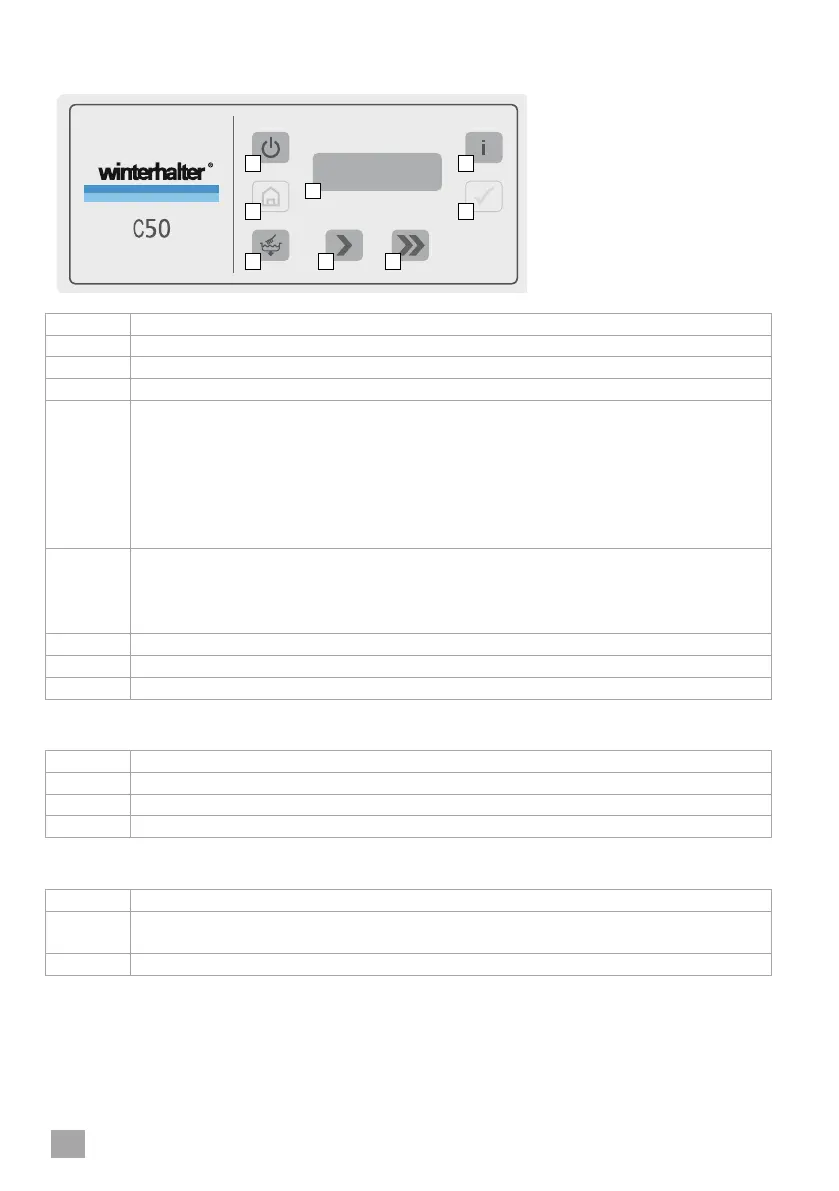
9 Operating panel and display
Starting/stopping the rack conveyor
Briefly press: Standard programme
Pictogram (>) lights up in the display.
Press again: Stops the programme
Press and hold: Intensive programme
Pictogram (>) flashes in the display.
Press again: Stops the programme
Starting/stopping the rack conveyor
Briefly press: Rapid programme
Pictogram (>>) lights up in the display.
Press again: Stops the programme
Display colours during normal operation
Machine is filling and heating up.
Machine is ready for use.
Machine is washing. The rack conveyor is running.
Display colours in the event of an error
Washing is still possible, depending on the error maybe only to a limited ex-
tent.
Washing is no longer possible. Machine stops.




 To Next Page