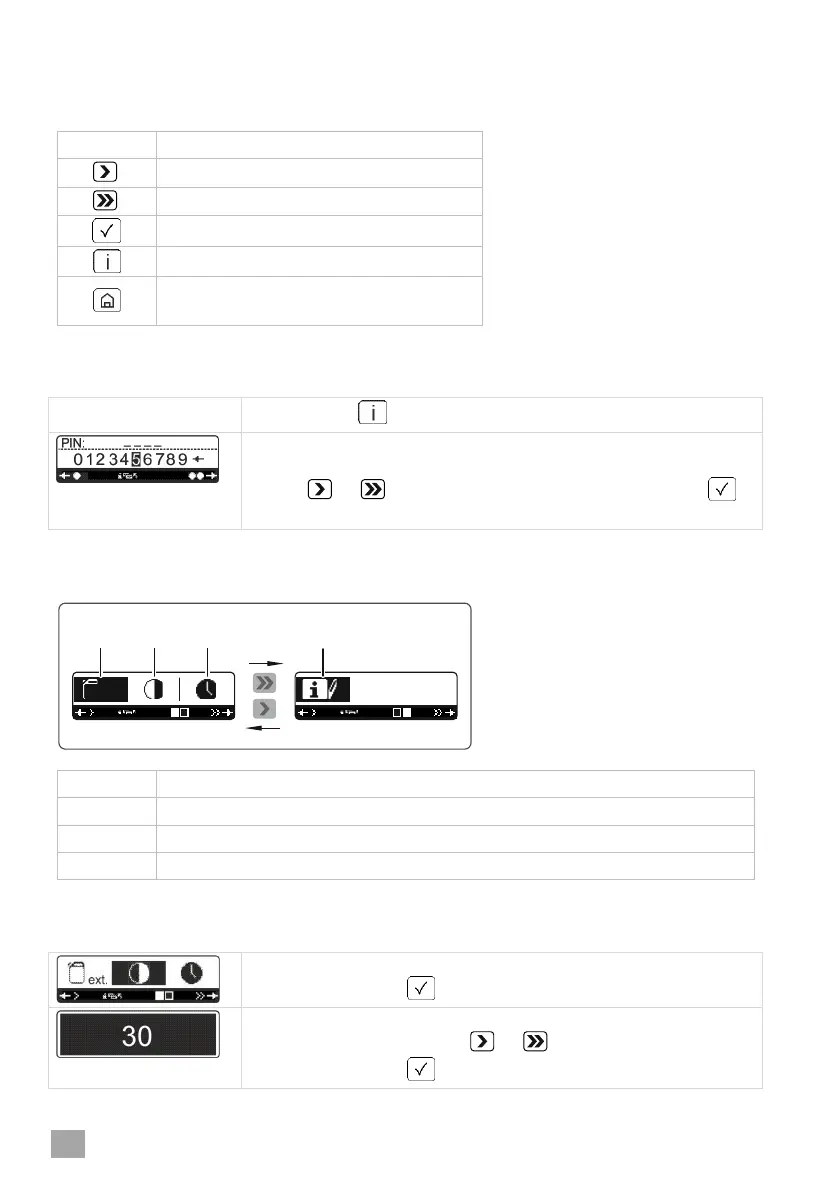
11 PIN Menu
Explanation of the buttons
Cursor left or reduce value
Cursor right or increase value
Briefly press: Back
Press and hold: Jump to main level
Accessing the PIN Menu
Press the button three times.
The PIN input mask is displayed.
Enter PIN 1575. To do this, select the individual figures with
the or button and confirm each figure with the
button.
Overview
Parameters for external dosing devices ( 22)
Operating data (water consumption and operating hours)
Contrast
= Start screen
Confirm with the button.
The whole display becomes black.
Set the contrast with the or button.
Confirm with the button.




 To Next Page