27
User Manual WMF1300S
Start-up | Installation location
3.1 Installation location
• The installation location must be dry and
protected against water spray.
• Some condensate, water, or steam can always
be discharged from acoffee machine.
> Do not use the coffee machine outdoors.
> Set up the coffee machine so that it is
protected against water spray.
> Always place the coffee machine on
awater-resistant and heatproof base in order
to protect the installation surface against
damage.
3.2 Unpacking
> Packaging material in the box contains
accessories. Do not throw away.
> Accessories are packed in the water tank and
the coffee grounds container. Remove the
accessories prior to start-up and rinse the
coffee grounds container and water tank
thoroughly.
> The accessories include an M3flathead screw
that can be used to prevent the outlet cover
from being removed without authorization.
This screw may be installed only by trained
personnel or WMFService.
> Make sure that the coffee machine is intact.
In case of doubt, do not start up the coffee
machine, and inform the WMFService.
> Retain the original packaging in the event
ofany subsequent return.
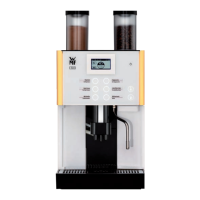
Unpack the WMF1300S and place the coffee
machine on astable, horizontal surface
IMPORTANT
Follow the Warranty chapter
w starting on page 124
Technical data
w starting on page 125
The device can be used as
aself-service device if it is
supervised by trained personnel.
The machine must be set up so as to
allow good visual access.
w Chapter 1.2
Intended use
starting on page 13
IMPORTANT
Follow the Warranty chapter
w starting on page 124
Accessories and spare parts
w page 129
Technical data
w starting on page 125



 To Next Page