23
User Manual WMF9000S +
Operation | Other documents
3.2 Other documents
With syrup station option
• Follow the User Manual for the syrup station.
• Follow the Cleaning instructions for the syrup
station.
3.3 Switch on the coffee machine
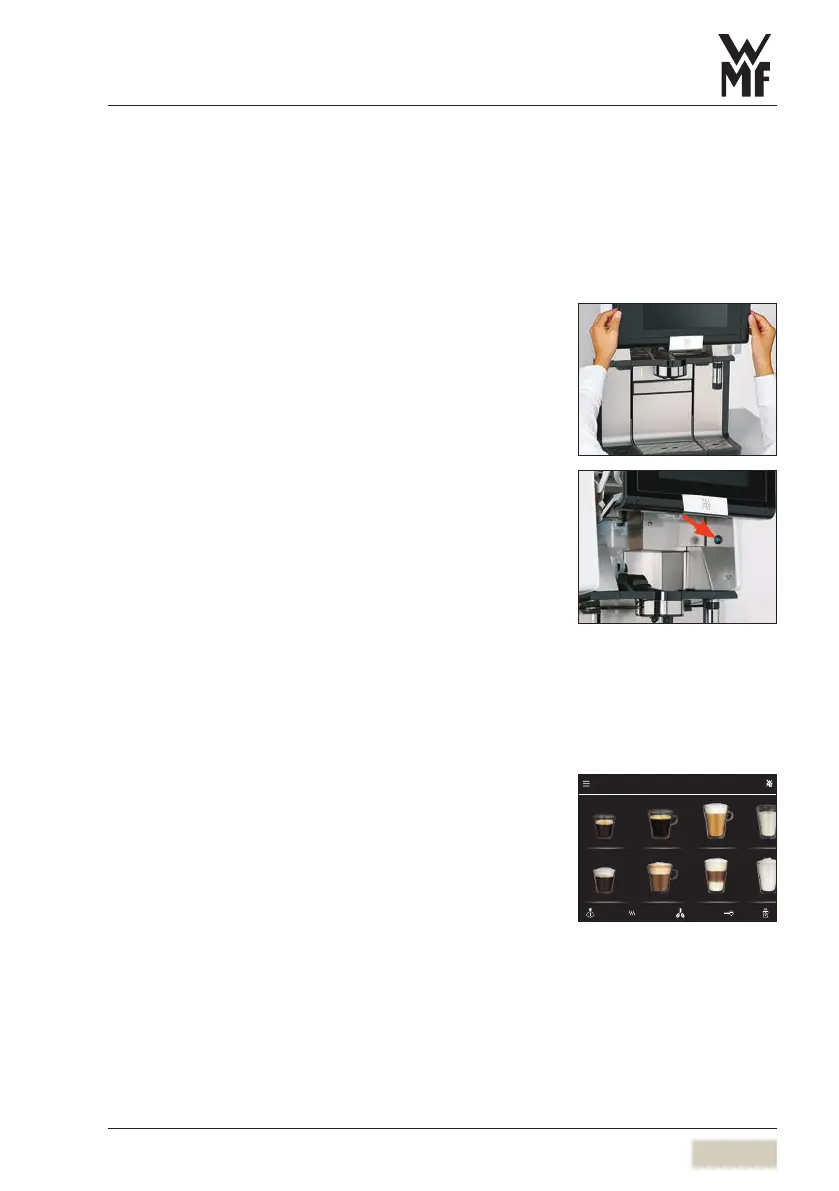
Slide the operating panel upward
The ON/OFF switch is on the right side, behind the
operating panel.
Press and hold the ON/OFF switch until asignal
sounds
Coffee machine switches on and heats up.
An automatic warm rinsing starts.
When the coffee machine is ready to dispense
beverages, the “Ready to operate” display appears.
The coffee machine can be switched on and off using
the timer.
3.4 Beverage dispensing
Touching the beverage buttons starts dispensing of the
beverage selected.
• Lit up button = Ready to dispense
• Unlit button/
red triangle in the
header bar
= not ready to dispense/
button disabled
Place acup of suitable size on the cup table under
the combi spout
Touch the desired beverage button
PIN access control
w PIN rights
page 61
Set timer switching times
w Timer
page 63
Espresso Café Crème Milk coee Milk
Espresso macchiato Cappuccino Latte Macchiato
9000 S+
Beverage selection
Button layout
w Operating options
page 55



 To Next Page