36
UserManualWMFespressoNEXT
Operation | Steam options
3.10.1 AutoSteam
Milk is heated or foamed using the AutoSteam
dispensing.
The coffee machine may be equipped with amaximum
of two AutoSteam outlets (optional).
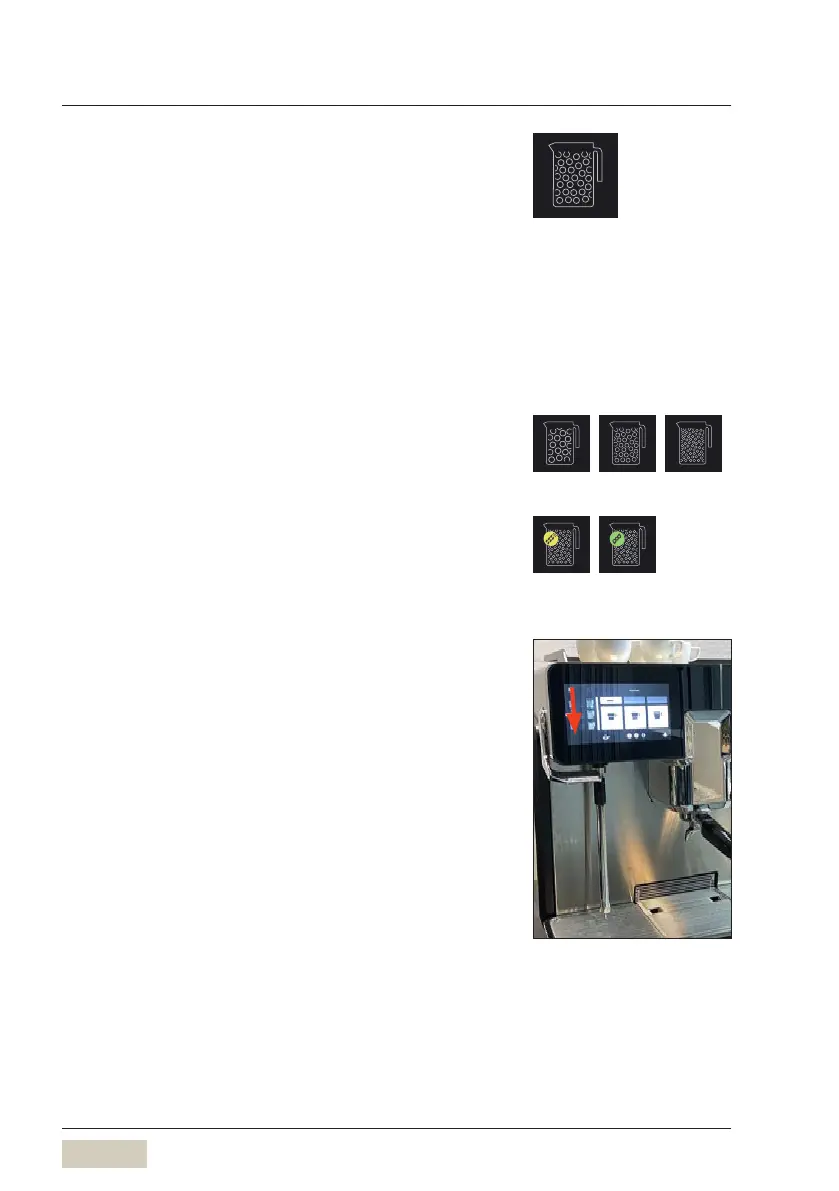
Foam button
The foam button can be used to foam milk to three
different milk foam quality levels.
The selection is confirmed by agreen checkmark on
the display. As soon as the steam lever is pressed down,
steam dispensing starts.
The levels of milk foam quality are:
• standard
• fine
• superfine
Foam milk
✻ Use as tall and slim aCromargan® jug as possible,
with handle
✻ Fill jug to no more than half way, so that the milk
will not run over when it foams
✻ Place the jug in the centre under the steam nozzle
The steam nozzle must be below the surface of the
milk.
✻ For milk foam, press the AutoSteam lever
downwards
Steam is dispensed according to the pre-selected
AutoSteam setting.
Steam dispensing ends automatically when the set
temperature is reached. Pressing the steam lever
againstops the steam dispensing cycle.
✻ Put the jug away and press the AutoSteam lever
down until steam flows out
Foam button
Milk foam selection
Button allocation
w Software
w Change recipes
page 51
Standard
foam
Fine
foam
Superfine
foam
Oat milk Soy milk
For example Cromargan® jug,
WMForder no.03 9090 1001pot set


 To Next Page