48
UserManualWMFespressoNEXT
Software | “Ready to operate” display
4.2 “Ready to operate” display
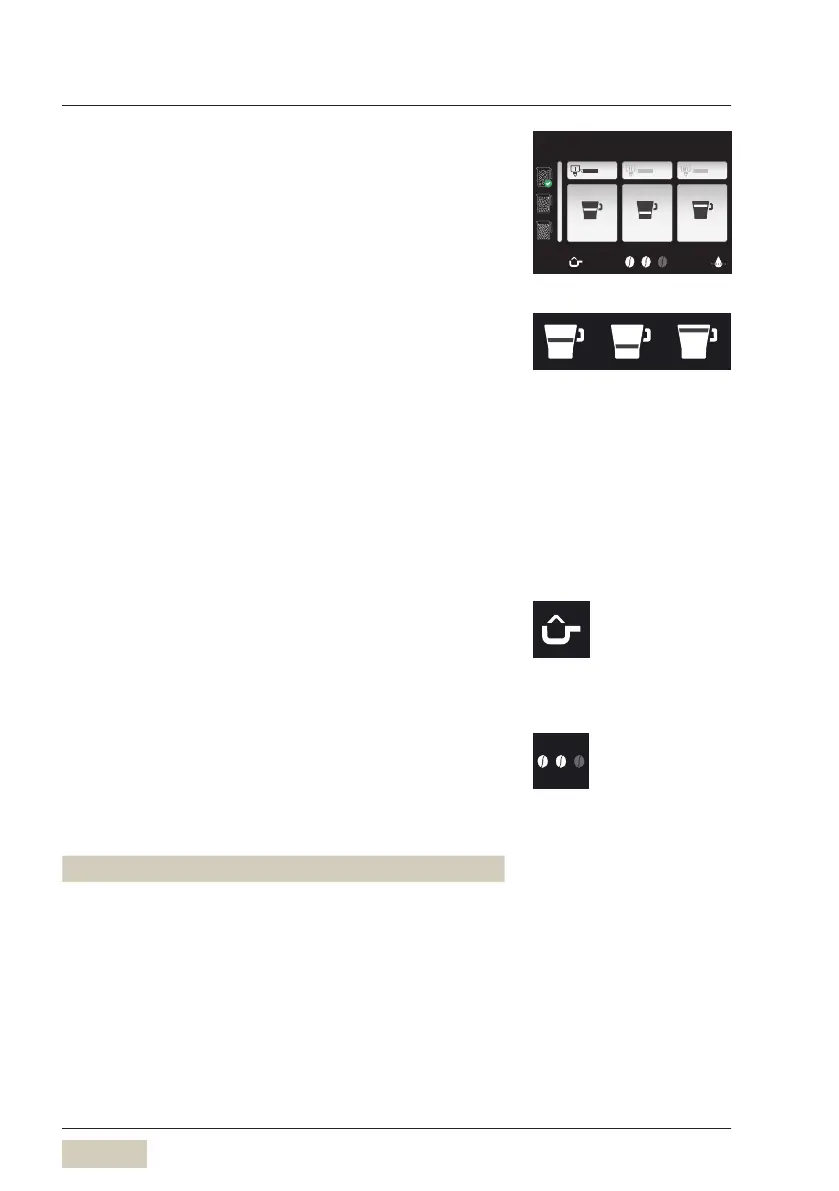
The display shown when “Ready to operate” depends
on the individual settings and options of the coffee
machine.
4.2.1 Beverage buttons
Active beverage buttons are displayed in white. For
each type of portafilter, three different beverage
recipes are set up for each brewing group. The selection
of beverage buttons can be expanded if desired.
The type of portafilter is detected automatically when
it is inserted.
4.2.2 Function bar
Manually adding ground coffee
Manually adding ground coffee
w Operation, page 33
Manual insert
w Operating options, page 57
Barista pad - coffee strength
The coffee strength will be altered for the next
brewing cycle only. This function is available for both
brewing groups.
Display Coffee strength
without
touching
2beans normal, as per setting
touch 1x 3beans 15 % stronger than the setting *
touch 2x 1bean 15 % weaker than the setting *
* Maximum ground coffee
quantity per brewing cycle
Portafilter Ismall 11g
Portafilter II medium 16g
Portafilter III XL 21g
Espresso Ristretto Lungo
Espresso
Display texts
w Text + image
page 54
Manually adding ground coffee
Barista pad active/inactive
w Operating options
page 55


 To Next Page