[1] SOS Alarm [2] Fire Alarm [3] Gas Leak Alarm
[4] Door Alarm [5] Hall Alarm [6] Window Alarm
[7] Balcony Alarm [8] Boundary Alarm
D: siren ON/OFF: [0] OFF, [1] ON
For example: set defence zone 12 to be 24-hour, fire alarm and siren on
Operating method: [60][12][3][2][1][#]
16. Home Arm Defence Zone Setting
If you want some detectors to work and some not while you are at home, you can use the [Home
Arm] function.
Note: Set the home function on the zones that should be active when in home arm mode,
While in settings mode, use the keypad to enter [61], then choose the corresponding
defence zone number [01~99], then choose [Home Arm], and then choose whether alarm [0/1]
button, and finally press [#] to confirm. The main unit will make a long beep and a voice prompt
“setting completed”.
Operating method: [61][XX][A][#]
XX indicates: [01~99] is defence zone 1 to defence zone 99
A indicates: [0] Home arm but not alarm
[1] Home arm and alarm
For example: set defence zone 11 to be Home arm and alarm
Operating method: [61][11][1][#]
For example: set defence zone 12 as Home arm but not alarm
Operating method: [61][12][0][#]
17. Voice Recording
A 10 second voice recording can be stored on the alarm system that will be played back when the
alarm calls the pre-set numbers.
While in settings mode, use the keypad to enter [701], and then press [#] to confirm.
The main unit will emit a beep and the [ ] indicator will go on, and do your recording for the next
10 seconds , record at 10cm away from the main unit with relative loud tone. In the next 10
seconds, the main unit will replay your message.
Operating method: [701][#]
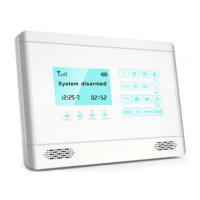
LCD display:
Page 15 Wolf Secure http://www.wolfsecure-gsmalarms.co.za


 To Next Page