If you hang-up directly without answering the call, the system will call each preset number for 3
times circularly.
Press [*]: Read the alarm information.
Press [1]: Main unit stops alarming and Arm; it stops calling users.
Press [2]: Main unit stops alarming and Disarm; it stops calling users.
Press [3]: Siren off and monitors the scene for 30 seconds; for continued monitoring, press [3]
again to monitor for another 30 seconds.
Press [4]: Main unit starts a 30-second two-way intercom. It cannot be controlled by the mobile
during the time of intercom.
Press [5]: Linkage switch 1, 12V output on.
Press [6]: Linkage switch 1, 12V output off.
Making calls to control the alarm system
Dial the number associated with the alarm main unit (The number of the SIM card in the alarm
system) by phone or mobile phone. The alarm system will answer the call and a a voice prompt
will ask for your password. If the password is correct you will here “Press 1 to arm, Press 2 to
disarm, Press 3 to Monitor, Press 4 to Intercom”. If the password is incorrect, you will hear a
prompt voice “wrong password, please re-enter”.
Press [1]: arm, if finished successfully, you will hear a voice prompt “System armed”.
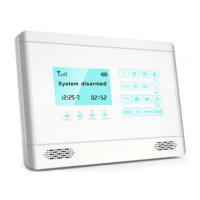
Press [2]: disarm, if finished successfully, you will hear a voice prompt “System disarmed”.
Press [3]: monitoring for 30 seconds, to continue monitoring, press [3] again to monitor for another
30 seconds.
Press [4]: two-way intercom for 30 seconds. You can’t operate the main unit during this time.
Press [5]: Linkage switch 1, 12V output on.
Press [6]: Linkage switch 1, 12V output off.
Using alarm system as a cellphone/intercom system
You can use the main unit to make any call just like a normal telephone. While the system is not
armed, dial the telephone number using the keypad, press [ ] button, the main unit will make a
beep and the [Signal] indicator will be flashing. After the call, press [ ] button again, the main
unit will hang up the call and be in disarm status.
Power failure notification
The alarm system will send power failure and recovery notifications via SMS when detecting power
loss to the alarm system.
Note: Only under Out Arm status, will the system send SMS power failure/ power recovery alerts.
The SMS content:
Power failure: Power changer off
Power recovery: Power changer on
Page 21 Wolf Secure http://www.wolfsecure-gsmalarms.co.za


 To Next Page