3064810_201804 59
28.Determining/changingthegastype
Changingthegastype(onlyforoperationwithLPG)
ChangethegastypeforoperationwithLPG
1. The gas boiler must be switched OFF.
Close the gas ball valve.
The boiler starts automatically when there is a heat
demand, even if the gas type has not yet been
correctly set.
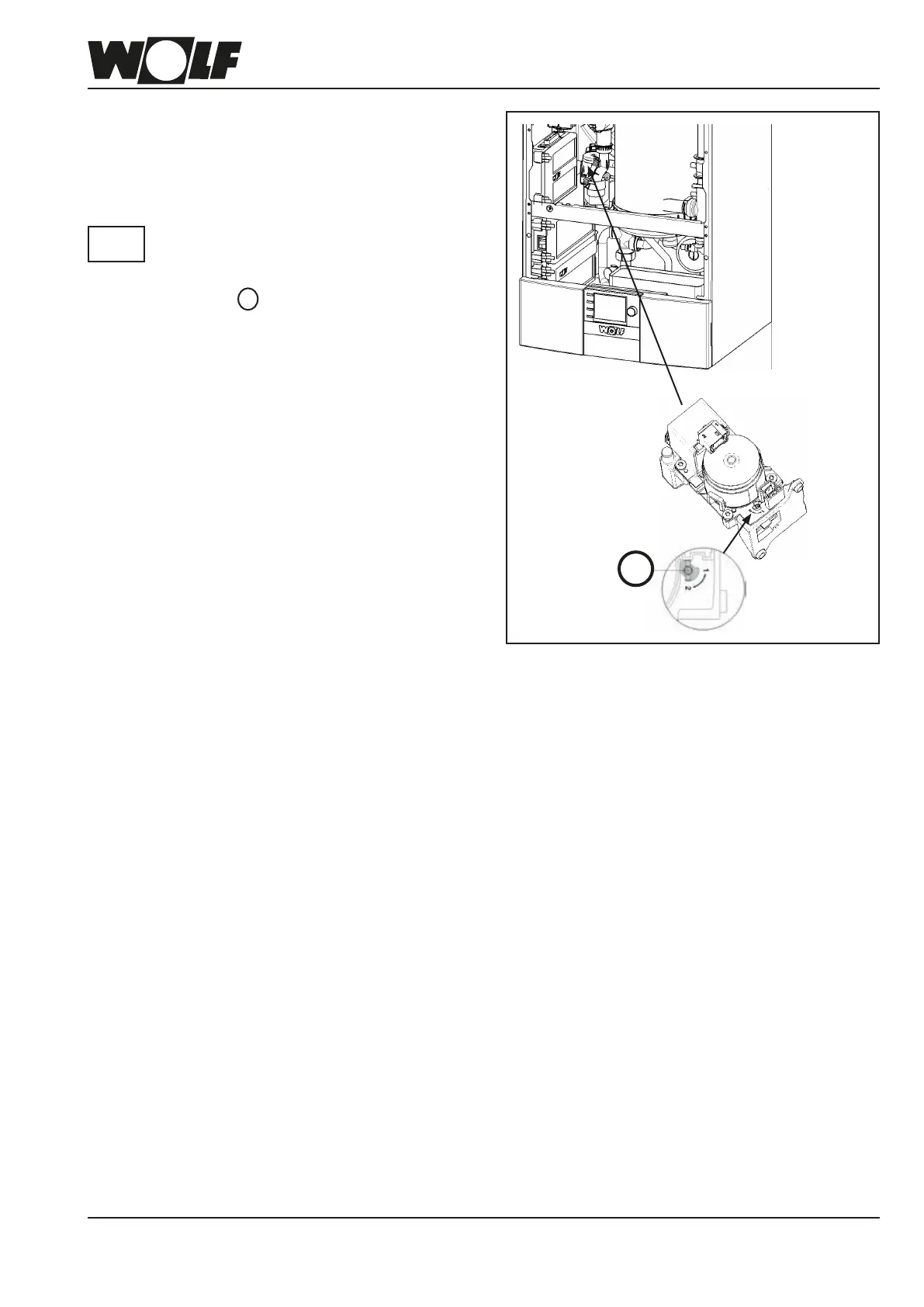
2. Set adjusting screw A on the gas valve to "2".
3. Press the red ON/OFF switch to switch ON the boiler.
4. Set the gas type at the contractor level.
• Press the operating button Þ Main menu.
• Select the contractor level by rotating and pressing the
operating button.
• Entercode"1111"andconrm.
• Select HG parameter HG12 and set to LPG.
• Exit the contractor level.
• Update the type plate.
Afxthelabel"ConversiontoLPG"(includedwiththe
documentation) next to the type plate.
Please
note
Fig: Changing the gas type
A



 To Next Page