Descale the Appliance
1
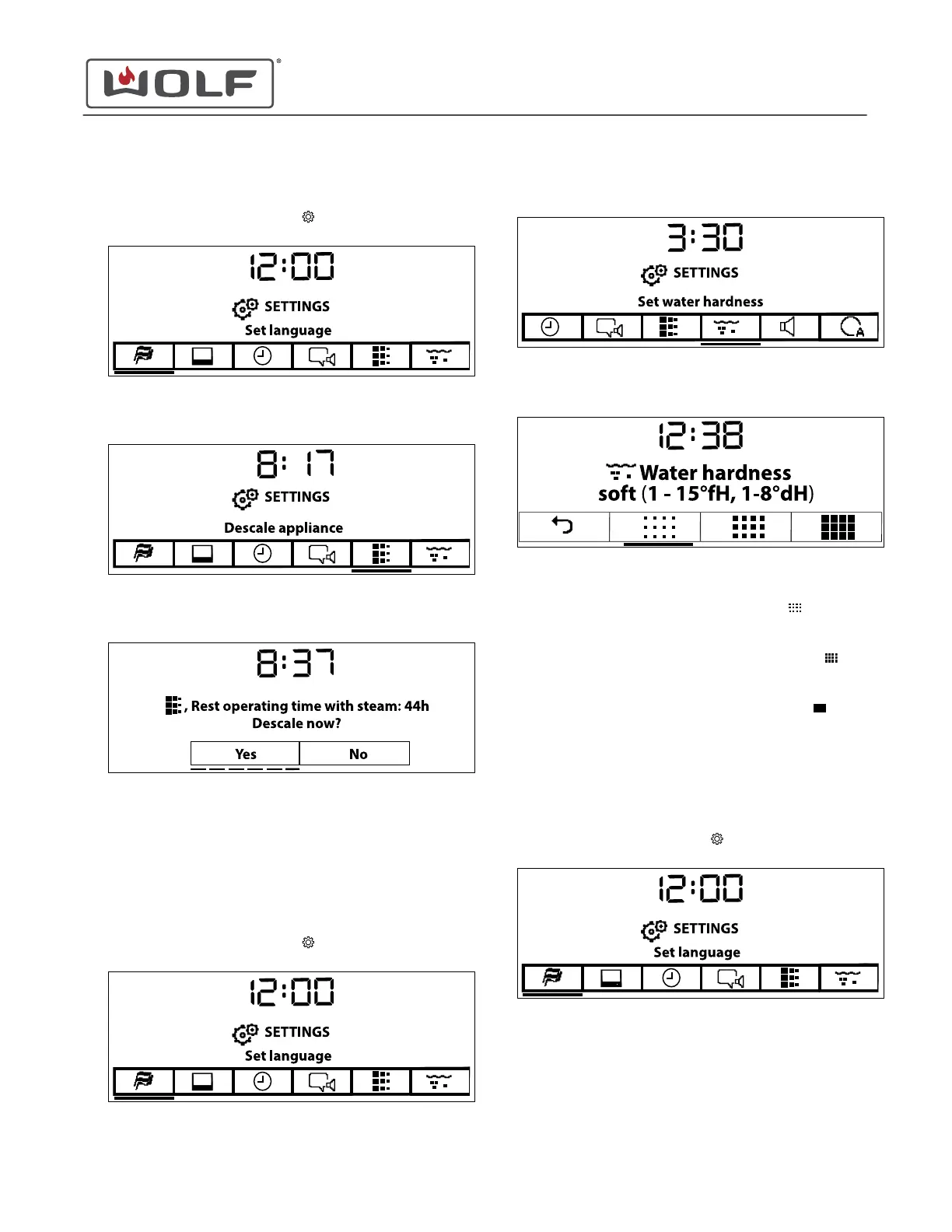
Touch Settings twice. The Settings menu appears.
2 Touch the right arrow key to move to Descale Appliance.
3 Touch Enter. The Descale Now screen appears.
4 To start descaling the appliance, use the arrow keys to
underline Yes.
5 Touch Enter on the selection.
Set the Water Hardness
1
Touch Settings twice. The Settings
menu appears.
2
Touch the right arrow key to move to Set Water Hardness.
3 Touch Enter. The Water Hardness screen appears.
4 Use the arrow keys to underline the water hardness level:
•
Use Water Hardness Soft (1-15°fH, 1-8°dH)
if the
factory test strip reads less than 60 ppm (parts per
million).
•
Use Water Hardness Medium (16-35°fH, 9-20°dH)
if
the factory test strip reads between 60 ppm and 120
ppm.
•
Use Water Hardness Hard (36-50°fH, 21-28°dH)
if
the factory test strip reads greater than 120 ppm.
5 Touch Enter to confirm.
Set the Loudness
1
Touch Settings twice. The Settings
menu appears.
CSO (SWS #13543126)
Settings
Descale the Appliance (continued)
service.subzero.com
827703 REV B.1
40



 To Next Page