See Appliance Identification
1
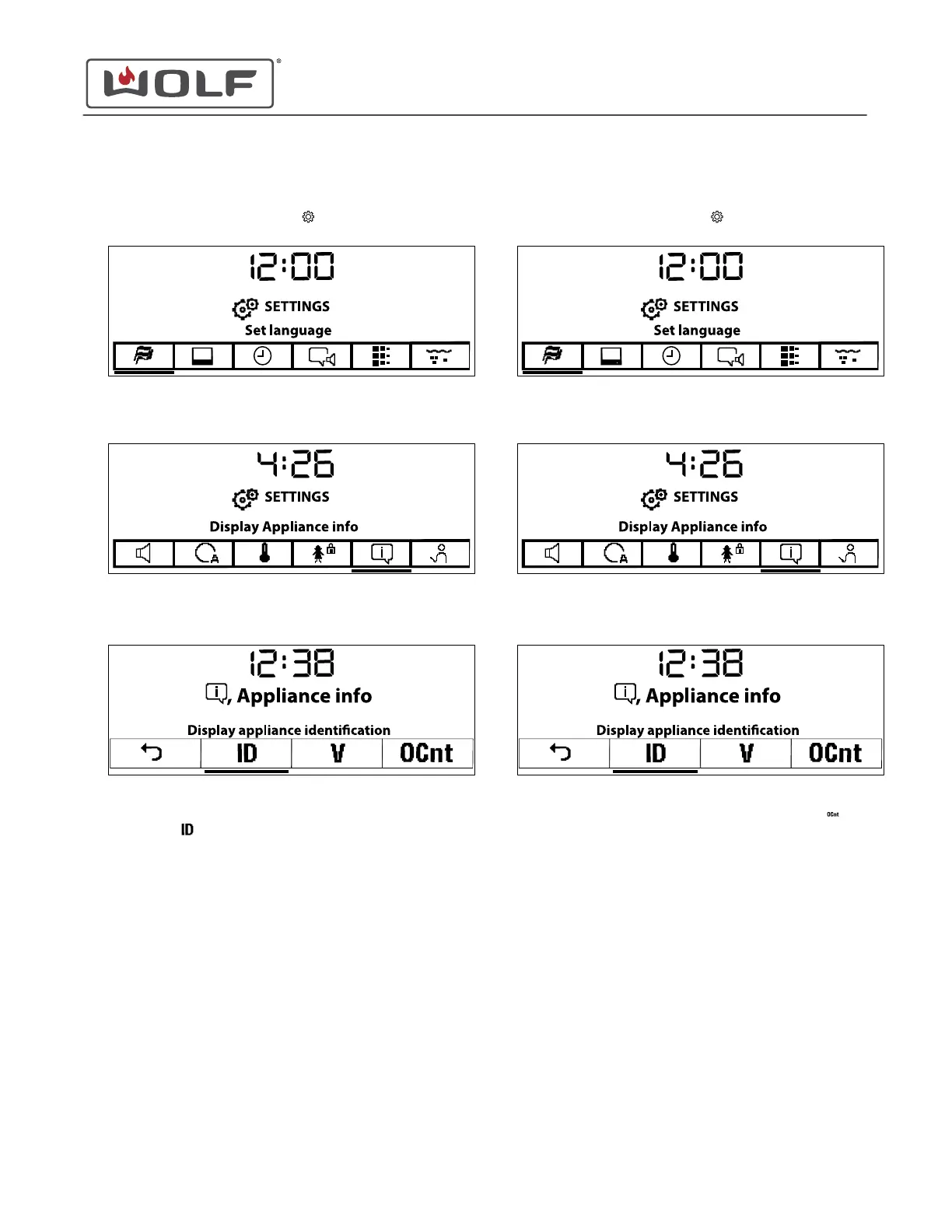
Touch Settings twice. The Settings menu appears.
2 Touch the right arrow key to move to Display Appliance Info.
3 Touch Enter. The Appliance Info screen appears.
4 Use the arrow keys to underline Display Appliance
Identification
.
5 Touch Enter on Display Appliance Identification.
• The V-Zug serial number and article number appear.
6 Touch Enter.
7 Use the arrow keys to move to Back.
8 Touch Enter to return to the Settings screen.
See Operating Data
1
Touch Settings twice. The Settings menu appears.
2 Touch the right arrow key to move to Display Appliance Info.
3 Touch Enter. The Appliance Info screen appears.
4
Use the arrow keys to underline Display Operating Data
.
5 Touch Enter.
6 Use the arrow keys to see the number of descaling
processes, final descaling, and amount of steam operation.
• C1: Descaling Process.
• C2: Final Descaling.
• C3: Steam Operation.
7 Use Back to return to the Appliance Info screen.
8 Use the arrow keys to move to Back.
9 Touch Enter to return to the Settings screen.
CSO (SWS #13543126)
Settings
See Appliance Identification (continued)
service.subzero.com
827703 REV B.1
45



 To Next Page