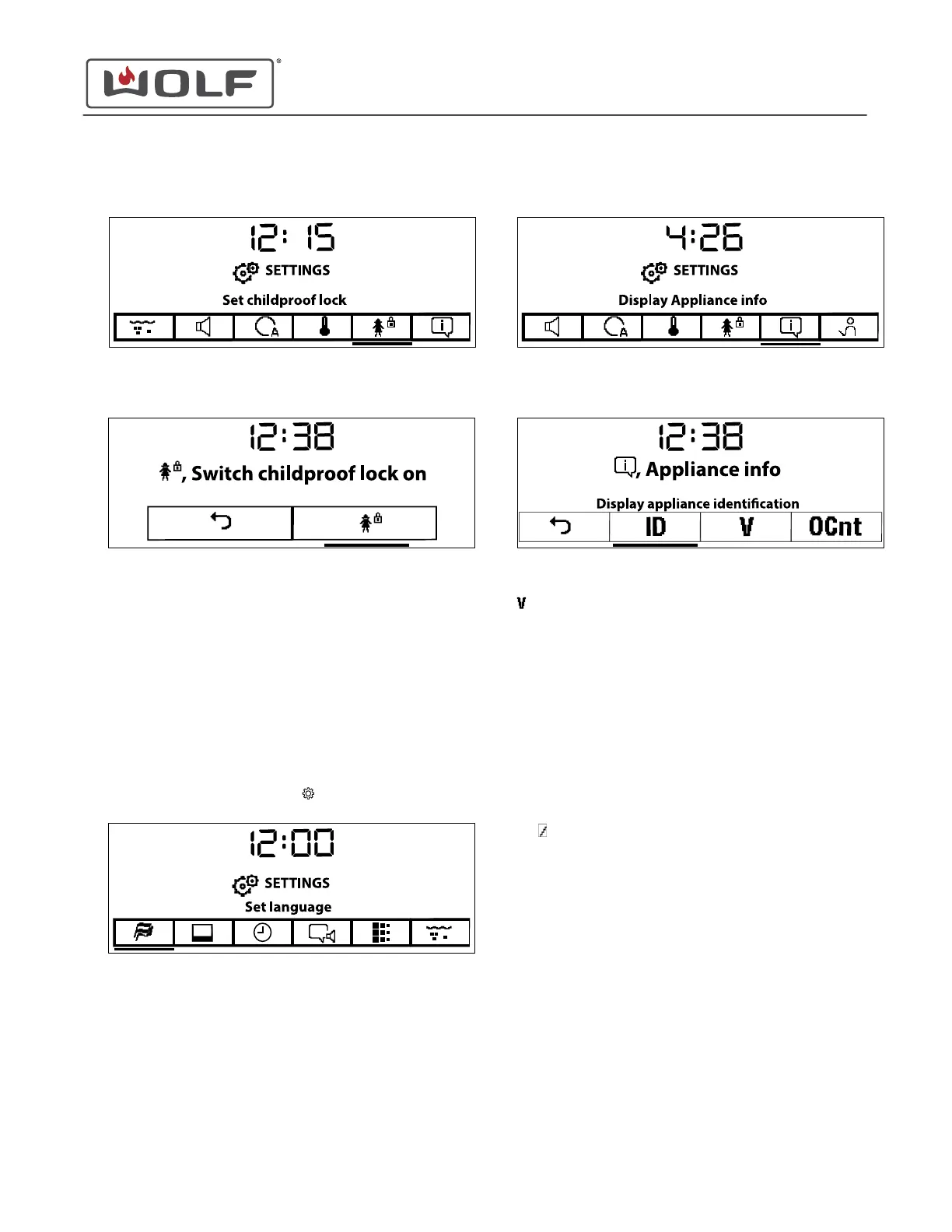
2 Touch the right arrow key to move to Set Childproof Lock.
3 Touch Enter. The Childproof Lock screen appears.
4 Touch Enter to turn the lock on or off.
• A check mark means that the Childproof Lock is on.
• When turning the Childproof Lock on, a screen appears
with the code to unlock the childproof lock. Remember
the code, as it will be needed to unlock the unit.
5 Use the arrow keys to move to Back.
6 Touch Enter to return to the Settings screen.
See Appliance Version Numbers
1
Touch Settings twice. The Settings
menu appears.
2
Touch the right arrow key to move to Display Appliance Info.
3 Touch Enter. The Appliance Info screen appears.
4 Use the arrow keys to underline Display Version Numbers
.
5 Touch Enter.
6 Use the arrow keys to see the current hardware and
software versions.
• HW-P: Hardware Power Unit.
• HW-C: Hardware Control Unit.
• SW-P: Software Power Unit.
• SW-C: Software Control Unit.
• Proc: Process Data.
• Op: ModellconfigurationLib.
• Txt: TextLib.
• 1...&: FontLib.
•
: SoundLib.
7 Use Back to return to the Appliance Info screen.
8 Use the arrow keys to move to Back.
9 Touch Enter to return to the Settings screen.
CSO (SWS #13543126)
Settings
SET CHILDPROOF LOCK (continued)
service.subzero.com
827703 REV B.1
44



 To Next Page