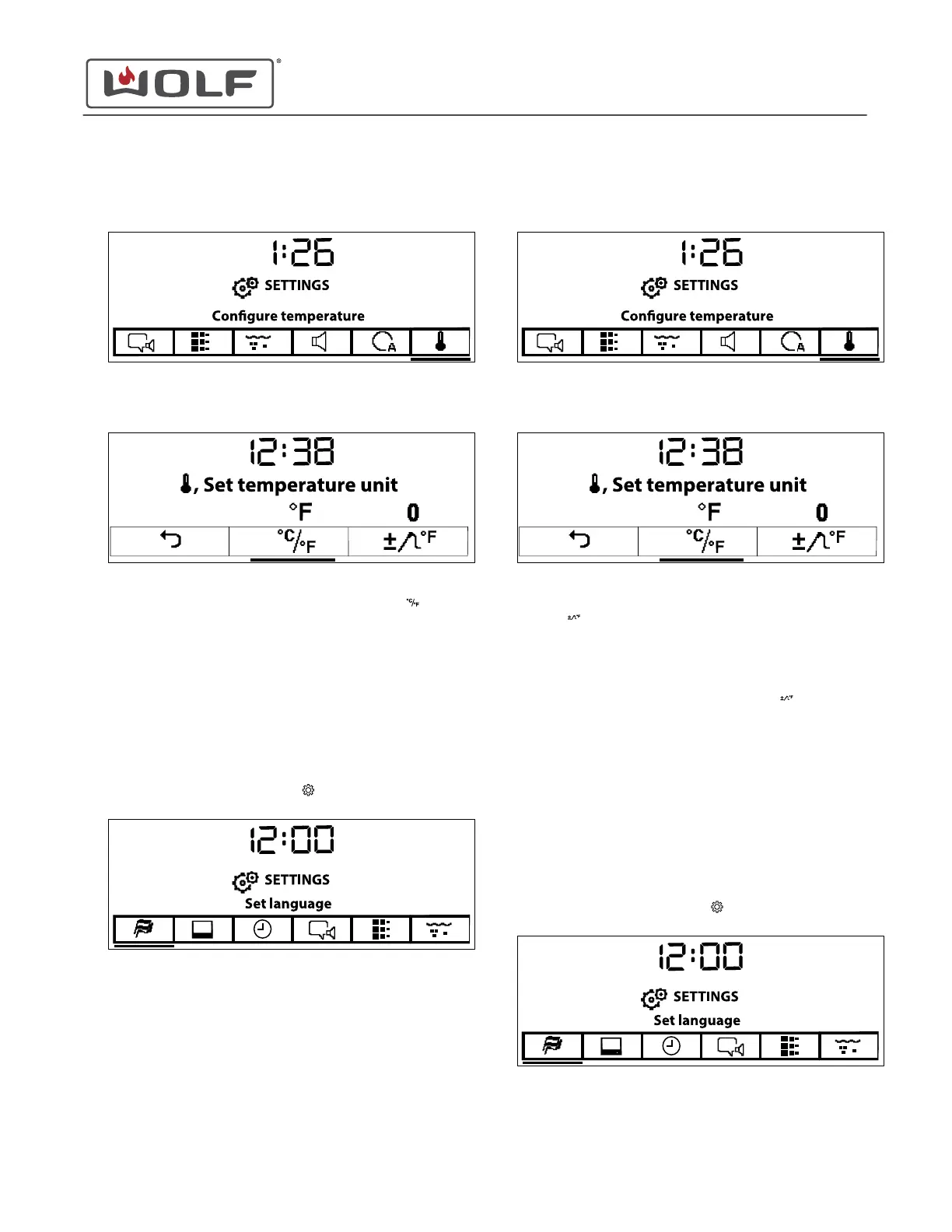
2 Touch the right arrow key to move to Configure
Temperature.
3 Touch Enter. The Configure Temperature screen appears.
4
Use the arrow keys to underline Set Temperature Unit
.
• Above the button, is the current temperature unit.
5 Touch Enter to toggle between °F and °C.
6 Use the arrow keys to move to Back.
7 Touch Enter to return to the Settings screen.
Configure the Default Temperature for Slow Roasting
1
Touch Settings twice. The Settings
menu appears.
2
Touch the right arrow key to move to Configure
Temperature.
3 Touch Enter. The Configure Temperature screen appears.
4 Use the arrow keys to underline Default Value for Slow
Roasting .
• The Default Value for Slow Roasting can be offset
between -10°F and +10°F.
• The value above the button shows the current offset.
5
Touch Enter on Default Value for Slow Roasting
.
6 Use the arrow keys to adjust the offset between -10°F and
+10°F.
7 Touch Enter.
8 Use the arrow keys to move to Back.
9 Touch Enter to return to the Settings screen.
Set Childproof Lock
1
Touch Settings twice. The Settings
menu appears.
CSO (SWS #13543126)
Settings
CONFIGURE TEMPERATURE UNITS (continued)
service.subzero.com
827703 REV B.1
43



 To Next Page