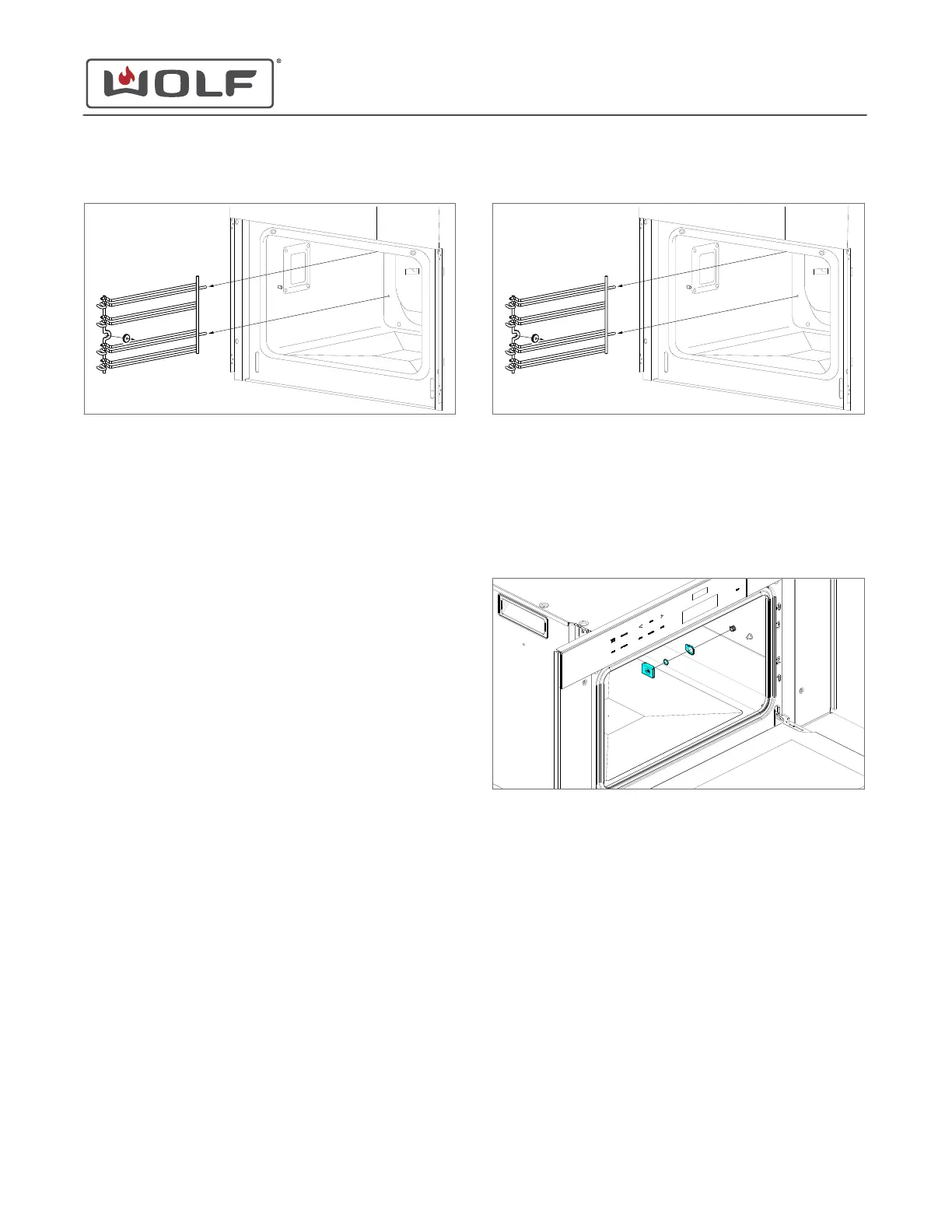
3 Pull the rack guide forward out of the unit.
RACK GUIDE INSTALLATION
Install the Rack Guide
1 Insert the rack guide rails into the rear baffle.
2 Place the indent in the rack guide over the rack guide stud.
3 Install the rack guide nut.
Install the Rack
1 Insert the rack between the rails of the rack guide.
2 Push the rack into the oven.
FOOD PROBE COVER REMOVAL
To remove the probe cover, first remove the racks and the right-
hand rack guide.
Remove the Rack
Pull the rack forward out of the unit.
Remove the Rack Guide
1 Remove the rack guide nut.
2 Pull the front of the rack guide toward the center of the
oven.
3
Pull the rack guide forward out of the unit.
Remove the Food Probe Cover
1 Lift the food probe cover.
2 Use an 11 mm socket to remove the food probe cover nut.
3 Remove the food probe cover, nut, and food probe cover
seal from the unit.
FOOD PROBE COVER INSTALLATION
Install the Food Probe Cover
1 Place the food probe seal onto the food probe cover.
2 Place the food probe cover over the food probe switch
threads.
3 Use an 11 mm socket to install the food probe nut.
Install the Rack Guide
1 Insert the rack guide rails into the rear baffle.
2 Place the indent in the rack guide over the rack guide stud.
CSO (SWS #13543126)
Cavity Component Removal and Installation
REMOVE THE RACK GUIDE (continued)
service.subzero.com
827703 REV B.1
51



 To Next Page