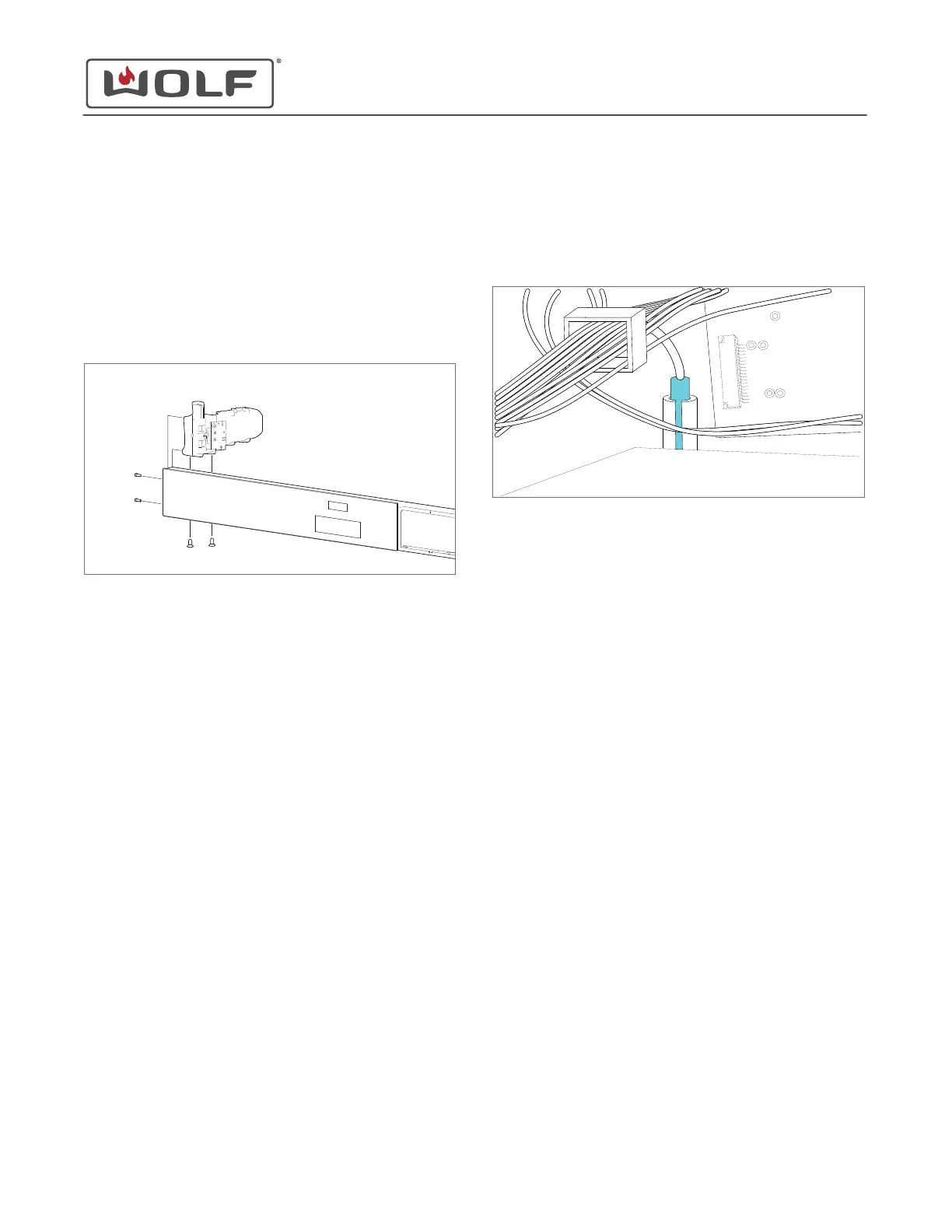
Remove the Handle Actuator
1 Use a T-10 Torx bit to remove the handle actuator side
mounting screws.
2 Open the oven door.
3 Use a T-20 Torx bit to remove the handle actuator bottom
mounting screws.
4 Disconnect the wire harnesses from the handle actuator.
5 Remove the handle actuator from the control panel.
HANDLE ACTUATOR INSTALLATION
After installing the handle actuator, install:
1
Top plate
2
Unit
3
Water tank
Install the Handle Actuator
1 Connect the wire harnesses to the handle actuator.
2 Use a T-20 Torx bit to install the handle actuator bottom
mounting screws.
3 Use a T-10 Torx bit to install the handle actuator side
mounting screws.
4 Close the oven door.
DOOR SWITCH REMOVAL
To remove the door switch, first remove:
1
Water tank
2
Unit
3
Top plate
Remove the Door Switch
1 Disconnect the door switch wire connector from the control
board.
2 Open the door switch bracket tab and remove the door
switch from the door switch bracket.
DOOR SWITCH INSTALLATION
After installing the door switch, install:
1
Top plate
2
Unit
3
Water tank
Install the Door Switch
1 Place the door switch in the door switch bracket.
2 Connect the door switch wire connector to the control
board.
VALVE ASSEMBLY REMOVAL
The valve assembly includes:
• Water valve
• Water tank microswitch
• Water tank drive motor
• Water tank rail
To remove the valve assembly, first remove:
1
Water tank
2
Unit
3
Top plate
Remove the Valve Assembly
1 Remove the wire connectors from the water tank
microswitch.
CSO (SWS #13543126)
Top Component Removal and Installation
Remove the Handle Actuator (continued)
service.subzero.com
827703 REV B.1
57



 To Next Page