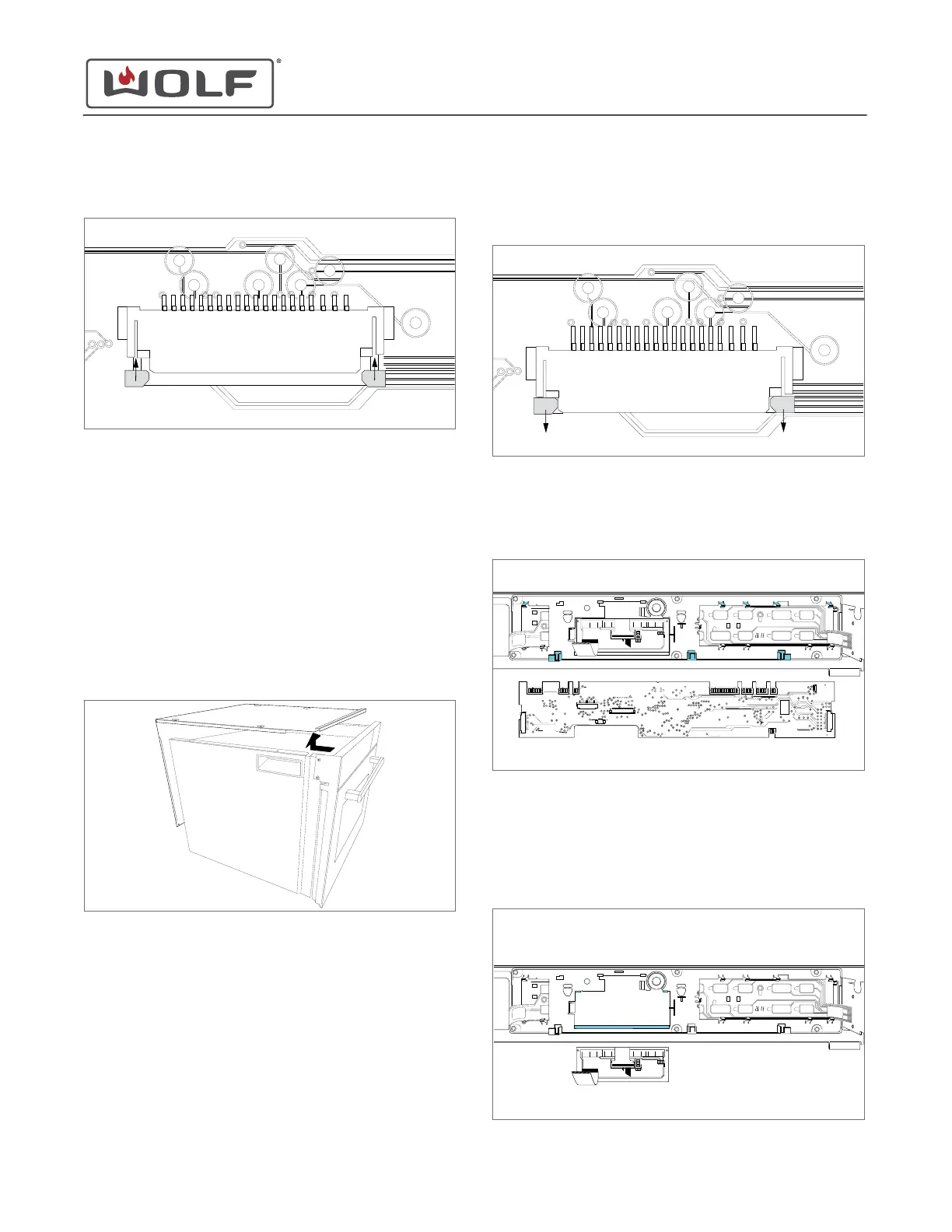
3 Insert the ribbon cable into the ribbon cable connector and
lock the ribbon cable connector.
4 Connect the wire connectors to the control board.
DISPLAY REMOVAL
To remove the display, first remove the top plate and the control
board.
Remove the Top Plate
1 Use a T-20 Torx bit to remove the screws from the top and
back of the unit.
2 Remove the top plate from the unit.
Remove the Control Board
1 Open the lock(s) on the ribbon cable connectors, and
remove the ribbon cable(s) from the control board.
2 Disconnect the wire connectors from the control board.
3 Open the tabs on the control board bracket along the top of
the control board.
4 Remove the control board from the unit.
Remove the Display
1 Lift the tabs on the control board bracket at the top of the
display.
2 Remove the display from the unit.
CSO (SWS #13543126)
Top Component Removal and Installation
INSTALL THE CONTROL BOARD (continued)
service.subzero.com
827703 REV B.1
60



 To Next Page