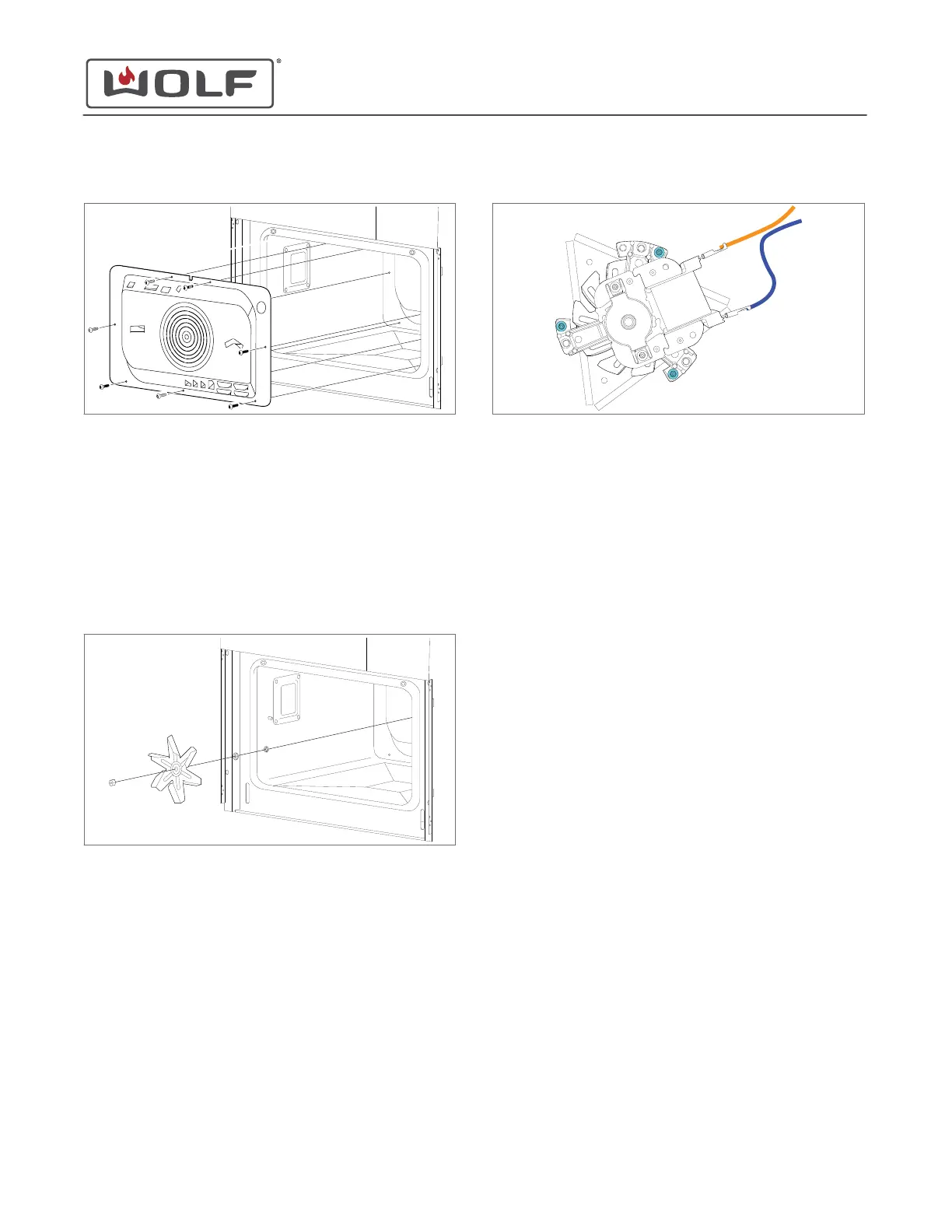
2 Remove the rear baffle from the unit.
Remove the Hot Air Fan Blade
TIP: The hot air fan blade nut is reverse threaded.
1 Use a 10 mm socket to remove the nut from the hot air fan
blade.
2 Remove the washer and the hot air fan blade from the unit.
3 The washer and C-clip behind the hot air fan blade does not
need to be removed unless the convection fan motor is
being removed.
Remove the Convection Fan Motor
1 Disconnect the electrical connectors from the convection
fan motor.
2 Use a T-20 Torx bit to remove the screws from the
convection fan motor.
3
Remove the convection fan motor from the unit.
CONVECTION FAN MOTOR INSTALLATION
Install the Convection Fan Motor
1 Place the convection fan motor onto the back of the unit.
2 Use a T-20 Torx bit to install the screws into the convection
fan motor.
3 Connect the electrical wires to the convection fan motor.
Install the Hot Air Fan Blade
1 Install the C-clip and washer if they were removed for
replacement of the convection fan motor.
2 Install the hot air fan blade.
3 Install the washer.
TIP: The hot air fan blade nut is reverse-threaded.
4 Use a 10 mm socket to install the nut onto the hot air fan
blade.
Install the Rear Baffle
1 Place the rear baffle against the back wall of the oven
cavity.
2 Use a T-20 Torx bit to install the screws into the rear baffle.
Install the Rack Guide
1 Insert the rack guide rails into the rear baffle.
2 Place the indent in the rack guide over the rack guide stud.
3 Install the rack guide nut.
CSO (SWS #13543126)
Back Component Removal and Installation
REMOVE THE REAR BAFFLE (continued)
service.subzero.com
827703 REV B.1
76



 To Next Page