3064458_201811
31
1
2
15. Control unit
Contractor level
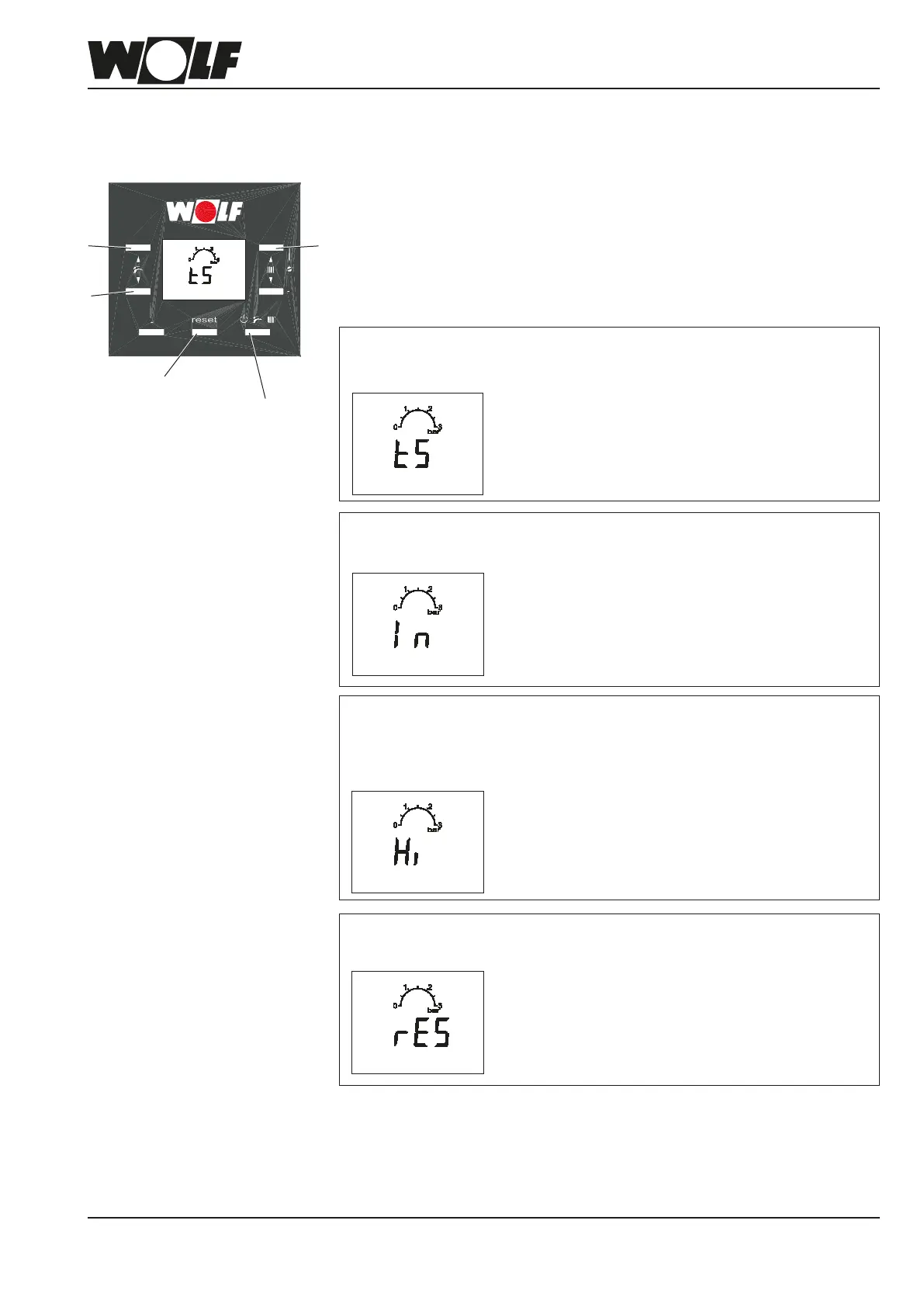
To navigate to the contractor level, press and hold reset button (4) for 10 s.
Press buttons (1) and (2) to select one of the following 4 options. They are
indicated by the following displays (ashing). The rst menu shown is the
parameter menu, indicated by a ashing "tS".
Briey press reset (4) to select the required menu.
Press and hold operating menu button (5) for 1 s to exit the contractor level.
Heating appliance parameter
(see heating appliance control parameters)
Display menu
(see info button)
Fault history
The last 8 faults are displayed:
- Press button (1) to select H01 to H08.
- Press button (7) to display the fault code.
To reset the fault history:
- When rES is displayed, press and hold operating mode button (5) for 5 s.
Reset button (4)
Operating mode button (5)
7



 To Next Page