MAINTENANCE
Safety Devices Inspection
4
4-8 doc021023 MAINTENANCE
4.7 Safety Devices Inspection
MP200E6S Moulder – Safety Devices Inspection
Safety devices on the machine which must be checked before every shift:
E-STOP button and its circuit inspection,
Cutter cover safety switch and its circuit inspection.
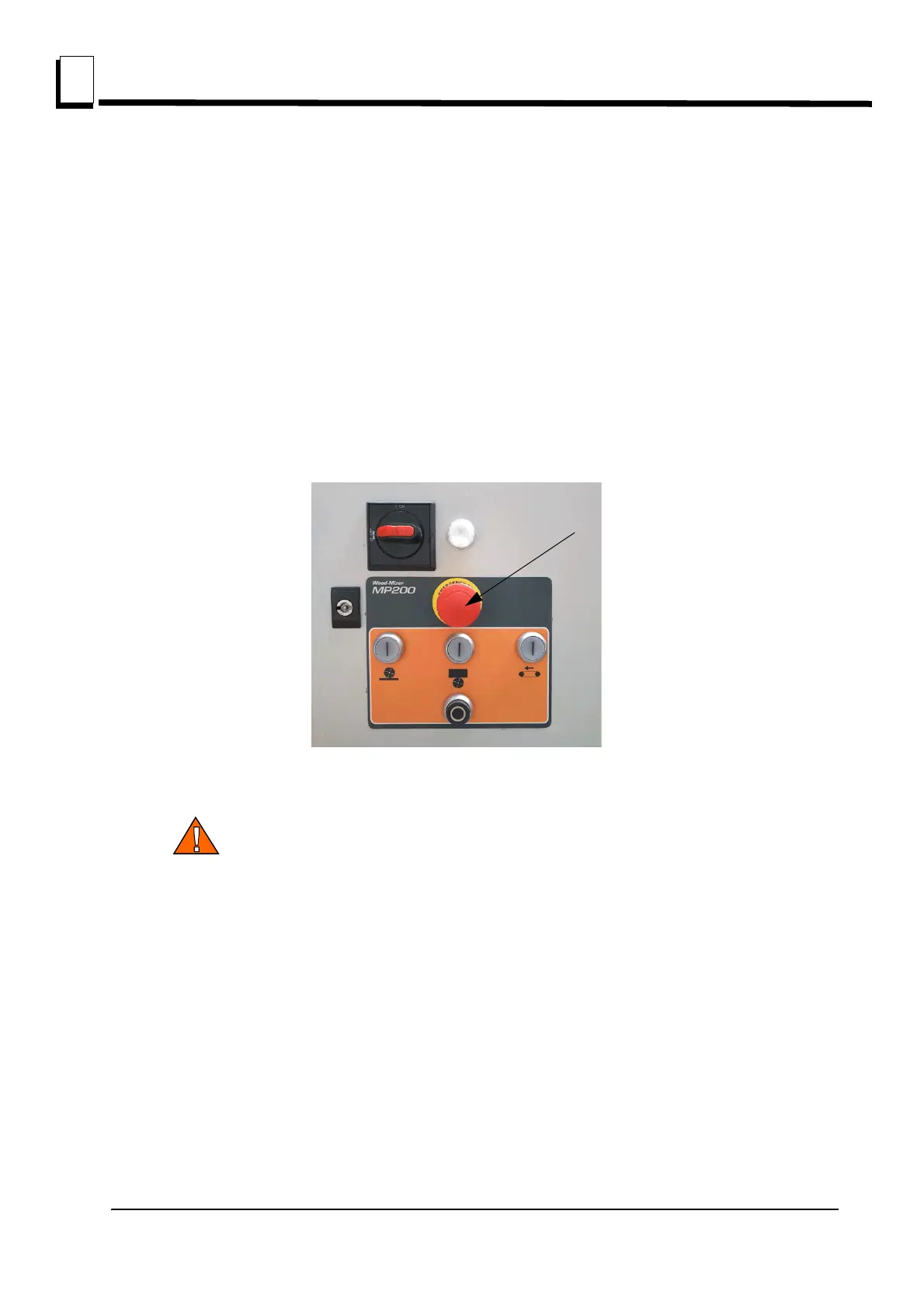
1. E-STOP button and its circuit inspection
Use “I” buttons to start top and side cutter and next feed rollers. The motors should start.
Press the E-STOP button located on the control box. All motors should be stopped. Pressing
any of “I” buttons should not start the motor until the E-STOP button is released.
2. Cutter cover safety switch and its circuit inspection
CAUTION! Use extreme caution when opening cutter housing cover if
top and side cutters are working (to inspect safety devices).
Use “I” buttons to start top and side cutter and next feed rollers. The motors should start.
Be sure the emergency switch button is released;
Open the cutter housing cover;
All motors should be stopped.
Pressing any of “I” buttons should not start the motors.
Close the cutter housing cover.
Motors should remain stopped until they are restarted with the any of “I” buttons.
3. Check the anti-kickback fingers



 To Next Page