24
Note: You may need to reconnect your iOS device to your preferred wireless network after this setup process.
Problem connecting? Visit www.wrensound.com/support for additional help.
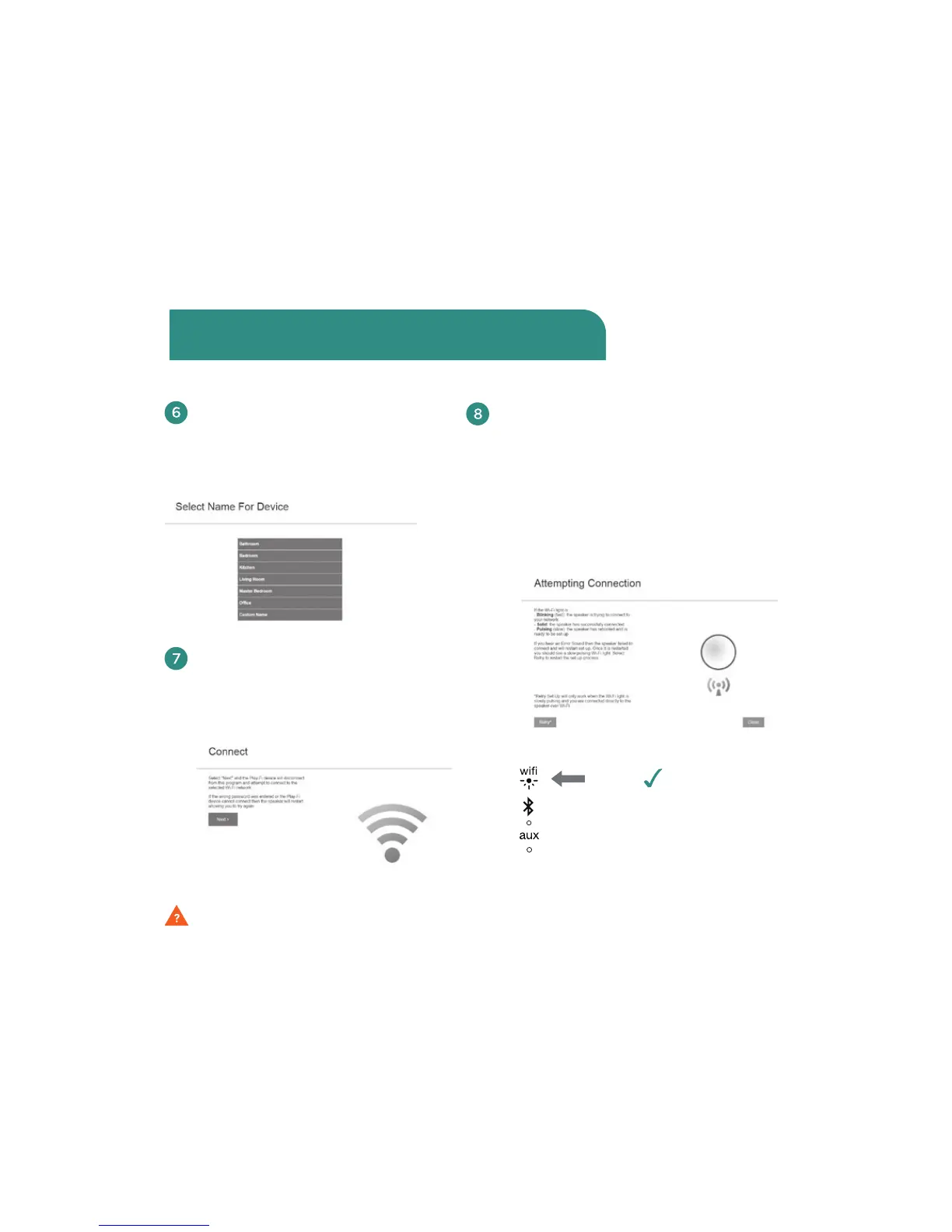
Use the next screen to select a
name for your speaker. You can
choose any name from the list or
you can enter a custom name.
After you have named your V5US, you
will be oered a “Connect” screen with
a button. Touch the blue button that
says “Next.”
Congratulations!
Your Wren V5US is
now ready to use as
an AirPlay speaker!
The “Attempting Connection” screen
will come up with information on how
to proceed (see image below.) Once
the WiFi indicator light on your Wren
V5US turns solid white, your speaker is
connected to the network. You can now
play music using AirPlay on your iOS
device or your Mac or Windows PC.
solid
white
Connect to your network using a Mac or
Windows PC running iTunes (Cont.)



 To Next Page